

Can Macs Get Viruses? (Expert Advice)

Before we dive in
Before we dive in, let's make sure you stay safe online. We created SpyHunter because your security matters to us.
Protect your computer today — download SpyHunter right here! Check out our top tips below to keep your computer safe and secure.

Despite their strong security defenses, Macs can become vulnerable to viruses through various means, such as malicious apps, deceptive websites, phishing schemes, and infected email attachments.
This vulnerability exposes them to malware targeting Macs and can cause serious problems.
This article delves into how Macs can get viruses and underscores the importance of antivirus software in safeguarding these devices. Let’s dive in:
How can Macs get a virus?
Despite their robust security, Macs can still fall prey to viruses through several avenues, underscoring the necessity for users to remain vigilant and proactive in their cybersecurity practices:
Malicious websites and ads
Simply visiting a website embedded with malicious code or clicking on an ad designed to deceive can trigger unauthorized malware installations on your Mac.
Cybercriminals craft these sites and ads to exploit vulnerabilities within browsers or outdated operating systems, initiating downloads and installations without the user’s consent.
Implementing an ad blocker can significantly reduce the risk of accidental interaction with malicious links, providing additional protection. Regularly updating your browser and operating system can further mitigate this danger.
Phishing attacks
Phishing remains one of the most prevalent methods for distributing malware.
These sophisticated scams lure users into providing sensitive information or downloading malware by mimicking legitimate communications from reputable sources, such as financial institutions or social media platforms.

Being critical of unsolicited emails and messages, especially those requesting personal information or urging immediate action, is crucial in avoiding phishing traps.
Software downloads
Installing software from unverified or suspicious sources poses a significant threat to Mac security. Applications outside the Mac App Store or not digitally signed by recognized developers may have malware hidden inside.
Ensure software is downloaded from reputable sources and pay attention to user reviews and developer credentials before installation.
External devices
Connecting devices like USB drives or external hard drives infected with malware to your Mac can lead to automatic malware execution, known as “drive-by downloads.”
This method exploits the auto-run feature to install malicious files without user interaction. Scanning external devices with antivirus software before connecting them to your Mac can help prevent such infections.
Types of threats on Mac
Macs are susceptible to various malware types, each with unique characteristics and potential impacts on system performance and user privacy:
Keyloggers
Keyloggers stealthily record every keystroke, capturing everything from passwords to confidential communications.

Cybercriminals can then exploit this information for identity theft, financial fraud, or unauthorized access to personal accounts. Awareness and the use of encryption and secure websites (HTTPS) can reduce the risk posed by keyloggers.
Trojans
Trojans masquerade as harmless software, tricking users into downloading and installing them.
Once inside the system, they can unleash a range of malicious activities, including data theft, downloading additional malware, or granting remote access to the attacker.
Verifying software’s authenticity and carefully reading installation prompts can help avoid Trojan infections.
Cryptominers
Cryptominers are another form of malware that can affect Macs. This software misuses the Mac’s processing power to mine cryptocurrency, which can significantly slow down the system, increase energy consumption, and expose the Mac to further security vulnerabilities.
Although cryptomining is not inherently illegal, infesting someone’s device without their consent, also known as “cryptojacking,” is prohibited.
Adware
Adware bombards users with unwanted, often intrusive advertisements that can degrade system performance and the overall user experience.
Adware typically infiltrates systems through bundled software installations or deceptive downloads. Utilizing an ad blocker and carefully reviewing software installation steps can minimize adware risks.
Spyware
Spyware operates covertly, gathering data on user activities, browsing habits, and personal information without consent.
This breach of privacy can lead to targeted phishing attacks and identity theft.
Employing privacy tools and being cautious about application permissions can help protect against spyware.
Ransomware
Ransomware locks users out of their files by encrypting them and demanding a ransom for decryption keys. While less common on Macs, the threat is growing.
Regular backups and caution with email attachments and links can help mitigate ransomware risks.
Rootkits
Rootkits give attackers unauthorized administrative access while hiding their presence from users and security software.
Detecting and removing rootkits often requires specialized tools due to their stealthy nature. Investing in advanced Mac antivirus software with rootkit detection capabilities is advisable for comprehensive protection.
Incorporating anti-malware solutions like SpyHunter for Mac into your cybersecurity strategy can significantly enhance your defense against these threats.
SpyHunter offers real-time protection and specialized features to detect and remove various malware types, ensuring your Mac remains secure in the face of evolving cyber threats (Download SpyHunter).
Signs that your Mac might be hacked
Hackers threaten Mac computers more often nowadays, causing various symptoms that can be signs of infection. Recognizing these hints promptly would help mitigate the damage and eliminate the dangerous threats effectively.

Here are some of the symptoms to look out for when suspecting a Mac of being hacked:
Slower device operation
One of the first signs that your Mac might be infected is it is slowing over time. Suppose your Mac OS device is functioning slower than usual, with apps and webpages taking longer to load, or your battery seems to drain unusually fast.
These could be signs that malware is active in the background, using hardware resources and power.
Overheating Mac
An overheating Mac indicates that something may be wrong with your system. When malware or other malicious software operates in the background, it can put an excessive load on your Mac’s processor, causing it to heat up. This affects your device’s performance and lifespan and indicates potential security threats.
If your Mac heats up frequently without an apparent reason, such as high-performance tasks or a hot environment, it could be a symptom of hidden malware or viruses.
Unexpected high data usage
Malware tends to use data for its operations. Therefore, monitoring data usage can be a practical way of identifying malware infections.
If your data usage is higher than your usual consumption without apparent reasons, it could be a symptom of unwanted software running in your system.
Unrecognized apps and messages
Spotting unrecognized apps on your Mac that you forget to install could indicate a malware infection. Hackers often install malicious programs to manipulate or extract your data.
Furthermore, discovering emails or messages you didn’t send from your device could indicate that a Mac virus controls your device.
Spontaneous browser pop-ups
Frequent and unexpected pop-ups in your browser can be a telltale sign of a compromised Mac. These pop-ups often contain suspicious links or advertisements and can be particularly intrusive. They can result from adware or malware infections, which hijack your browsing experience to display unwanted content.
If you notice an increase in pop-ups, especially those that appear even when you are not actively using a browser, it’s a strong indication that your Mac might have been hacked.
Unauthorized changes to configurations
In addition to browser pop-ups, other clear red flags include unrequested modifications to your homepage or new bookmarks to unknown web pages. These are strong indications of hacker activity.
In case you didn’t initiate these changes, they are probably the acts of malware or hackers.
Apple’s built-in security features against Mac viruses and other malware
Apple has integrated several features into their Mac systems to protect users from viruses, trojans, adware, and other malware. These include:
XProtect and Automatic Quarantine
XProtect is Apple’s proprietary antivirus software available on all Macs since 2009. It scans files and Mac apps for malware by referencing a regularly updated database of known threats.
Suspicious files identified by XProtect are automatically quarantined, limiting their access to the Mac’s operating system and critical functions.
However, XProtect’s efficiency largely depends on how updated its database is and may struggle against the latest, unregistered threats.
Malware Removal Tool (MRT)
To complement XProtect, Apple offers additional security software, the Malware Removal Tool (MRT), that scans Macs to detect any malware that may have bypassed XProtect. MRT uses a set of constantly updated definitions to identify potential malware.
According to Apple, the MRT removes detected malware upon receiving updated information and continues checking for infections whenever you restart or log into your Mac device.
Notarization, Gatekeeper, and the Mac App Store app review process
Apple’s Notarization process keeps users safe by reviewing apps built to run on Apple devices before distributing them outside the Mac App Store. Once the review finds no instances of malware, Apple issues a Notarization ticket, recognized by another part of MacOS, Gatekeeper.
The Gatekeeper verifies the Notarization ticket and allows the app to launch. If a previously approved app is found malicious later, Apple can revoke its Notarization and prevent it from running.
Similarly, all other apps about to be sold on the Mac App Store undergo Apple’s App Review process, which includes a review of their security features.
Sandboxed apps
In addition to its suite of security tools, Apple also employs a technique known as ‘sandboxing’ for applications, enhancing the security of Mac systems.
Sandboxed apps are restricted in their capabilities, allowing them to perform only their intended functions while limiting access to broader system resources and user data.
This means if an app is compromised or contains malware, the potential damage is confined to the sandbox, significantly reducing the risk to the entire system.
This method is particularly effective in preventing Apple viruses from spreading across different system areas safeguarding the operating system and user data from a wide range of cyber threats.
Other technologies to prevent significant harm
In addition to these features, Apple incorporates technologies to limit the potential damage of malware. They prevent harm to critical system files and implement measures to safeguard user data.
This intricate system of built-in protections gives Macs a higher security reputation than other systems.
Additional measures to strengthen Mac protection
Beyond Mac’s built-in protections, supporting protection measures are crucial for Mac users due to the evolving online threats landscape. These additional measures prioritize protecting the individual user—not just their device—and securing their privacy, identity, and personal data.
Use sophisticated antivirus software
SpyHunter for Mac offers a thorough suite of defensive measures, including strong antivirus protection against highly sophisticated malware threats, advanced system guards to block known malware automatically, privacy protection, and more.
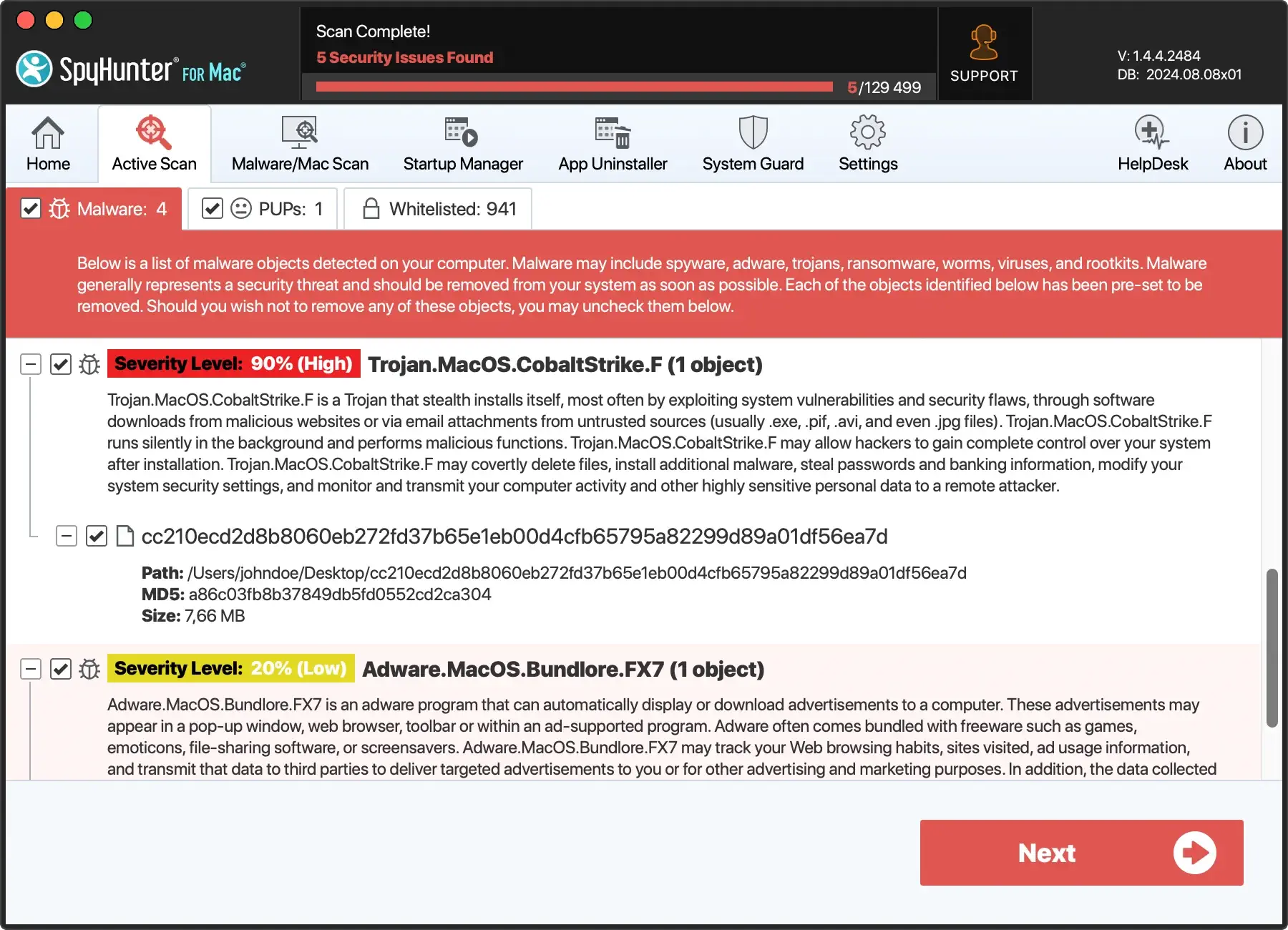
SpyHunter is an antivirus software specifically crafted to conduct scans, detect, and eliminate a wide range of threats, including malware, trojans, ransomware, worms, viruses, keyloggers, rootkits, browser hijackers, adware, potentially unwanted programs (PUPs), vulnerabilities, and other malicious software.
The advanced system guards in SpyHunter for Mac have strategically built-in security components to safeguard your computer. They work proactively to block the download and execution of malware and various threats, thereby preventing potential harm to your system and protecting your privacy and personal data.
These System Guards operate discreetly in the background, ensuring optimal security protection without causing unnecessary disruptions to system performance.
The SpyHunter team diligently updates the virus definitions database, ensuring Mac users receive continuous protection against the latest malware threats.

To guarantee the continuing protection of your Mac, follow these steps:
- Download SpyHunter for free here and follow the installation instructions.
- Once installed, an automatic scan will identify any malware and viruses on your Mac.
- Click Next; SpyHunter will efficiently remove the threats, keeping your device safe.
- Enjoy a clean and optimized Mac.
The difference between Mac and PC malware
The digital landscape is filled with malware, but the threats targeting Macs and PCs (Windows) often differ in nature, complexity, and frequency.
Understanding these distinctions is crucial for implementing adequate security measures tailored to each operating system.
Prevalence and volume
Historically, Windows computers have been more susceptible to computer viruses than Mac computers. This disparity is primarily due to Windows’ dominant market share, making it a more lucrative target for cybercriminals.
However, as Macs have grown in popularity, they’ve seen an increase in malicious software designed to exploit macOS vulnerabilities.
Malware complexity
Windows threats are more varied and complex due to the operating system’s widespread use in consumer and enterprise environments.
Attackers often develop sophisticated malware, including Windows, spyware, and worms, to breach Windows’ defenses.
On the other hand, Mac malware, while increasing in sophistication, has traditionally focused on adware and potentially unwanted programs (PUPs), though more severe threats are emerging.
Security architecture
Mac and Windows machines have different security architectures, influencing how malware interacts with each system.
MacOS is Unix-based, offering built-in security features like Gatekeeper, XProtect, and sandboxing, which provide layers of protection against malware.
Windows has its security tools, including Windows Defender and controlled folder access, designed to protect against most digital threats due to its larger attack surface.
Infection methods
The methods by which Macs and PCs become infected can also differ. Mac users are often targeted through malicious websites, phishing attempts, and downloading software not from identified developers.
PCs face these threats and are vulnerable to malware spread through network vulnerabilities and file-sharing services.
Antivirus necessity
The debate over the necessity of antivirus software differs between Mac and PC users.
Given the volume and complexity of malware targeting Windows users, antivirus software is essential for PCs.
As for the Mac platform, while built-in security features offer substantial protection, the evolving threat landscape and increasing number of Mac malware make a strong case for using reputable antivirus software as an additional layer of defense.
You can also check out our extensive article on the topic “Do Macs need antivirus software?”, which contains a detailed comparison of the built-in security features of your Mac and third-party antivirus solutions. Understanding how those two layers of security can work together will help you make more informed decisions when it comes to your Mac’s security.
Conclusion: Balancing vigilance with a Mac antivirus software
In conclusion, Apple computers boast notable security measures but are not immune to malware. Mac users must go beyond the built-in protections of macOS, such as Gatekeeper, XProtect, and regular security updates, to safeguard their devices.
As cyber threats evolve, so should our defensive strategies. This includes being careful where we download apps, keeping systems up-to-date, and embracing reliable Mac antivirus software for comprehensive protection.
Incorporating antivirus software like SpyHunter for Mac into your security plan offers an additional layer of defense.
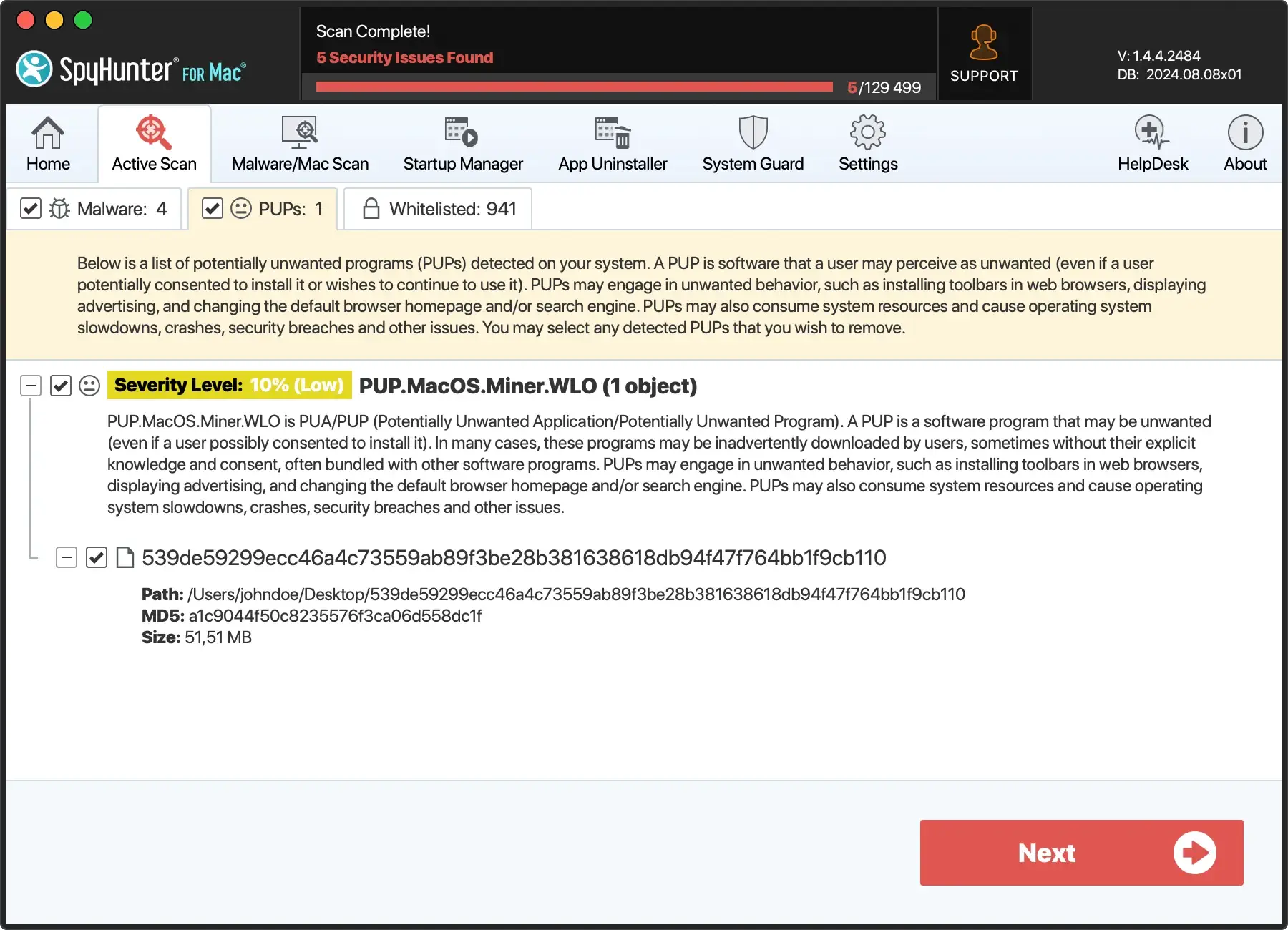
SpyHunter is designed to detect and remove malware that might bypass macOS’s built-in antivirus protection. It provides real-time protection against emerging Mac threats, ensuring your device remains secure against the latest malware attacks (Download SpyHunter from here).
Staying informed about potential threats and understanding the comprehensive security measures available are crucial steps in maintaining the safety of your Mac.
By adopting safe computing practices and leveraging third-party Mac antivirus like SpyHunter for Mac, users can navigate the digital world with confidence and security.
