

Remove Nbp.app: A Comprehensive Guide to Protect Your Mac

Before we dive in
Before we dive in, let's make sure you stay safe online. We created SpyHunter because your security matters to us.
Protect your computer today — download SpyHunter right here! Check out our top tips below to keep your computer safe and secure.

Nbp.app is a potentially unwanted program (PUP). It discreetly injects advertisements into websites you visit and redirects your browser search queries.
Elevate your online experience by learning how to remove Nbp.app with precision and efficiency through the insights provided in this comprehensive removal guide.
Understanding the Nbp.app
The Nbp.app is a newly discovered adware, categorized as a Mac adware. It’s a malicious program designed to harm a user’s computer through invasive actions.
This includes displaying intrusive advertisements, redirecting your internet searches, and changing your browser settings without authorization.
Beyond these, the Nbp.app can also function as a backdoor into your system, creating a pathway for other malware to infiltrate and pose a risk to your sensitive data.
Definition and functionality of Nbp.app
Nbp.app is an adware that can lead to significant issues when installed on your MacOS.
The primary function of such programs is to generate revenue for the creator by displaying unwanted ads or redirecting searches to specific websites.
However, unlike most adware, Nbp.app is particularly destructive. It can also alter critical settings on your browser, replacing the default search engine or home page.
Additionally, it can serve as a conduit for other malicious software, thus adding a further security risk.
Symptoms of Nbp.app infection
If your system falls prey to Nbp.app, you may experience a range of noticeable changes, which can vary from user to user. These symptoms include:
- Uninvited appearance of ads.
- Unexpected browser redirects.
- Unauthorized changes in browser settings, such as default homepage or search engine alterations.
- Overall sluggishness in system performance.
Monitor these indicators to promptly identify and address your system’s potential Nbp.app infection.
Ways Nbp.app gets installed on a Mac
Infiltrating the Nbp.app into a Mac system involves various cunning techniques the adware employs to establish its presence surreptitiously.
Understanding these methods is paramount in strengthening your defenses against potential intrusions.
Here’s an in-depth look at how Nbp.app typically finds its way onto Mac computers:
Software bundling
One of the most common methods is software bundling. In this case, the Nbp.app is an optional add-on with a legitimate software installation.
In the rush to install desired software, users often overlook the inclusion of Nbp.app as they navigate setup processes.
People who don’t deselect Nbp.app during the setup process unknowingly pave the way for its installation alongside the intended software.
Malicious advertising
The adware can also find its way onto your computer through malicious advertising.
Attackers employ ad networks to circulate harmful ads that can automatically download and install the Nbp.app upon clicking.
Even trustworthy websites could fall prey to such attacks, with ads disguised as “Flash Video Player” updates or requests to add an extension to Chrome.
Spam emails
A less noticeable yet effective method for Nbp.app to breach a computer system is through spam email campaigns.
In this scenario, users receive emails containing deceptive links that lead to sites initiating the download and installation of the adware upon clicking.
While this tactic might appear less prevalent, its subtlety poses a significant risk, efficiently trapping users into unwittingly downloading malware.
Manual removal of Nbp.app
If your MacOS is unlucky enough to have been infected by the Nbp.app adware, don’t worry.
Although tricky, it is possible to remove Nbp.app from your system manually.
Please remember to perform all steps in the correct order. In case of any doubts, don’t hesitate to seek professional assistance.
Step 1: Remove malicious profiles related to Nbp.app
The first step in removing the Nbp.app is eliminating any malicious profiles it may have created.
These represent a common approach for adware and other forms of malware used to gain and maintain access to a system.
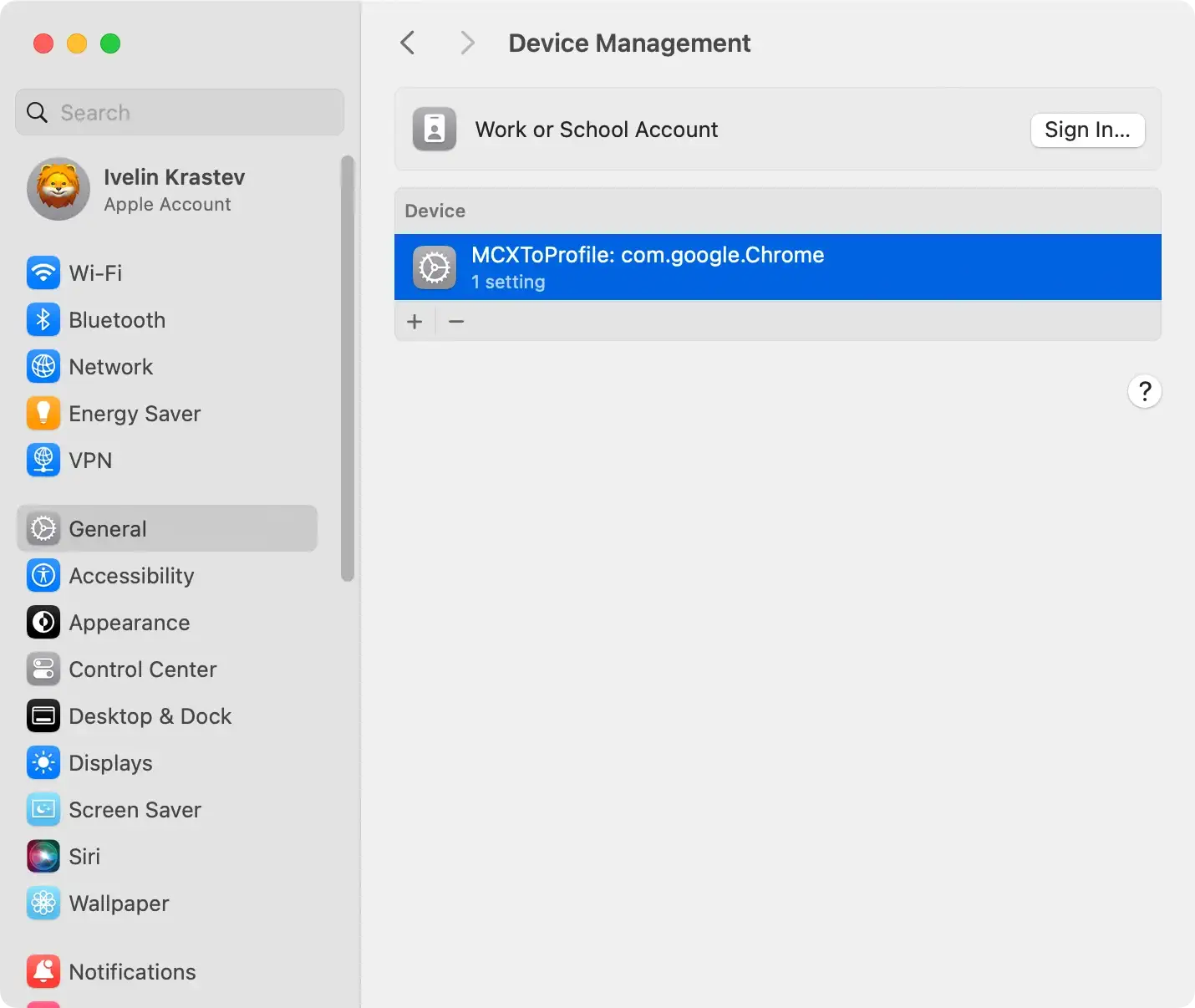
Deleting these profiles is an essential early step in the cleanup process.
Step 2: Remove Nbp.app
To remove Nbp.app and its associated threats from your Mac, follow these ordered steps:
- Open
Finderon your Mac. - Navigate to the
Applicationsfolder. - Review the list of installed applications for any suspicious apps linked to the Nbp.app adware.
- Right-click on each identified app.
- Choose the option
Move to Trash/Binfor each suspicious app. - To ensure complete deletion, right-click on the
Trash/Binbin and selectEmpty Trash/Bin.

By meticulously following these steps, you ensure the thorough removal of harmful apps associated with Nbp.app, contributing to a cleaner and more secure Mac environment.
Bonus tip: Beyond the Applications folder
While deleting the Nbp.app from the Applications folder is a crucial step, it’s essential to remember that some apps create additional folders and files scattered across your system.
To ensure a comprehensive cleanup, delve deeper into your Mac’s directories to locate and eliminate any remnants left behind by Nbp.app.
For a foolproof and thorough removal of Nbp.app and its associated files, leverage the advanced capabilities of SpyHunter for Mac’s powerful App Uninstaller.
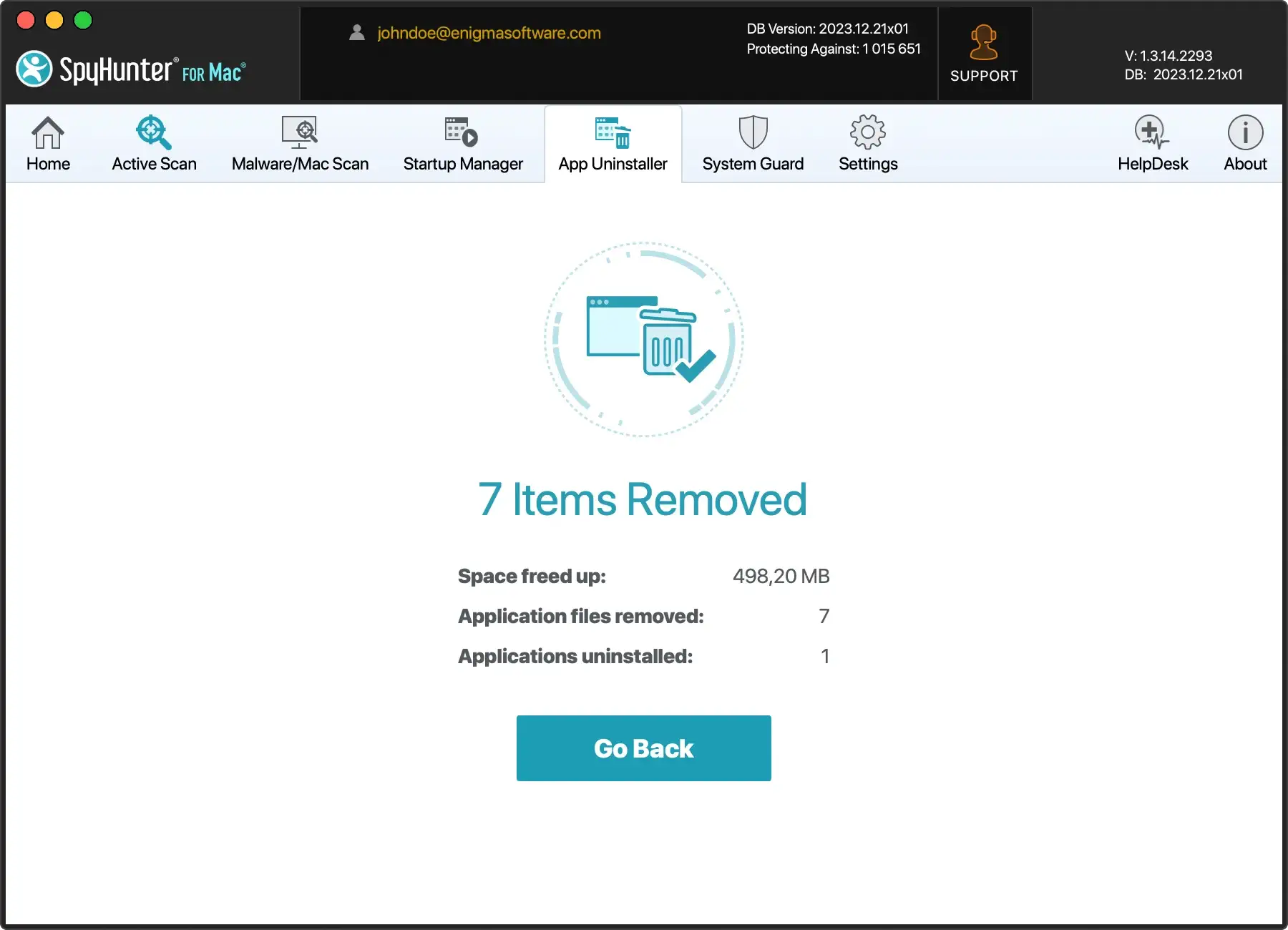
Unlike traditional methods that may overlook dispersed files, SpyHunter ensures a meticulous scan across various locations, leaving no trace of the adware on your system.
- Download SpyHunter for free here and proceed with the installation process.
- Launch SpyHunter and let the App Uninstaller pinpoint and eliminate all remnants of Nbp.app, providing you with a clean and secure Mac experience.
By incorporating SpyHunter for Mac’s App Uninstaller into your cleanup routine, you elevate your defense against adware remnants, ensuring a pristine digital environment on your Mac.
Step 3: Reset browsers to default settings
Given the adware’s potential to change your browser settings, resetting them to their defaults is the final step in manually removing Nbp.app from your system.
This process can differ based on the browser you’re using. However, you must go to your browser settings, find the ‘reset’ option, and follow the displayed instructions.
Please remember that this step could also remove personalized settings and saved bookmarks.
Utilize SpyHunter for Mac to remove Nbp.app
When eradicating the Nbp.app browser hijacker and fortifying your computer against potential viruses, SpyHunter for Mac emerges as an indispensable ally.
This advanced malware removal tool goes beyond traditional applications, offering a comprehensive on-demand scanner that meticulously detects and annihilates various types of malware.
SpyHunter for Mac boasts an advanced malware scanner that delves into the intricacies of your system, leaving no stone unturned.
It meticulously identifies and eliminates not only Nbp.app but also a myriad of malware that might have slipped through the defenses of other applications.
This heightened precision thoroughly cleans your system, promoting a secure and resilient computing environment.

SpyHunter for Mac also features vigilant system guards that provide round-the-clock protection for your machine.
Operating tirelessly, these guards act as a proactive shield, intercepting potential threats before they can infiltrate your system.
Whether you’re actively using your computer or idle, SpyHunter’s system guards stand sentinel, ensuring continuous protection against evolving cybersecurity challenges.
This constant vigilance is crucial in safeguarding your Mac from the ever-adapting tactics of malicious entities.
Download SpyHunter for Mac
Download SpyHunter from here. Once downloaded, the DMG installer file should typically be in your Downloads folder.
Install SpyHunter
Once the setup file is downloaded, locate it and double-click to start the installation.
The SpyHunter for Mac Installer will guide you through the process. Follow the on-screen prompts to complete the installation.
Carry out a SpyHunter scan
Now that SpyHunter has been successfully installed on your system, it’s time to unleash its formidable capabilities by initiating a thorough system scan.
This automatic scan serves as the frontline defense, meticulously scrutinizing every nook and cranny of your Mac to unearth any threats, including the elusive Nbp.app browser hijacker.
Quarantine the found malware with SpyHunter
Once the scan is completed, SpyHunter will display a results window showing any detected malware infections. To remove the malware, follow SpyHunter’s prompts.
This will isolate and turn off the offending software, effectively eliminating the threats from your system.

Remember, to prevent future infections, consider investing in the full-featured version of the SpyHunter for Mac software for constant real-time protection.
Remove Nbp.app from your browser
Each browser might require a distinct set of instructions to purge the Nbp.app adware successfully.
Following these guidelines specifically assigned for Safari, Google Chrome, and Firefox for Mac is crucial.
Remove the Nbp app from Safari
If the Safari browser has been infested with the Nbp.app, it can be eradicated by modifying its settings.
- Click the Safari option at the top left corner.
- Navigate to
Preferencesand then theSearchtab. - Choose your preferred search engine from the drop-down menu.
- In the
Preferencespanel, go to the extensions tab. - Remove any suspicious or Nbp.app-related extensions.
Eliminate the Nbp app from Chrome
- Open Chrome and click the menu (⋮) at the top right corner.
- Under
More tools, selectExtensions. - Look for extensions linked to Nbp.app or any seeming harmful.
- Remove each identified extension.
- Reset Chrome’s settings to default via the
Settingspage.
Eradicate the Nbp app from Firefox
- Access the Firefox menu and click on
Adds-on and themes. - Find any malicious or Nbp.app-related extensions.
- Remove each pinpointed extension.
- Reset Firefox’s settings to default by going to the settings page, then
HelpandMore troubleshooting information. - Click
Refresh Firefoxand confirm in the pop-up confirmation box.
