

Remove NanoFile.gqa From Your Mac (Step-By-Step Guide)

Before we dive in
Before we dive in, let's make sure you stay safe online. We created SpyHunter because your security matters to us.
Protect your computer today — download SpyHunter right here! Check out our top tips below to keep your computer safe and secure.

NanoFile.gqa is a stealthy software classified as adware that enters computer systems without the user’s awareness.
This malicious application mainly targets Mac browsers, altering their operations to suit their purposes.
This guide will teach you to remove NanoFile.gqa and regain control over your Mac’s security.
Introduction to NanoFile.gqa
NanoFile.gqa is a potentially harmful software, often called a browser hijacker. It is designed to manipulate the operation of various Mac browsers without the knowledge or permission of the user.
It persists within the system, causing effects on the user’s web searches and browser functionality until it is eliminated.
NanoFile.gqa is categorized as unwanted due to its intrusive nature and the potential risks to the user’s privacy and data security.
Description of NanoFile.gqa
NanoFile.gqa is a disrupting adware-type application that can significantly modify browser settings, impacting Safari, Chrome, Mozilla, and other Mac browsers.
Its primary function revolves around exaggerating the number of advertisements during web sessions, consequently annoying the affected users.
Alongside this, it may redirect user searches through a custom search engine that it puts in place without user consent.
Operation and invasion strategies of NanoFile.gqa
The operational characteristics of NanoFile.gqa are pretty aggressive and invasive. While it can be injected into your computer system in several ways, it is often furtively installed without the user’s consent.
On gaining access to your system, NanoFile.gqa begins by manipulating your web browsing experiences. Despite various attempts, most users are unsuccessful in removing this hijacker due to its stubborn nature.
Notably, this software can lead users to potentially harmful websites, further exposing your computer to many malicious programs.
Potential risks of NanoFile.gqa
NanoFile.gqa is considered dangerous due to a multitude of reasons.
Aside from hindering browser functionality, it also risks users’ privacy and tends to redirect web traffic to potentially harmful content.
Understanding these risks can urge users to take necessary action and help them navigate the web more safely.
Aggressive online advertising
NanoFile.gqa plays a significant part in aggressive web advertising strategies. This exceptionally intrusive behavior sees a wave of ads and pop-ups on your device, disrupting your browsing experience.
Not only does this excessive ad bombardment cause annoyance and often lead to a notable decline in browser performance, but it can also result in accidental interactions with malicious ads, thus presenting a potential cyber threat.
Potentially dangerous web content
One distinguishing characteristic of NanoFile.gqa is its ability to redirect traffic to potentially dangerous websites.
Users can be tricked into visiting phishing websites sheltered under the guise of regular advertising.
These sites often attempt to trick users into providing sensitive personal details or export harmful malware to their systems, posing a significant risk to their online privacy and the safety of their computer systems.
Promoting questionable software
NanoFile.gqa might disturb your browsing experience and broadcast questionable quality products or software. It often capitalizes on deceptive tactics, such as disguising itself as a legitimate software update.
When users willingly install these updates, they inadvertently allow the unwanted software.
Furthermore, NanoFile.gqa might come bundled with other potentially unwanted software, tricking users into installing multiple applications that could further compromise the system’s security.
Symptoms of NanoFile.gqa infection
Detecting the presence of NanoFile.gqa adware involves noticing distinct changes in your browser’s behavior. Key indicators include:
- Homepage and Search Engine Modification: If your usual homepage or search engine is replaced unexpectedly, this is a primary symptom of a browser hijacker like NanoFile.gqa.
- Increased Advertisements: An unusual surge in pop-up ads, banner advertisements, and unexpected new tabs or notifications prompting you to click on specific links can signify an infection.
- Browser Redirections and Add-ons: NanoFile.gqa often installs unwanted extensions, add-ons, and plug-ins that redirect search results and modify browser settings without your consent.
- Tracking of Online Activities: The frequency of ads related to your recent searches or visited websites may increase, suggesting that NanoFile.gqa is tracking your online activities.
These symptoms collectively suggest a likely NanoFile.gqa infection, which can impact your browsing experience and potentially compromise your online safety.
Reasons to remove NanoFile.gqa
Removing NanoFile.gqa is necessary due to the various threats it poses to your system:
- Disruptive browsing impact: NanoFile.gqa disrupts your web browsing, creating inconvenience and redirecting to potentially harmful websites.
- Security threat exposure: Interacting with NanoFile.gqa-influenced web links may expose your system to infections, compromising overall security.
- Privacy breach: Covert data collection by NanoFile.gqa infringes on privacy, escalating the risk of personal information breaches.
- Overwhelming ad intrusion: The continuous barrage of advertisements from NanoFile.gqa hampers your browsing experience, demanding removal.
- Stubborn persistence: NanoFile.gqa’s resilient nature challenges standard removal methods, necessitating professional assistance or specialized tools.
Users must seek professional assistance or use specially-made removal tools.
Act promptly to eliminate NanoFile.gqa, securing a smoother, safer, and more private digital experience.
Remove NanoFile.gqa manually
The manual removal process requires attention to detail and careful execution.
Follow these step-by-step instructions to remove NanoFile.gqa from your Mac manually.
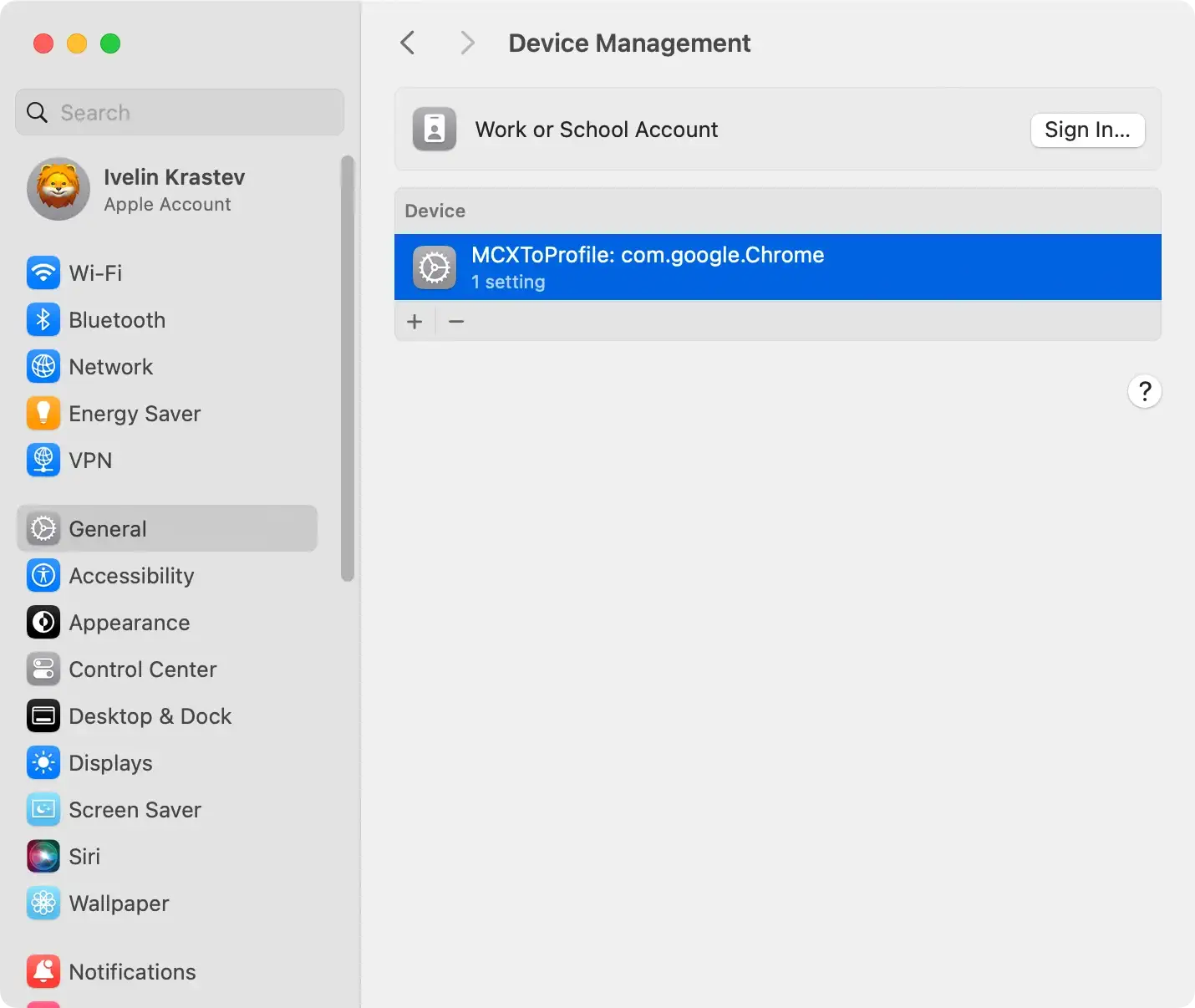
Remove malicious config profiles
- Open
System Settingson your Mac. - Navigate to
Profiles(if available). If no profiles are installed, skip to the next step. - Pinpoint and delete any suspicious or unwanted profiles associated with NanoFile.gqa.
- Select a profile and click the “-” (minus) button to delete it. Authenticate if required.
Remove NanoFile.gqa from Applications
- Open
Finderand go to theApplicationsfolder. - Look for any suspicious applications related to NanoFile.gqa.
- Pay attention to unfamiliar or recently installed apps.
- Right-click on the suspicious apps and select
Move to Trashfrom the context menu. - Empty the Trash to complete the deletion.

Bonus tip
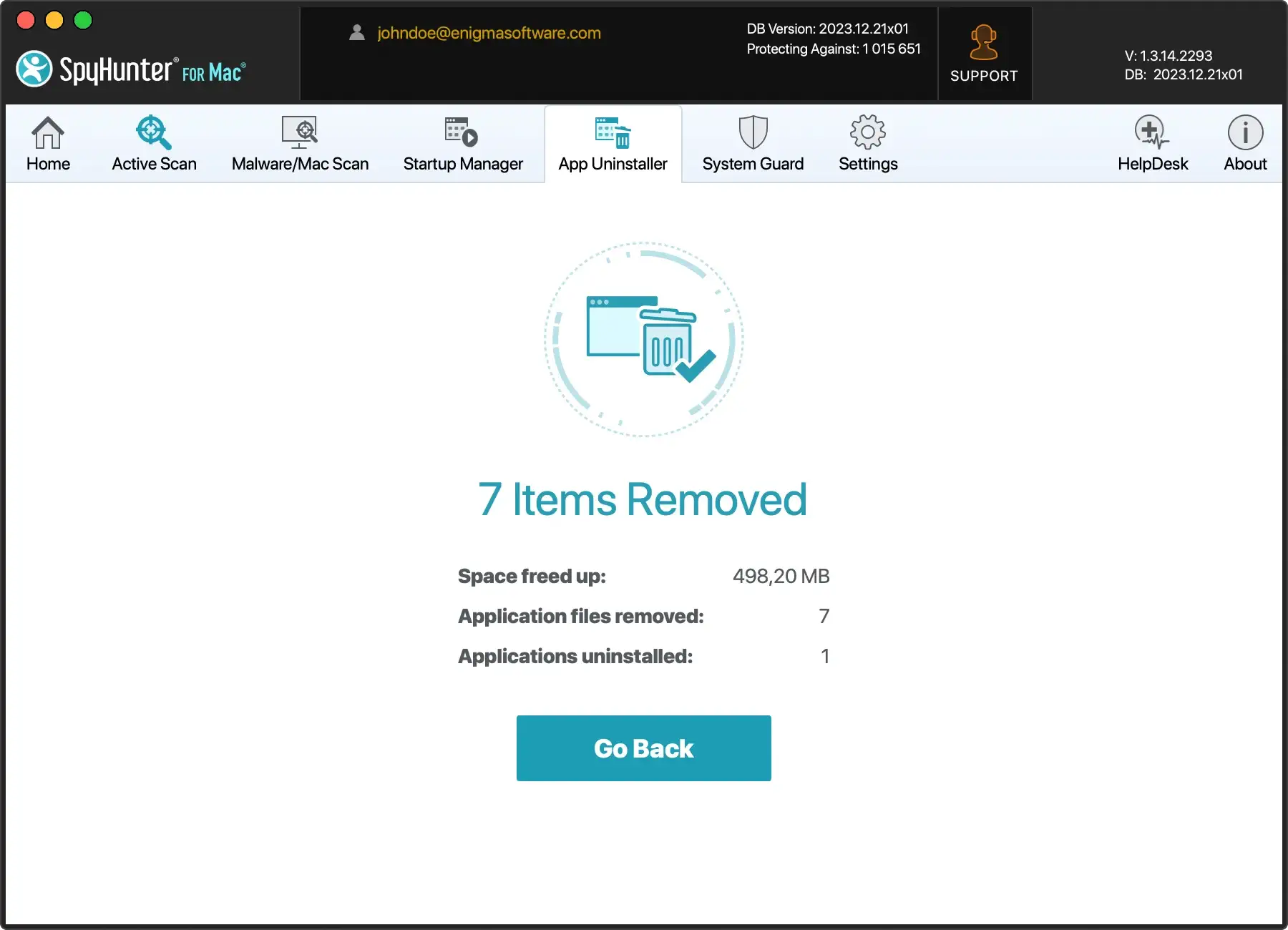
For a more comprehensive approach to app removal, consider using SpyHunter. It is a powerful anti-malware program that includes a high-tech app uninstaller.
Download SpyHunter from here and experience its efficacy for yourself.
Remove NanoFile.gqa-related files and folders
Open Finder and go to the /Library folder. Search for any folders or files related to NanoFile.gqa.
Common locations include:
/Library/Application Support/NanoFile.gqa/Library/LaunchAgents/Library/LaunchDaemons/Library/Preferences
Delete any NanoFile.gqa-related files or folders you find in these locations. Use the keyboard shortcut Command+Shift+. to reveal hidden files while navigating.
Reset Browsers to default settings
For Safari
- Open Safari and go to
Safari > Preferences - Navigate to the
Privacytab and clickRemove All Website Data - Go to the
Extensionstab and uninstall any suspicious extensions - Finally, go to the
Generaltab and set your preferred homepage
For Google Chrome
- Open Chrome and go to
Chrome > Preferences - Scroll to
Advancedand clickRestore settings to their original defaults - Confirm the reset
For Mozilla Firefox
- Open Firefox and go to
Help > Troubleshooting information - Click
Refresh Firefoxand confirm the action - This will reset Firefox to its default state
Remove NanoFile.gqa automatically
For a more efficient and sweeping removal process, consider using SpyHunter for Mac. This advanced anti-malware tool is designed to detect and eliminate adware like NanoFile.gqa, providing a hassle-free solution.
SpyHunter for Mac is a powerful anti-malware application designed to detect and remove various threats, including adware, spyware, and more.

It offers real-time protection, ensuring your system is safeguarded against potential threats.
Download SpyHunter for free here and follow the installation instructions. SpyHunter will scan your Mac for malicious files, including NanoFile.gqa.
Review the scan results and choose to remove the detected threats. SpyHunter’s automated removal process ensures a thorough cleanup of your system.

Advantages of SpyHunter
- Real-time protection against evolving threats.
- User-friendly interface for easy navigation.
- Regular updates to stay ahead of new malware variants.
Final thoughts
Whether opting for manual or automatic removal, successfully eliminating NanoFile.gqa is crucial for restoring your Mac’s security and preventing potential risks.
SpyHunter for Mac provides a reliable and efficient solution for users seeking automated assistance.
