

How To Remove Altisik Service Virus (Full Guide)

Before we dive in
Before we dive in, let's make sure you stay safe online. We created SpyHunter because your security matters to us.
Protect your computer today — download SpyHunter right here! Check out our top tips below to keep your computer safe and secure.

Is your computer running slower than usual, with weird pop-ups appearing out of the blue?
You might be dealing with the Altisik Service virus, a sneaky malware that uses your computer to mine cryptocurrencies without your permission. Not only does it hamper your computer’s performance, but it also poses serious risks to your personal security.
This article dives into the nitty-gritty of the Altisik Service virus, exposing how it attacks your system and what you can do to defend yourself.
From recognizing early warning signs to completely removing the virus, we’ve got you covered. Keep reading to ensure your data stays safe and your computer keeps running smoothly.
What is the Altisik Service virus?
The Altisik Service virus is a deceptive malware that presents itself as a legitimate MacOS service.
This disguises its true intentions of conducting illicit activities on your system, primarily focused on cryptocurrency mining.
This virus cleverly registers itself as a service within the operating system, making detection and removal more challenging for everyday users and basic security programs.
Its capability to overload system resources results in significant losses in performance and can lead to more severe system malfunctions over time.
How does Altisik Service affect your computer’s performance?
The Altisik Service virus can drastically hinder your computer’s performance in several ways.
Initially, it might seem harmless, but it quickly escalates to consume substantial system resources.
Here are the main performance issues:
- High CPU Usage: Altisik Service often runs intensive processes in the background, maxing out the CPU’s capacity. This leaves little to no resources for legitimate applications, causing your system to lag or freeze.
- Memory Exhaustion: This malware could also occupy a significant chunk of your RAM. With most of your memory used up, you might experience slow response times and difficulties in executing simple tasks.
- Overheating: Continuous, high-intensity operation can cause your computer’s hardware to heat up. Prolonged overheating might damage hardware or shorten the lifespan of components.
How to remove the Altisik Service virus
The Altisik Service virus can severely impact your computer’s performance by using its resources for malicious tasks.
Removing this malware involves a few crucial steps, which must be followed to cleanse your system and restore its functionality thoroughly.
1. Quit suspicious applications
To find and stop suspicious apps and processes:
- Open
Activity Monitor(Finder > Applications > Utilities > Activity Monitor). - Look for processes with suspicious or unfamiliar names (e.g., “Altisik Service”).
- Select the process and click the
Stopbutton (X) in the top-left corner.
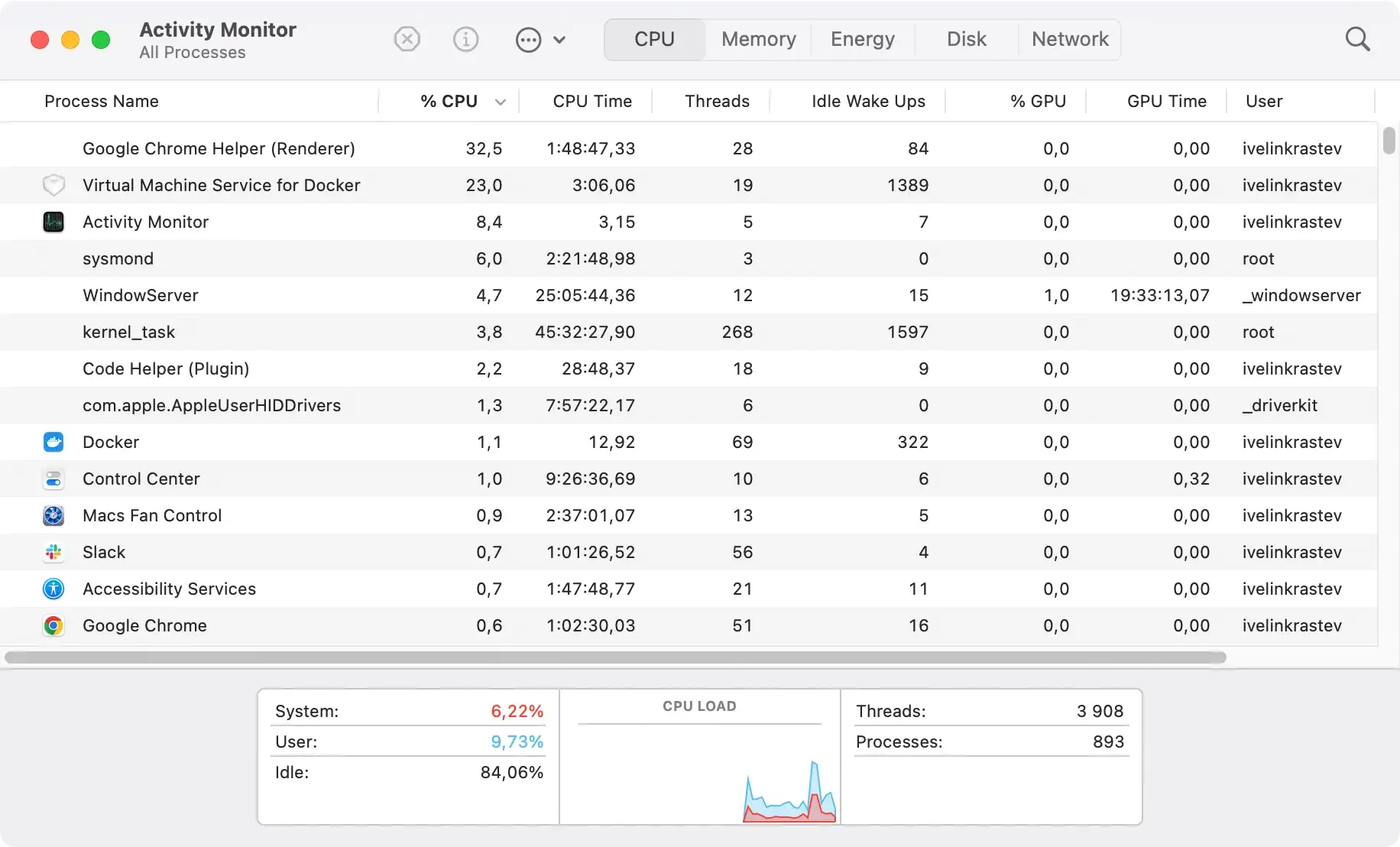
Alternatively, you can press Command + Option + Escape to open the Force Quit Applications window. Look for dubious apps and close them.
2. Remove suspicious applications
- Go to
Finder > Applications. - Look for apps you didn’t install or recognize, especially ones related to Altisik Service.
- Drag them to the
Trash.

Once you’ve done that:
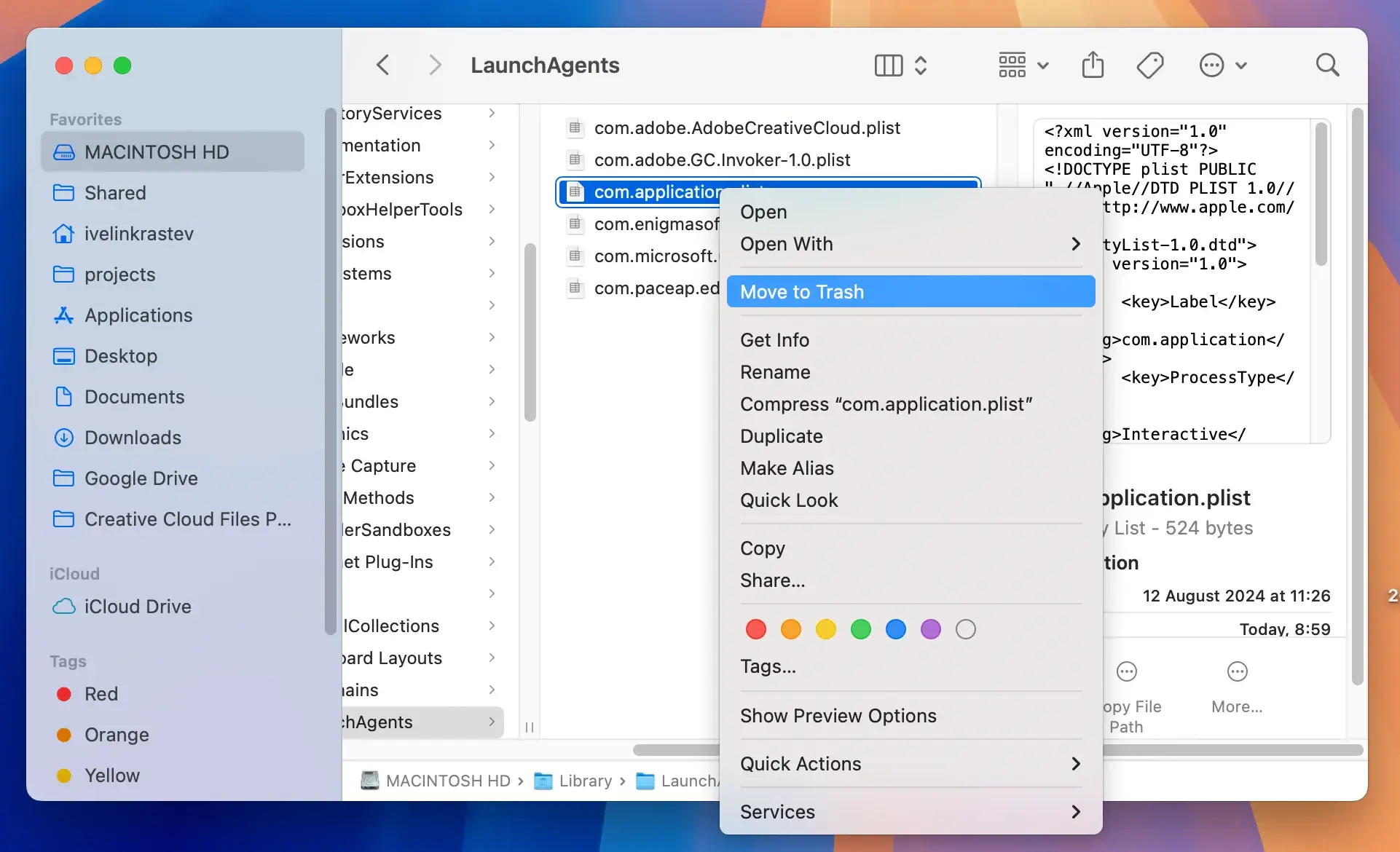
- Open
Finder, then clickGoin the menu bar and chooseGo to Folder.... - Check the following locations for suspicious files or folders and delete them:
~/Library/LaunchAgents//Library/LaunchAgents//Library/LaunchDaemons/~/Library/Application Support//Library/Application Support/~/Library/Preferences/
- Look for files with names that include “Altisik” or anything you don’t recognize.
3. Remove browser extensions and reset web browsers
If the malware affects your browser, remove unwanted extensions and reset browser settings.
For Safari:
- Open
Safari, then go toSafari > Preferences. - Navigate to the
Extensionstab. - Uninstall any suspicious extensions.
- Go to the
Privacytab and clear cookies. - Click
Safari>Clear History, selectAll Historyand confirm.
For Chrome:
- Open Chrome, then go to
Menu (⋮) > More Tools > Extensions. - Disable and remove suspicious extensions.
- Go to
Settings > Reset and Clean Up > Restore settings to their original defaults.
For Firefox:
- Go to
Menu (☰) > Add-ons and Themes > Extensions. - Disable and remove suspicious extensions.
- Reset Firefox:
- Go to
Help > More Troubleshooting Information > Refresh Firefox.
Use SpyHunter to detect and remove hidden threats
After preparing your Mac, use a robust antimalware tool like SpyHunter to identify and remove any hidden threats associated with the Altisik Service.
SpyHunter is designed to target and eliminate malware and other unwanted software that conventional antivirus tools might miss.
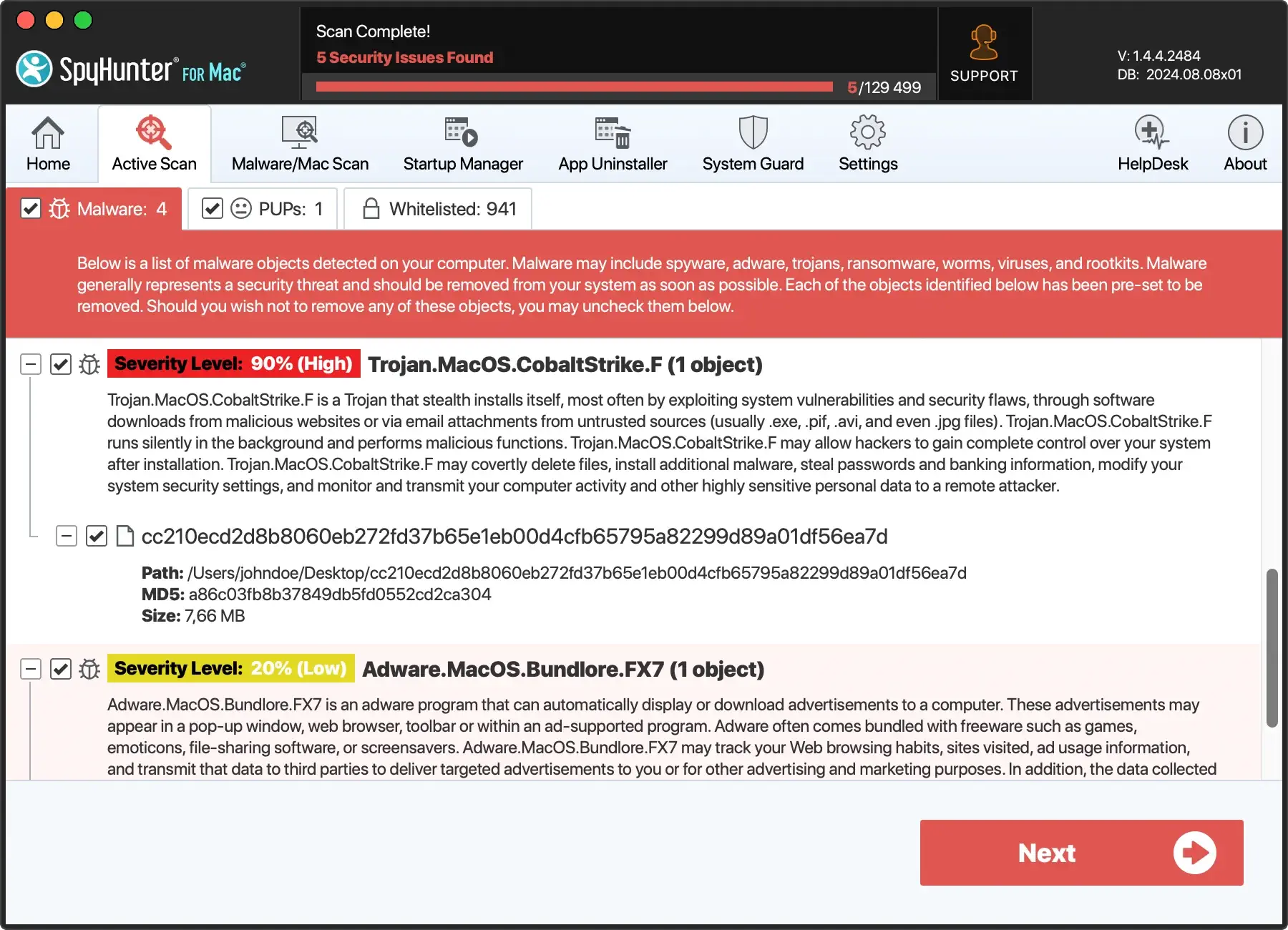
- Download SpyHunter for free here. Install it by following the on-screen instructions.
- Launch SpyHunter and perform a full system scan to detect malicious entities.
- Once the scan is complete, review the scan results. SpyHunter will list all identified threats.
- Click on the ‘Next’ button to remove the detected malware and other harmful software.
It’s advisable to run additional scans until the tool reports that your system is clear of any infections to ensure all components of the virus are removed.
Prevent future infections: Best practices for cybersecurity
Cybersecurity is not just about responding to threats but actively preventing them.
The foundation of secure computer usage involves disciplined practices and being proactive.
Understanding and implementing cybersecurity best practices is crucial in safeguarding your personal and work-related data from various cyber threats.
It all starts with general awareness and education on cyber threats such as viruses, ransomware, and phishing scams. Regular training and updates on new attack methods can significantly minimize the risk.
Furthermore, implementing strong password policies and utilizing two-factor authentication where possible can add an extra layer of security.
Lastly, ensuring proper user permissions on the network and maintaining a regimented data backup routine are pivotal in mitigating the effects of a potential data breach.
Regular updates and why they matter
Keeping your software and operating systems updated is perhaps one of the simplest yet most neglected aspects of cybersecurity.
Regular updates help patch security flaws and vulnerabilities that hackers could exploit. Operating systems like Windows or MacOS and applications, especially those connected to the Internet, should always be kept up-to-date.
Every update comes with security improvements that shield your devices from malware and hacker attacks.
Enabling automatic updates, if available, is also beneficial. This ensures that you’re always protected with the latest security patches without having to manually check and apply updates.
Enhancing security with SpyHunter’s real-time protection features
SpyHunter is a robust malware remediation tool designed to provide comprehensive protection against the latest malware threats.
Its real-time system guards are designed to detect and block any processes that attempt to secretly auto-start malware entries by exploiting the MacOS system.

The advantage of using SpyHunter includes:
- Active virus scanning that detects and removes malware, spyware, and ransomware.
- Custom malware fixes specific to your computer’s unique vulnerabilities are available through SpyHunter’s Spyware HelpDesk.
- Regular updates to its malware definition database to ensure protection against the newest malware threats.
- Integrated SpyHunter Compact OS to aid in the removal of rootkits and other stubborn malware infections.
Overall, SpyHunter’s real-time protection features help neutralize threats and prevent new threats from taking hold, making it a valuable tool in any cybersecurity strategy.
