

macOS Sequoia vs Ventura: Should You Upgrade? (Full Review)

Before we dive in
Before we dive in, let's make sure you stay safe online. We created SpyHunter because your security matters to us.
Protect your computer today — download SpyHunter right here! Check out our top tips below to keep your computer safe and secure.

Choosing between macOS Sequoia and macOS Ventura might feel like a tough decision, especially with all the exciting updates Apple has packed into these releases.
Both operating systems bring something unique to the table, from macOS Sequoia’s innovative Apple Intelligence features and advanced Passwords application to macOS Ventura’s stability and support for older Macs.
In this article, we’ll explain the key differences and help you decide which operating system is right for you, highlighting essential features, system compatibility, and security improvements.
If you’re wondering whether it’s time to make the leap or stick with the tried-and-true Ventura, keep reading to find out!
Device compatibility
macOS Ventura supported a wide range of Macs, including both Intel-based and Apple Silicon models.
However, some older models were excluded from the Sequoia update. Specifically, the following Macs that could run Ventura are not compatible with Sequoia:
- iMac (2017)
- MacBook Pro (2017)
- MacBook (2017)
- MacBook Air (2018)
- MacBook Air (2019)
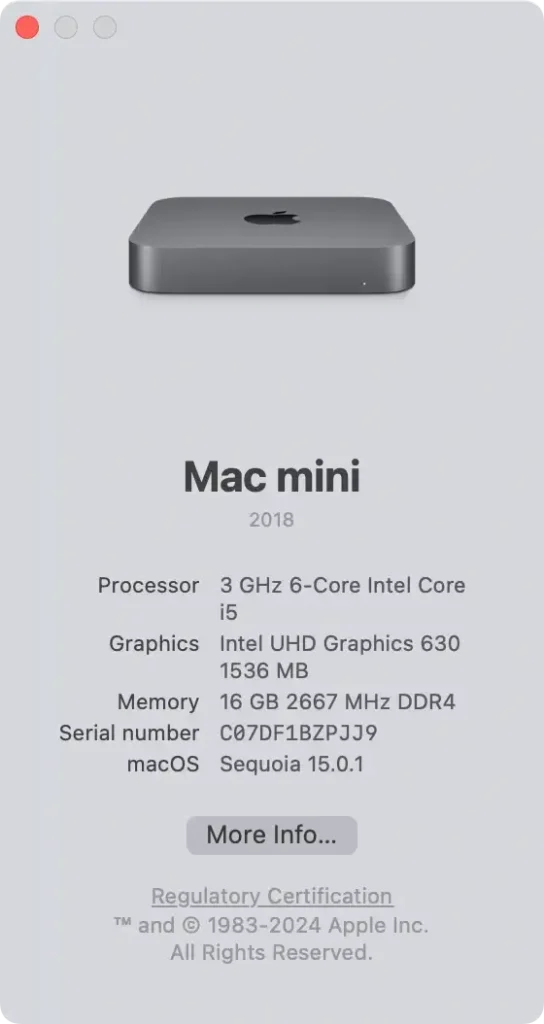
If your Mac is running Ventura and isn’t listed above, it should be compatible with Sequoia. To verify your Mac’s model and year, click the Apple menu, select About This Mac, and review the details provided.
Key differences in macOS Sequoia vs Ventura
To provide a clear overview, here’s a comparison of the main differences of macOS Sequoia and macOS Ventura:
| Feature | macOS Ventura | macOS Sequoia |
|---|---|---|
| Release Date | October 2022 | September 2024 |
| Compatibility | Supports Intel and M-series Macs | Primarily optimized for Apple Silicon Macs; limited support for older Intel Macs |
| User Interface | Introduced Stage Manager for window management | Enhanced window tiling and customization options |
| Safari | Improved performance and security | Introduced a dedicated Passwords app and enhanced Reader view |
| Video Conferencing | Added features like Center Stage and Portrait mode | Introduced Presenter Preview and improved video conferencing tools |
| iPhone Integration | Continuity Camera to use iPhone as a webcam | Introduced iPhone Mirroring for seamless control of iPhone from Mac |
| Security Enhancements | Enhanced privacy features and security alerts | Introduced Apple Intelligence with advanced security features |
| Performance | Optimized for M1 chips | Further performance improvements leveraging M-series capabilities |
New features in macOS Sequoia
macOS Sequoia introduces several new features that enhance user experience:
Apple Intelligence
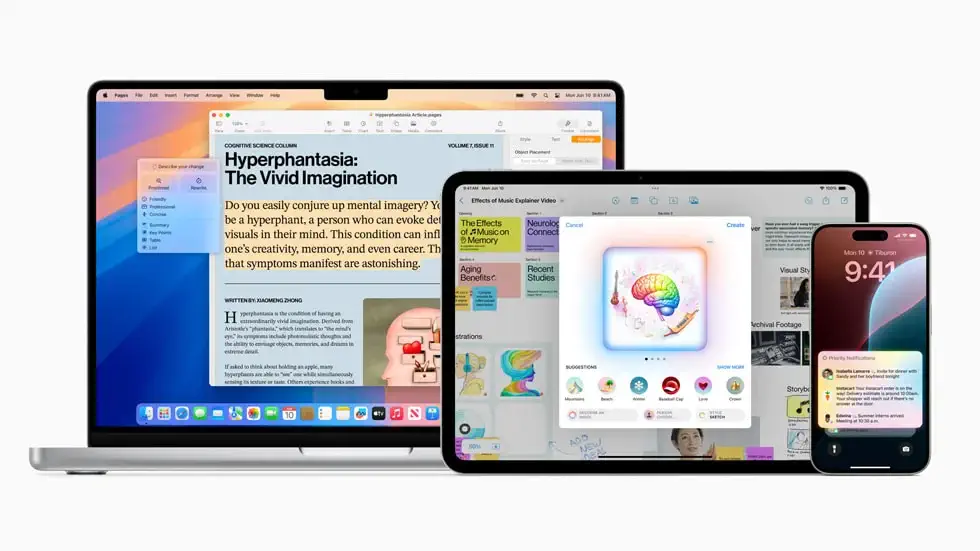
One of the standout additions in macOS Sequoia is Apple Intelligence, a suite of AI-powered features that optimizes user interaction with your Mac.
Apple Intelligence can predict your next steps, recommend actions, and tailor system settings to your habits, creating a more personalized and intuitive experience.
This smart functionality is exclusive to M-series Macs, so Intel users won’t have access to this feature.
With Apple Intelligence, tasks like managing notifications, adjusting system settings, and accessing relevant tools are more seamless, helping streamline your workflow.
iPhone Mirroring
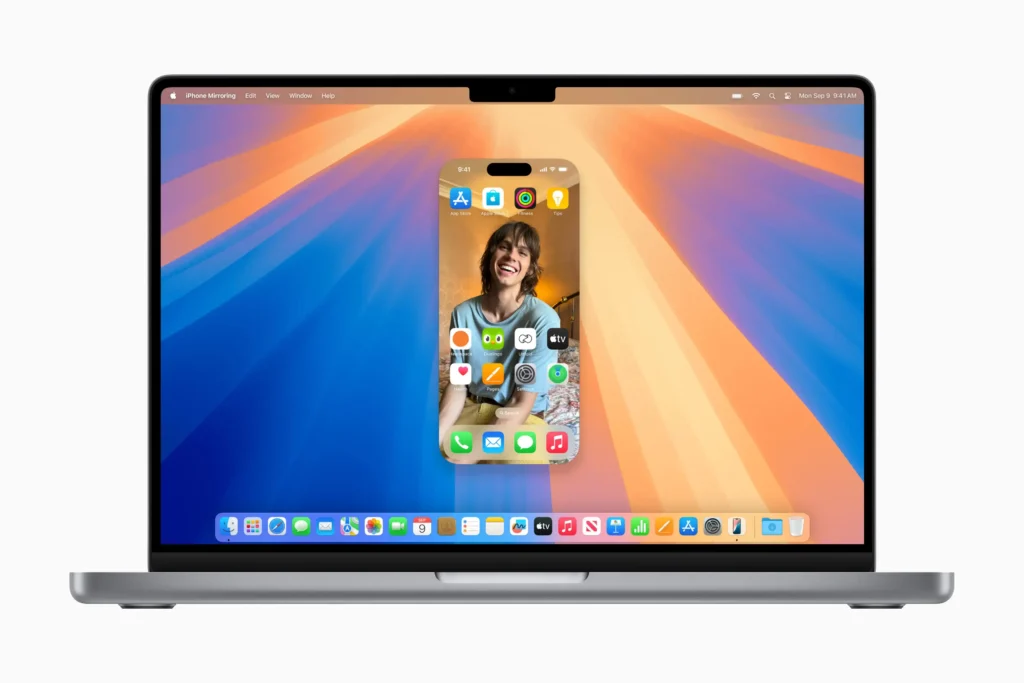
Expanding on Continuity, macOS Sequoia introduces iPhone Mirroring, which lets you mirror your iPhone screen directly onto your Mac.
This feature is especially useful for those who rely on iPhone apps or frequently switch between devices.
With this new feature, you can control your phone from your Mac, check iPhone notifications, and even interact with iPhone apps using your Mac’s keyboard and trackpad.
This feature is available for Macs with M1 chips or newer, allowing M-series users to manage iPhone functions without leaving their Mac screen.
Video conferencing
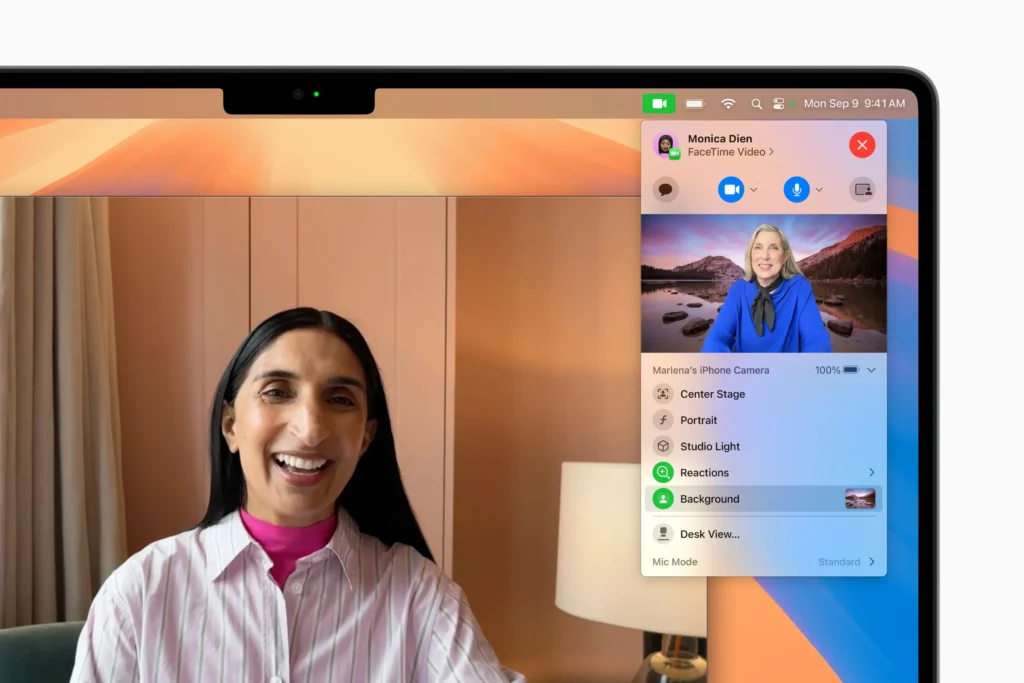
Video conferencing receives a significant boost in macOS Sequoia, making virtual meetings and presentations more engaging.
With Presenter Mode, you can overlay your video on shared content during video calls, which can be a game-changer for virtual presentations.
Sequoia also introduces improved camera controls, such as custom backgrounds and lighting adjustments, making it easy to look your best during online meetings.
These enhancements make Sequoia a more attractive option for professionals and students who frequently use video conferencing tools.
Passwords app
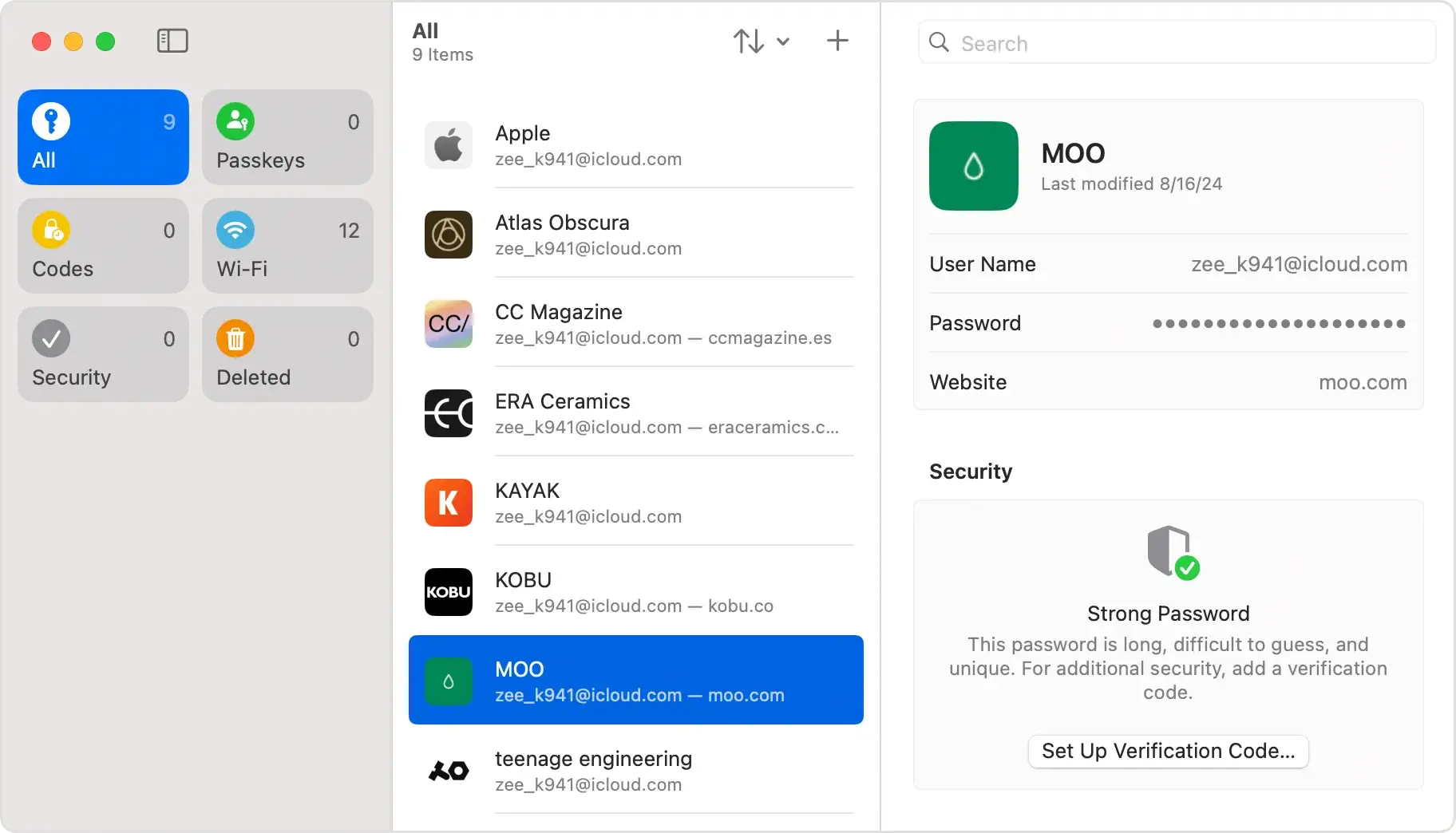
In macOS Sequoia, password management gets its own dedicated app, aptly named Passwords.
Instead of navigating through Safari or System Settings, you can now access all your passwords in one place.
The Passwords application securely stores your login credentials, Wi-Fi passwords, and even passkeys, offering breach notifications and two-factor authentication to safeguard your data.
This makes managing and securing your passwords easier and more efficient, integrating smoothly with the iCloud Keychain to keep your information synchronized across devices.
Safari
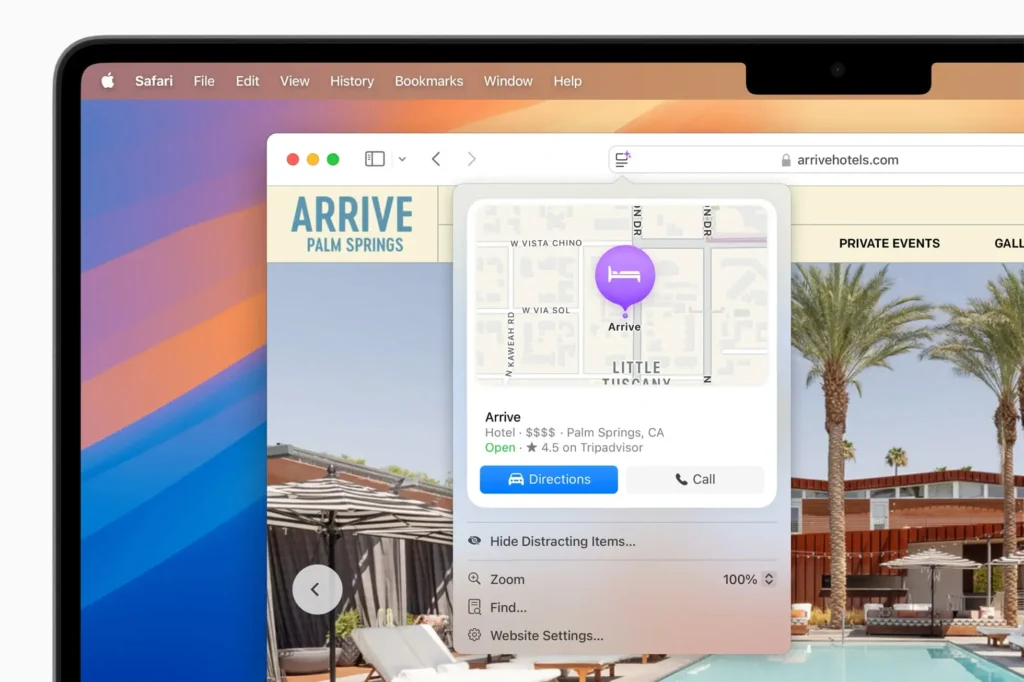
Safari in macOS Sequoia introduces an enhanced browsing experience with several notable updates.
The new Highlights feature provides quick access to relevant information when you visit a webpage, while an improved Reader view offers a summary and navigation-friendly table of contents.
Sequoia also brings a dedicated video player that centralizes video content, allowing you to manage playback settings conveniently.
Safari’s updates focus on both productivity and ease of use, creating a more interactive and informative browsing experience.
Desktop customization
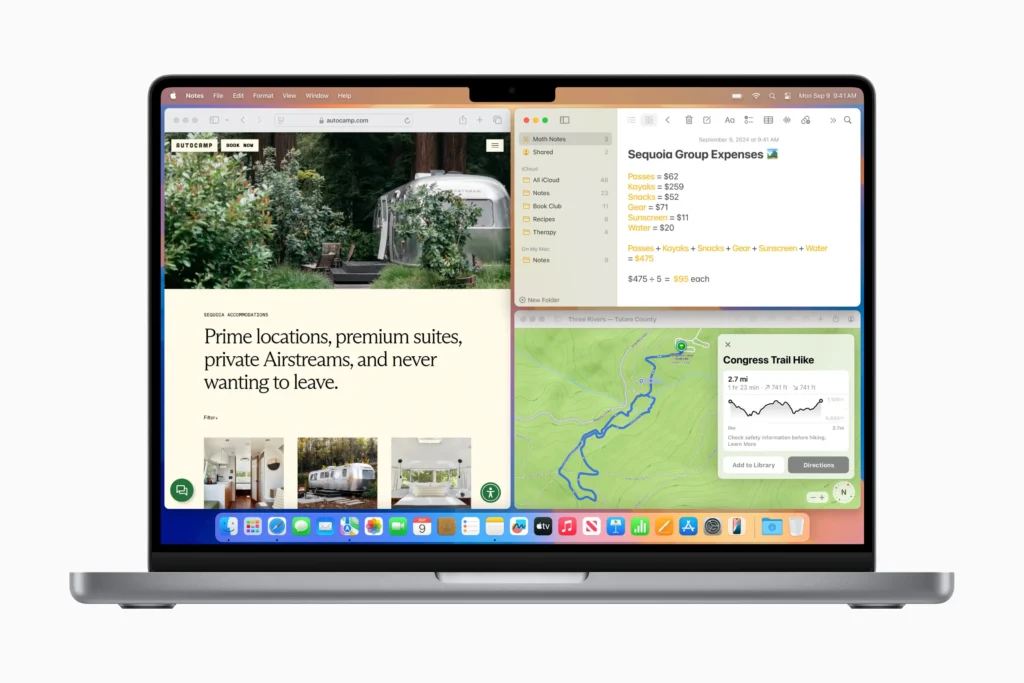
With macOS Sequoia, Apple has enhanced desktop customization options, especially with the introduction of Window Tiling.
This feature allows users to arrange multiple open windows side-by-side or in a grid layout, making multitasking easier and more visually organized.
Window Tiling enables quick window arrangements by simply dragging them to the edges or corners of the screen or by using convenient keyboard shortcuts.
This streamlined window management tool will improve productivity and help users maintain a clean workspace by allowing them to manage multiple apps and documents simultaneously.
Gaming mode and new video player
In macOS Sequoia, Gaming Mode brings a new level of engagement for Apple Silicon Mac users by optimizing system resources to deliver a more immersive experience.
Here’s what to expect from Sequoia’s enhanced gaming capabilities:
- Enhanced Graphics and Frame Rates: Utilizes M-series chips to boost visuals and frame stability, making games more fluid and responsive.
- Support for Ray Tracing and Haptic Feedback: Adds depth to the gameplay, allowing for real-time lighting effects and tactile experiences.
- Battery Efficiency: Optimizes power use for longer gaming sessions, perfect for MacBook users on the go.
Beyond Gaming Mode, Sequoia introduces an upgraded video player in Safari that automatically detects and centers videos on web pages.
With enhanced playback controls and improved display, Sequoia ensures both gaming and video streaming are seamless and visually engaging.
Enhanced Notes and productivity tools
The Notes app in macOS Sequoia receives several upgrades, transforming it into a more powerful tool for productivity and organization.
Key new features include:
- Audio Transcription: Record and transcribe audio directly within Notes, a helpful feature for students, professionals, or anyone looking to capture information from lectures or meetings effortlessly.
- Math Notes: Sequoia adds a specialized tool within Notes for entering complex equations and visualizing mathematical concepts. Users can create interactive graphs and solve equations right in the app, making it ideal for academic and technical fields.
- Enhanced PDF Handling:
- Store multiple PDFs within a note and navigate each document page-by-page.
- Autofill forms using data from Contacts, speeding up form completion and reducing manual entry.
- Collapsible Section Headers and Custom Highlights: Organize notes with collapsible sections for easy navigation and customize highlights to emphasize key information.
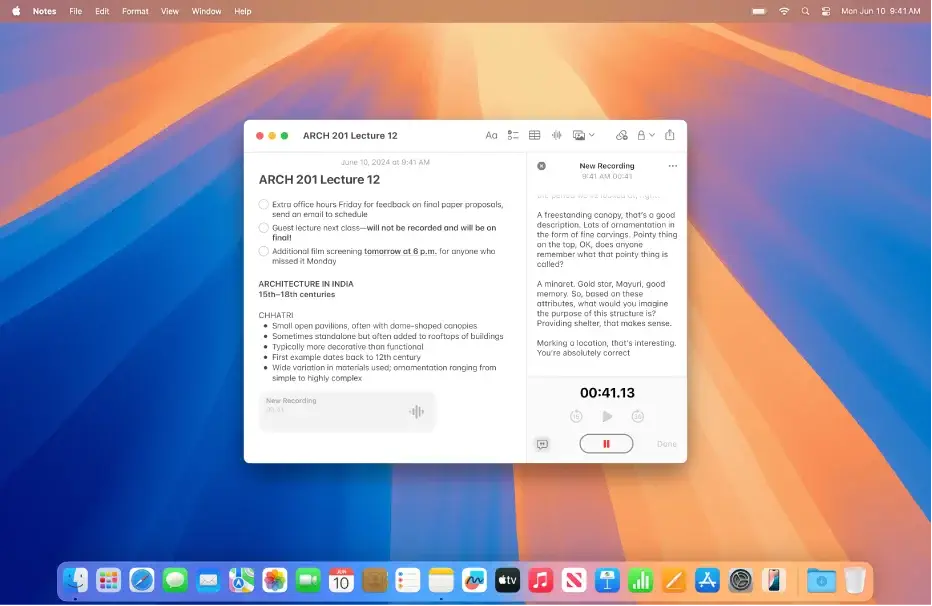
These features highlight how macOS Sequoia is designed to improve productivity, customization, and user experience, making it a solid choice for those looking to enhance their Mac’s capabilities.
macOS Sequoia vs Ventura: Performance
With every macOS update, we expect performance improvements. However, as with previous upgrades, the latest macOS Sequoia demands more from your Mac’s system resources than Ventura.
All the new features take advantage of Apple silicon’s performance and efficiency, adding to the OS’s demands on system resources.
This might mean that Sequoia could run more slowly than Ventura on older models, especially those on Intel chips.
For M-series Macs, Sequoia brings refined performance and better management of system resources, which translates to faster app launches and smoother multitasking.
This, along with optimizations for battery life and efficiency, means that newer Mac models—particularly M2 or M3-based devices—may see substantial improvements in daily use.
Ultimately, upgrading to Sequoia will likely enhance performance for Mac users with newer M-series devices. For those with Intel Macs, it’s worth evaluating whether the newer features outweigh the potential for slower performance.
Should you upgrade to macOS Sequoia?
Upgrading to the new version of macOS offers several benefits:
- Optimized for Newer Macs: Sequoia is fine-tuned for M-series Macs, delivering faster app launches, efficient resource use, and enhanced battery performance.
- Improved Multitasking: With Window Tiling, organizing multiple apps side-by-side becomes intuitive and efficient, a major plus for productivity.
- Advanced Capabilities: Features like Apple Intelligence, iPhone Mirroring, and enhanced audio transcription allow for seamless integration and powerful AI-driven customization across Apple devices.
- Enhanced Security: The new Passwords application provides a secure, centralized place to manage credentials, and the system-wide security improvements add extra privacy safeguards.
- Future-Proofing Your Mac: Upgrading keeps your Mac updated with the latest features, security patches, and performance improvements, helping it stay compatible with new software and updates.
However, consider the following before upgrading:
- System Compatibility: Sequoia’s features are optimized for M1 or later Macs, meaning Intel-based Macs may not benefit as fully or may lack access to certain features.
- Increased Resource Demand: New features like window tiling may require more memory, impacting the speed and responsiveness of older devices.
- Potential Compatibility Issues: Some older peripherals or software may require updates or have limited compatibility with Sequoia’s new architecture and system requirements.
In conclusion, if your Mac is compatible and you want to take advantage of the latest features and performance enhancements, upgrading to the new version of Mac OS X is a worthwhile consideration. However, always ensure to back up your data before you install Sequoia.
