

New Unpatchable Apple M1 Security Vulnerability Discovered

Before we dive in
Before we dive in, let's make sure you stay safe online. We created SpyHunter because your security matters to us.
Protect your computer today — download SpyHunter right here! Check out our top tips below to keep your computer safe and secure.

A new problem has been found in Apple’s M-series chips, and it’s a big one that can’t be fixed with a simple update. This issue, discovered by researchers and named “GoFetch,” allows cybercriminals to sneak out secret keys that keep our data safe.
This recently discovered vulnerability affects countless devices and shows us that even the most advanced technology can have weaknesses.
Let’s explore what this means for Apple device users and why this discovery is a critical reminder of the ongoing battle between technological advances and the need for solid security.
What is the vulnerability?
Apple’s M1, M2, and M3 chips, celebrated for their performance and efficiency, have hit a snag by discovering a critical vulnerability.

This section breaks down the basics of this issue, focusing on the role of Data Memory-Dependent Prefetchers (DMPs) and the specific mechanism through which the app called GoFetch operates.
The basics of DMPs in Apple Silicon-powered Macs
At the heart of this recently discovered vulnerability lies a feature designed to enhance the speed and efficiency of Apple’s chips.
DMPs are hardware optimizations that predict and preload data into the CPU cache before it’s needed. This function is crucial for reducing the wait time between the CPU requesting and receiving data.
However, the recently discovered flaw turns this speed-enhancing feature into a potential security risk.
How does the GoFetch app leak encryption keys?
The GoFetch attack exploits a specific behavior of DMPs that was previously overlooked. Usually, prefetchers predict future memory addresses based on past access patterns without considering the actual data involved.
However, DMPs in Apple’s M1, M2, and M3 chips also examine the data values, treating any that resemble memory addresses as pointers. This is where the vulnerability stems from.
When an attacker manipulates specific data within a cryptographic algorithm to mimic a pointer, the DMP is tricked into treating this “pointer” as a memory address. This erroneous prefetching brings the data to the cache, where its presence and movement can leak sensitive information over cache side channels.
In an email to ArsTechnica, the authors explained:
Prefetchers usually look at addresses of accessed data (ignoring values of accessed data) and try to guess future addresses that might be useful. The DMP is different in this sense as in addition to addresses it also uses the data values in order to make predictions (predict addresses to go to and prefetch). In particular, if a data value “looks like” a pointer, it will be treated as an “address” (where in fact it’s actually not!) and the data from this “address” will be brought to the cache. The arrival of this address into the cache is visible, leaking over cache side channels.
Our attack exploits this fact. We cannot leak encryption keys directly, but what we can do is manipulate intermediate data inside the encryption algorithm to look like a pointer via a chosen input attack. The DMP then sees that the data value “looks like” an address, and brings the data from this “address” into the cache, which leaks the “address.” We don’t care about the data value being prefetched, but the fact that the intermediate data looked like an address is visible via a cache channel and is sufficient to reveal the secret key over time.
By forcing the DMP to misinterpret manipulated data as pointers, attackers can indirectly leak encryption keys directly from the cache, bypassing traditional security measures designed to prevent such breaches.
This mechanism represents a sophisticated exploitation of a hardware feature for malicious purposes, underscoring a significant challenge in balancing performance enhancements with security needs in modern computing devices.
The unpatchable nature of the flaw
This vulnerability stands apart due to its unpatchable nature. It’s rooted deep within the microarchitectural design of Apple’s silicon, meaning it can’t be resolved with a standard software update.
This flaw directly results from Apple’s physical hardware optimizations to boost performance, specifically the data memory-dependent prefetchers (DMPs).

Fixing this issue outright would require a redesign of the chip’s architecture—a task far beyond the scope of a simple patch.
Apple, along with the broader tech community, is faced with the daunting task of finding workarounds that don’t compromise the celebrated efficiency and speed of Apple silicon.
Potential impact and who’s at risk
The revelation of this flaw has raised alarms about data security across millions of devices. Anyone using a Mac with an M-series chip, from individual consumers to large organizations, is potentially at risk.
The ability to extract secret encryption keys poses a severe threat, potentially allowing attackers to decrypt sensitive data, from personal photos and documents to corporate and financial information.
However, exploiting this vulnerability is not straightforward. It requires specific conditions, such as running a malicious app on the same performance cluster as the targeted cryptography app.
Moreover, Apple’s security measures, like Gatekeeper, which blocks unsigned Mac apps, add a layer of protection.
Navigating Apple’s security measures
Despite the complexity of the GoFetch vulnerability, Apple’s existing security framework, notably Gatekeeper, provides a significant barrier against potential exploits.
The Gatekeeper’s role is to prevent unsigned apps from running on macOS, a measure that drastically reduces the risk of installing a malicious app needed to leverage the vulnerability. However, the effectiveness of Apple’s security measures does not render devices impervious to all threats.
Incorporating third-party security software like SpyHunter for Mac is advisable to bolster your Mac’s defenses further.
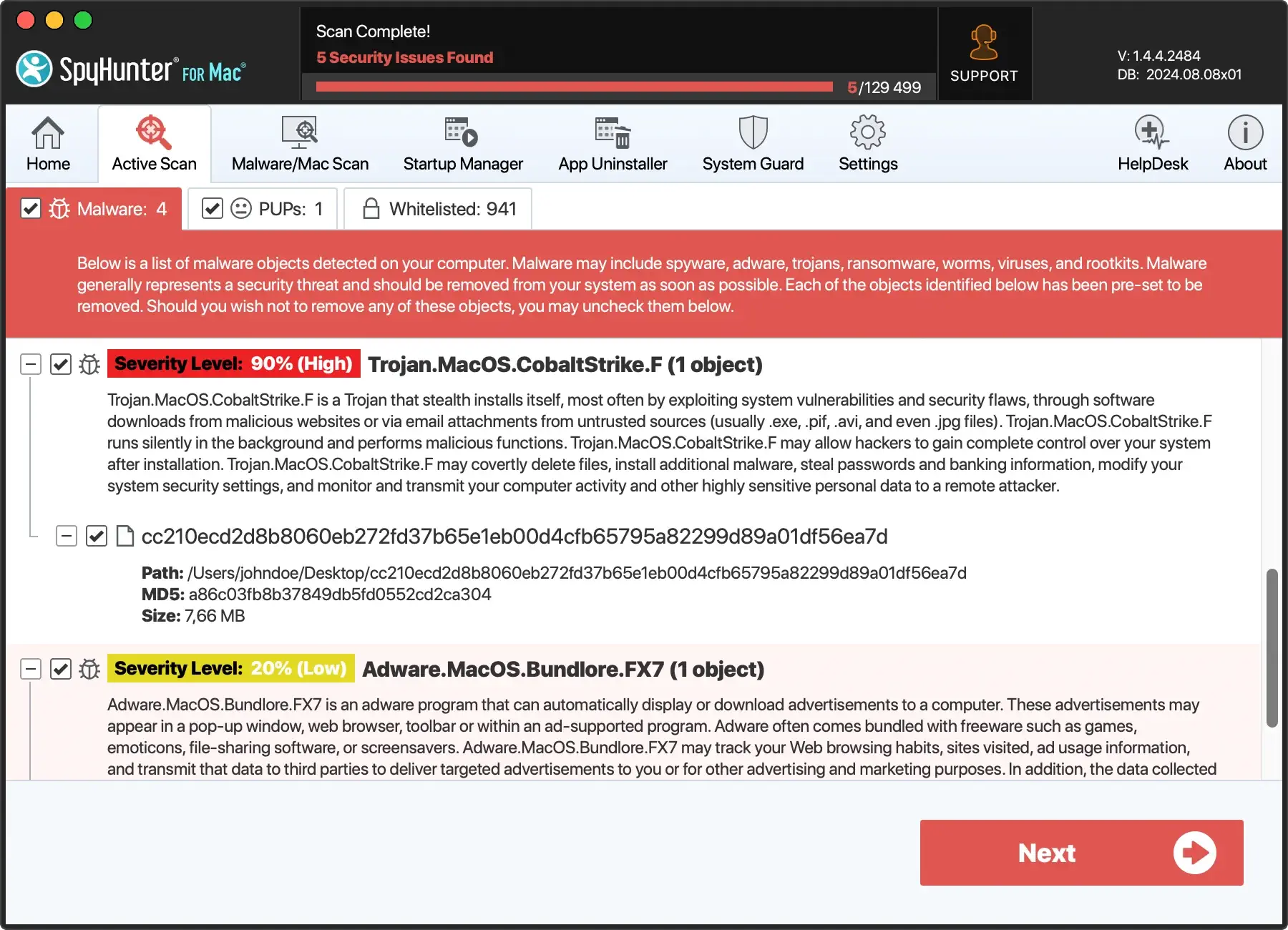
Through its real-time scanning mechanism, SpyHunter offers comprehensive protection against malware, ransomware, and other threats. It’s designed to complement macOS’s built-in security features, offering an additional layer of security that adapts to emerging threats.
Download SpyHunter and gain peace of mind, knowing your devices have robust protection against the latest cybersecurity threats.
Future outlook and user advice
The discovery of this unpatchable security flaw marks a critical moment for most Apple users, highlighting the need for continuous adaptation in the face of evolving security threats.
Staying informed and exercising caution is the key to navigating this landscape. Here are some tips to help protect your device and data:
- Keep Software Updated: Regularly update your macOS and all applications to ensure you have the latest security patches and protections.
- Download Wisely: Only download apps from trusted sources, such as the App Store or verified developers, and pay attention to any security prompts from macOS.
- Use Reputable Security Software: Installing reputable antivirus software like SpyHunter for Mac can significantly enhance your device’s security. SpyHunter offers real-time protection against malware and other threats. This ensures your system remains secure against the latest vulnerabilities and exploits. SpyHunter will keep it malware-free whether you have a Mac running Apple Silicon or an Intel-based one.
Looking ahead, the tech community remains watchful and ready to respond to new challenges.
For users, the balance between enjoying cutting-edge technology and ensuring data security requires awareness, vigilance, and a proactive approach to cybersecurity.
Conclusion
This new, unpatchable security flaw in Apple’s M-series chips is a stark reminder of the constant battle between advancing technology and ensuring security. As we move forward, staying informed and vigilant is vital. Users should keep their devices updated and be cautious when installing apps from untrusted sources.
The journey towards secure, efficient computing continues, with lessons learned from each challenge.
