

What Is An Endpoint? Definition And Best Practices

An endpoint is any device that connects to a network, such as a laptop, phone, or server. Understanding what is an endpoint and how to protect it is crucial for network security.
This article will explain endpoints, their types, and how to secure them.
Key takeaways
- Endpoints are the primary devices connecting to a network, including laptops, mobile phones, and IoT devices, serving as critical points for data exchange and user interaction.
- Security threats targeting endpoints, such as malware, phishing attacks, and outdated software, necessitate robust protection measures to mitigate risks and safeguard sensitive information.
- Implementing effective endpoint management strategies, including regular updates, strong access controls, and cloud-based solutions, is essential for maintaining a secure network environment, especially in remote work settings.
What is an endpoint?
Endpoints are the various devices that connect to a network, serving as points of data entry and exit. These include laptops, mobile phones, IoT devices, and virtual machines.
In a broader sense, endpoints encompass servers, workstations, mobile devices, and workloads within a network context. They are the gateways through which users interact with the network infrastructure, facilitating communication and data exchange, and are often targeted in endpoint attacks.
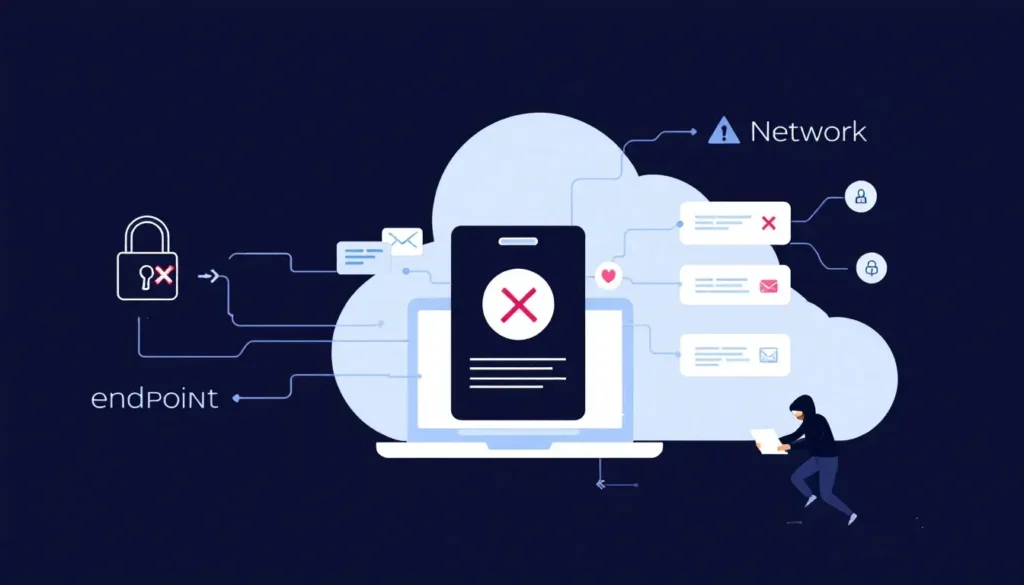
Examples of endpoint devices are diverse:
- Mobile devices
- Desktop computers
- Embedded devices
- Servers
- Printers
- Cameras
- Smart speakers
- Medical devices
These devices are critical components in modern network devices computer network, enabling users to access and share information efficiently.
Understanding the variety of endpoints helps in devising robust endpoint protection strategies to safeguard sensitive information and maintain network integrity.
Types of endpoint devices
Endpoint devices come in various forms, each playing a vital role in network communication. Desktops and laptops are perhaps the most common types, used extensively in both personal and professional environments.
Mobile devices, such as smartphones and tablets, also represent a significant category due to their widespread use for communication and access to organizational resources.
These physical devices are crucial for connecting users to the network and facilitating efficient data flow. A physical device is essential for ensuring seamless connectivity.

Beyond the conventional devices, specialized endpoint devices like printers, cameras, smart speakers, and IoT devices are becoming increasingly prevalent.
IoT devices, in particular, are revolutionizing various industries by enhancing connectivity and automation.
However, these connected devices also introduce unique security challenges, necessitating advanced endpoint protection solutions to mitigate potential risks.
Why endpoints are critical
Endpoints are the lifeblood of network communication, serving as the primary points for data entry and exit. They act as interfaces between users and network infrastructure, facilitating the seamless flow of information.
As networks grow more complex, the role of endpoints in enhancing connectivity and data transmission becomes even more significant. They not only improve network performance but also ensure efficient access to valuable data.
The importance of endpoints is further amplified by the rise of IoT devices, which introduce diverse functionalities and connectivity options.
From smart home devices to industrial sensors, these endpoints pose unique security challenges.
Ensuring robust endpoint security is essential to protect sensitive data and maintain network integrity in an increasingly interconnected world.
Common vulnerabilities of endpoints
Despite their critical role, endpoints are often the weakest links in network security. One of the leading causes of security breaches is outdated software, which cybercriminals exploit to gain unauthorized access.
Legacy systems that cannot be updated or patched introduce ongoing vulnerabilities, making them prime targets for attacks.
Weak security measures at endpoints can lead to significant risks, including data breaches and operational disruptions.
The varied security levels of endpoints further complicate the situation, as they often do not adhere to uniform security protocols.
Inadequate patch management and insufficient access controls increase the risk of unauthorized data exposure and potential malware infections.
Additionally, code injection attacks and RDP compromises allow hackers to manipulate software and gain unauthorized access. Insider threats, whether from current or former employees, also pose significant risks to organizational security.
Addressing these vulnerabilities requires a comprehensive approach to endpoint protection. Organizations must implement robust security measures, including regular software updates, strong access controls, and continuous monitoring, to safeguard their endpoints from emerging threats.
Key security threats targeting endpoints
Endpoints are prime targets for cybercriminals due to their numerous entry points into corporate networks.
Compromised endpoints can serve as gateways, allowing attackers to access broader internal networks and amplifying the potential impact of a breach.
Malware remains the leading type of cyberattack, with variants like ransomware and spyware causing significant damage.

Phishing attacks are another common threat, using deceptive messages to elicit sensitive information from victims.
Social engineering exploits psychological manipulation to trick individuals into providing confidential information or performing actions that compromise security.
Unauthorized access, often achieved by stealing user credentials, allows cybercriminals to infiltrate systems and steal sensitive data.
These advanced threats necessitate robust endpoint protection measures. Security teams must implement comprehensive security controls, including endpoint detection and response (EDR) solutions, to detect and mitigate malicious activity before it can cause significant harm.
Endpoint protection strategies
Effective endpoint protection is vital for safeguarding diverse devices from unauthorized access and potential data breaches.
One key strategy is data encryption, which converts readable data into an encoded format that can only be accessed with a decryption key, thus enhancing security.
Multi-factor authentication further strengthens security by requiring users to verify their identity through multiple methods before accessing resources.
Traditional tools like antivirus and antimalware software remain essential components of endpoint security.
However, these tools must be complemented by advanced security measures such as automated patch management and regular software updates to address emerging threats.
Implementing these strategies ensures that endpoints are well-protected, reducing the risk of security breaches and operational disruptions.
Endpoint detection and response (EDR)
Endpoint Detection and Response (EDR) solutions play a crucial role in modern endpoint security by utilizing advanced algorithms and machine learning techniques to analyze endpoint data in real-time.
Behavioral analysis allows EDR to detect zero-day exploits and advanced persistent threats that traditional security measures might overlook. Integration with threat intelligence feeds enhances EDR’s ability to detect and respond to new and emerging threats.
EDR tools can automatically isolate compromised endpoints, preventing further damage across the network when a threat is detected.
Automated incident response features enable EDR to execute predefined actions like quarantining devices or rolling back malicious changes. These solutions also provide detailed forensic data, crucial for post-incident analysis and improving future defenses.
Small businesses benefit from EDR solutions through continuous monitoring and easy integration with existing security tools, reducing the need for dedicated security teams and suiting organizations with limited resources.
Managed endpoint security solutions
Managed endpoint security solutions offer enhanced protection against advanced threats through continuous monitoring and expert analysis. These endpoint security solution provide:
- Real-time alerts
- Access to comprehensive threat intelligence for proactive defense
- Centralized management that allows organizations to enforce security policies consistently across all devices
This ensures robust endpoint protection.
Integrating managed endpoint security with other cybersecurity tools enhances threat detection and response capabilities, allowing organizations to respond rapidly to emerging threats.
Expert support in managed endpoint security services ensures that organizations can effectively mitigate risks and maintain a secure network environment.
Cloud-based endpoint security
Cloud-based endpoint security solutions provide numerous advantages that enhance organizational security and efficiency.
The scalability of cloud-based solutions enables businesses to easily adapt by adding or removing endpoints as needed.
Additionally, subscription pricing reduces the high upfront and ongoing maintenance costs associated with traditional security.
Cloud-based security systems solutions offer immediate real-time threat detection and response, minimizing the impact of potential cyber attacks.
They ensure that all devices, whether personal or corporate, are consistently protected with the latest updates, maintaining a secure network environment across diverse work setups, including remote and hybrid environments.
Best practices for endpoint management
Implementing best practices for endpoint management is crucial for maintaining a secure network environment.
Regular software updates and automated patch management help fix vulnerabilities that can be exploited by cybercriminals. Strong, complex passwords should be enforced and periodically changed to enhance security.
A comprehensive inventory of endpoint devices should be maintained and regularly updated to ensure security. Centralized management in cloud-based security simplifies policy enforcement and minimizes human error across all endpoints.
Additionally, using secure connections like VPNs when connecting devices to networks helps protect data transmitted over the internet from interception.
The role of endpoint security in remote work
The rise in remote work has made endpoints more susceptible to cyber threats, underscoring their criticality in network security. The theft or loss of mobile devices poses serious risks, as they often contain sensitive company data.
Using a VPN enhances endpoint security by encrypting data connections, safeguarding sensitive information from interception.
Dark Web Monitoring can protect sensitive data by scanning for compromised credentials that may expose remote workers to cyber threats.

Incident response planning is essential for quickly addressing security incidents to minimize their impact and ensure recovery.
Robust endpoint protection software measures are crucial for maintaining a secure network environment in a remote work setup.
Endpoint security solutions for small businesses
Many small businesses underestimate their risk of cyberattacks, with over 60% actually experiencing breaches.
EDR solutions offer flexible pricing models that are budget-friendly for small businesses. User-friendly interfaces in EDR solutions help small business teams manage security without needing extensive IT training.
Implementing endpoint security solutions is essential for small businesses to protect sensitive information and maintain a secure network environment.
These solutions help mitigate risks associated with cyber threats, ensuring business continuity and safeguarding corporate data from potential breaches.
Summary
In conclusion, endpoint security is a critical aspect of modern network protection. Endpoints serve as the primary points for data entry and exit, making them prime targets for cyberattacks. Understanding the types of endpoint devices and their vulnerabilities is essential for implementing effective endpoint protection strategies.
By adopting advanced security measures like EDR solutions, managed endpoint security, and cloud-based security solutions, organizations can enhance their defense against emerging threats.
Best practices for endpoint management, such as regular software updates and strong password policies, further ensure a secure network environment.
Frequently asked questions
What are the common types of endpoint devices?
Common endpoint devices include desktops, laptops, mobile devices, printers, cameras, smart speakers, and IoT devices. Understanding these types is essential for effective network management and security.
Why are endpoints critical in network security?
Endpoints are critical in network security as they serve as the primary points for data entry and exit, making them essential for safeguarding communication and data exchange within a network. Securing endpoints helps to prevent unauthorized access and protect sensitive information.
What are some common vulnerabilities of endpoints?
Outdated software, weak security measures, inadequate access controls, and insider threats are common vulnerabilities of endpoints. Addressing these issues is crucial to enhance endpoint security.
How can small businesses implement effective endpoint security?
To implement effective endpoint security, small businesses should utilize budget-friendly EDR solutions, enforce strong password policies, and conduct regular software updates. These measures collectively enhance the protection of their digital assets.
What role does endpoint security play in remote work?
Endpoint security is essential in remote work as it safeguards sensitive information, prevents unauthorized access, and maintains secure data connections, particularly through VPNs and other protective measures.
