

Remove UniversalHelper.gqa From Mac (Complete Instructions)

Before we dive in
Before we dive in, let's make sure you stay safe online. We created SpyHunter because your security matters to us.
Protect your computer today — download SpyHunter right here! Check out our top tips below to keep your computer safe and secure.

UniversalHelper.gqa is a type of adware that can disrupt your online experience by injecting unwanted advertisements and pop-ups into your web browsers.
In this article, we will explore the characteristics of UniversalHelper.gqa, its potential risks, and effective removal methods to restore your system’s performance and safeguard your online activities.
What is UniversalHelper.gqa?
UniversalHelper.gqa is an intrusive software classified as a browser hijacker targeting Mac devices.
This bothersome program can infiltrate and merge with your browser, altering its behavior and visual look and subsequently impacting your browsing experience.
Definition of UniversalHelper.gqa
UniversalHelper.gqa is a browser hijacker that integrates with most web browsers compatible with Mac, such as Chrome, Safari, and Firefox.
Upon successful integration, this software modifies the behavior and appearance of the web browser, leading to an invasive and often annoying browsing experience for the user.
Impact on Mac browsers
Once infiltrated, UniversalHelper.gqa has several noticeable impacts on the operation and appearance of your browser:
- Homepage Modification: Users may observe a change in their homepage, often replaced by an unexpected one.
- Search Engine Alteration: The default search engine may be replaced by a new and unfamiliar one.
- Toolbar Addition: A new toolbar and potentially other unexpected elements might be added to the browser.
- Web Traffic Reroutes: The adware leads to reroutes of web traffic, directing users to unwanted sponsored web locations.
- Endless Online Ads: Users experience the annoyance of constant online ads popping up during browsing.
Together, these changes provide an environment conducive for the software to perform its primary function – advertising.
UniversalHelper.gqa advertising activities
UniversalHelper.gqa is essentially a platform for online ads. Its advertising involves transforming the infected browser into an ad-generating system that delivers unwanted and intrusive ads.
These ads, which may appear as pop-ups, banners, or other formats, are generated directly from your system and are immune to regular pop-up blocking tools.
Their aggressive behavior and the vast space they consume on your screen contribute to a particularly disrupted browsing experience.
UniversalHelper.gqa installation methods
UniversalHelper.gqa installs itself onto your system by infiltrating your browsers and integrating into them.
The adware employs subtle installation methods, often bundled with other software or spread through tricky advertisements and websites.
Therefore, users must exercise caution while installing new software or navigating the internet.
The business model of UniversalHelper.gqa
The business model of UniversalHelper.gqa is fundamentally designed around a popular online advertising strategy known as Pay Per Click (PPC).
This model enables the developers to profit not only from the display of the ads but also, more significantly, from the clicks on these ads perpetrated by infected users.
Role of the pay-per-click model
The Pay Per Click (PPC) model plays a large part in the operating mechanism of UniversalHelper.gqa.
With this model, the developers of UniversalHelper.gqa earn revenue each time an infected user clicks on the ads displayed by the browser hijacker.
The PPC model ensures profit for the developers while posing a disturbed browsing flow for users.
Aggressive ad placement and invasive tactics
The assertive ad positioning used by UniversalHelper.gqa is geared towards maximizing the returns from the PPC model.
UniversalHelper.gqa employs strategies such as random redirects to sponsored web locations and displaying excessively invasive online ads.
While disruptive for the user, these tactics encourage inadvertent clicks and, thus, enhance the profits for the creators.
Is UniversalHelper.gqa a virus?
UniversalHelper.gqa is often mistaken for a virus or malware due to its intrusive behavior, including aggressive advertising and unwanted browser modifications.
However, it is imperative to understand that while it exhibits highly invasive characteristics, UniversalHelper.gqa is not a direct threat to your system.
UniversalHelper.gqa is software designed to generate online ads and redirect traffic, not to damage your computer systems directly.
While integrating itself with your browsers and changing their behavior, it does not corrupt system files or now steal sensitive information. It is considered a potentially unwanted program (PUP) rather than a traditional virus or malware.
Common misconceptions about UniversalHelper.gqa
Due to the intrusive and troublesome nature of UniversalHelper.gqa, it is frequently mistaken as a malicious program or virus.
However, this software is classified as a browser hijacker with adware features. While it can interfere with your browsing experience and display unwanted advertisements, it does not directly harm or threaten your system like traditional viruses or malware do.
Indirect threats of UniversalHelper.gqa
While UniversalHelper.gqa is not a direct threat, it poses risks to your system. Unfortunately, the invasive advertising activities and unsolicited redirects to various web locations could lead to exposure to harmful programs such as Trojans, spyware, and ransomware.
Furthermore, the possibility of backdoor exploits provides an additional layer of potential vulnerability. Consequently, removing UniversalHelper.gqa is recommended to minimize such risks to your Mac system.
How to remove UniversalHelper.gqa
Successfully eliminating the persistent browser hijacker UniversalHelper.gqa from your Mac involves a combination of manual and automatic removal methods.
Note: Manual removal is time-consuming and potentially risky, requiring 1-2 hours, depending on your speed and the nature of the threat.
It involves a detailed search and deletion of the infected files located in specific folders of your system. Automatic removal, however, is considerably quicker and safer.
With SpyHunter, the removal process requires about 15 minutes, ensuring a thorough and efficient removal of UniversalHelper.gqa from your system.
The following steps guide you through the process, ensuring a thorough cleanse of your system:
1. Uninstall UniversalHelper.gqa from Applications
Begin by navigating to the Applications folder on your Mac. Locate any suspicious applications, especially those recently installed or unfamiliar.
Right-click on the UniversalHelper.gqa application and choose Move to Trash from the context menu. Inspect your applications thoroughly to ensure you don’t miss any potential threats.

2. Delete UniversalHelper.gqa-related files and folders
After uninstalling the application, manually check for and remove any remaining UniversalHelper.gqa-related files and folders.
This involves navigating through specific directories where browser hijackers tend to leave traces. Look for folders or files associated with UniversalHelper.gqa and delete them to prevent any chance of reinfection.
3. Remove malicious browser extensions
Access your internet browser’s settings and review the installed extensions. Remove any extensions related to UniversalHelper.gqa.
These extensions are often the culprits behind intrusive ads and unwanted browser modifications. After removal, consider resetting your browser to default settings for a comprehensive cleanup.
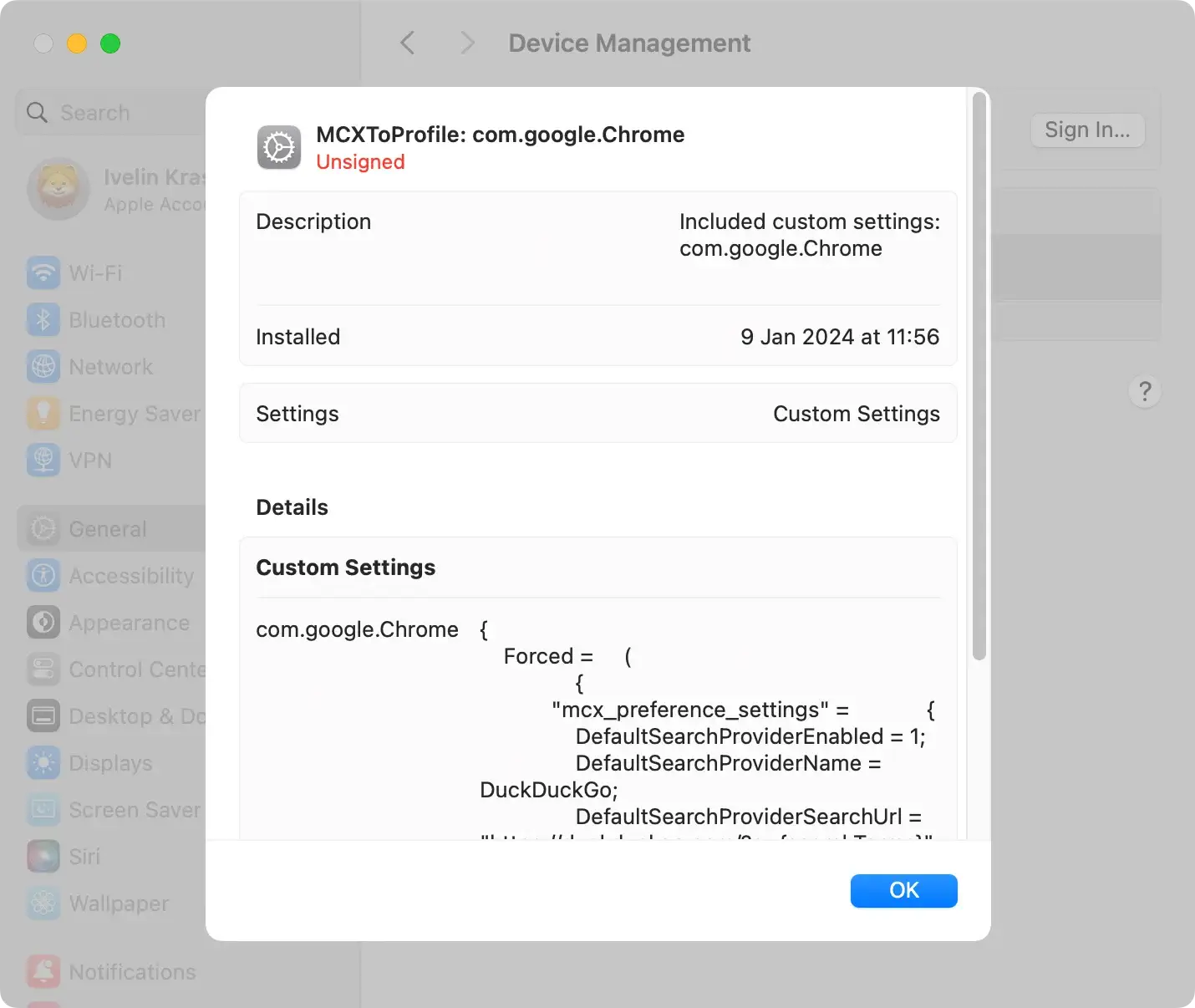
4. Remove configuration profiles
Inspect your Mac for any malicious configuration profiles installed by UniversalHelper.gqa.
Configuration profiles can manipulate system settings, and removing them is crucial for a complete removal process.
Navigate to System Settings > Profiles and delete any suspicious profiles.
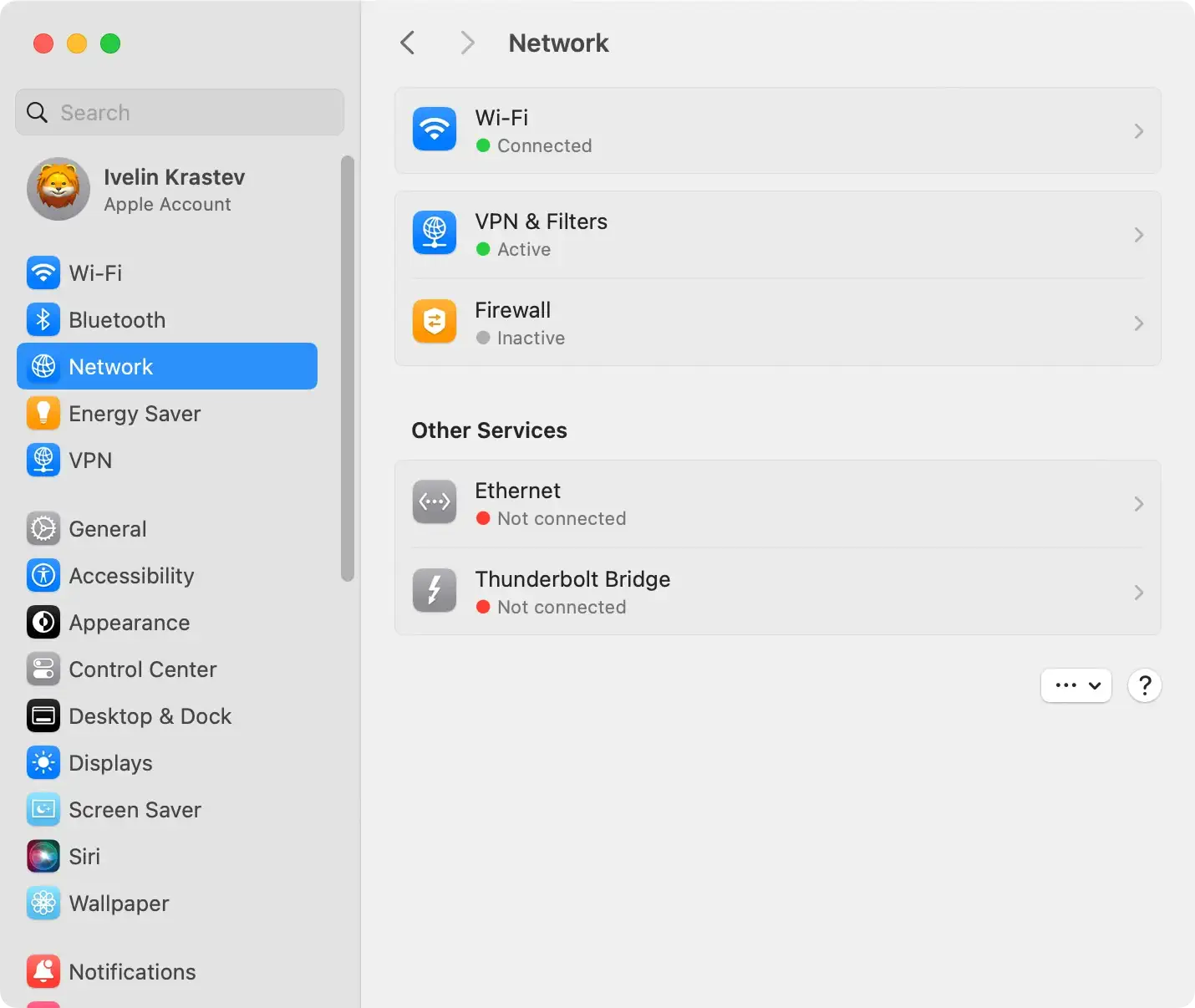
5. Check hosts file and adjust proxies
Browser hijackers like UniversalHelper.gqa may tamper with the hosts file and proxies. Verify the hosts file for unauthorized changes and adjust proxies in your system settings if necessary.
These steps prevent the hijacker from maintaining a stronghold on your system.
6. Remove UniversalHelper.gqa automatically with SpyHunter
For a more efficient and thorough removal, consider using SpyHunter for Mac.
SpyHunter is a robust anti-malware tool designed to detect and eliminate various threats, including browser hijackers like UniversalHelper.gqa.
Offering real-time protection, SpyHunter’s advanced scanning engine thoroughly examines your system, pinpointing malicious files and ensuring their complete removal.
To utilize SpyHunter’s automatic removal feature:

- Download SpyHunter for free here and install the application.
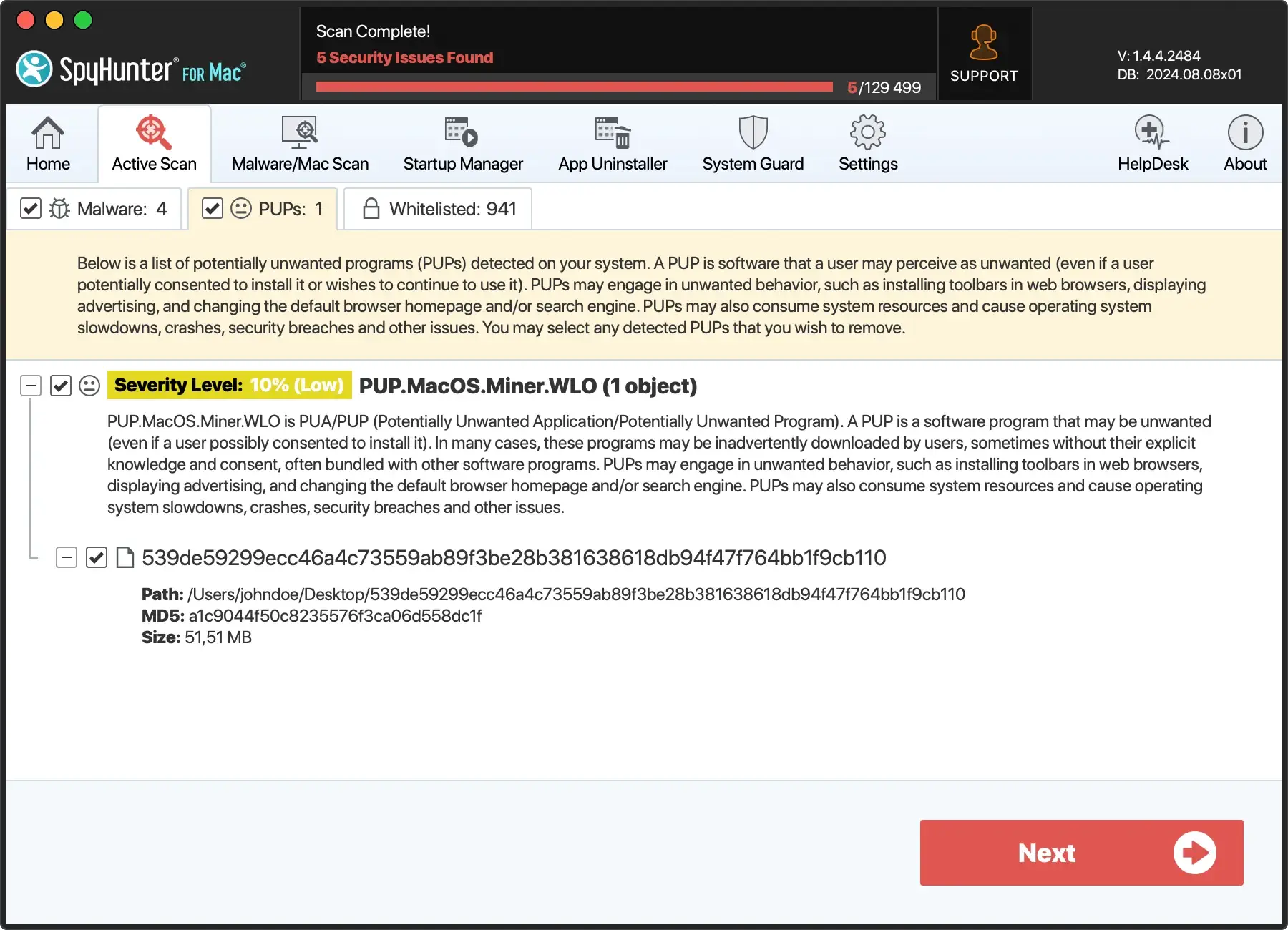
- Once established, the app will automatically start a scan to detect any traces of UniversalHelper.gqa or other threats installed on your Mac.
- Instruct SpyHunter to quarantine the selected threats, keeping your Mac malware-free.

The user-friendly interface simplifies the process, making it accessible for users with varying technical expertise.
Additionally, SpyHunter provides ongoing protection against potential threats, actively preventing future infiltrations and maintaining the security of your Mac.
Preventative measures against UniversalHelper.gqa
Protecting your Mac from browser hijackers like UniversalHelper.gqa requires proactive measures.
Implement the following preventative strategies to minimize the risk of infiltration:
1. Customized installation practices
When installing new applications, always opt for custom installation settings. This allows you to review and deselect any additional or potentially unwanted programs bundled with the software.
Avoid rushing through installations to prevent accidental acceptance of unwanted software.
2. Vigilance against deceptive websites
Exercise caution when browsing and avoid clicking on unfamiliar or suspicious links. Verify the legitimacy of websites before downloading any software.
Deceptive advertisements and websites are common vectors for browser hijackers.
3. Use reliable antivirus software
Equip your Mac with reputable antivirus and anti-malware software.
Tools like SpyHunter offer real-time protection against online threats, providing a robust defense against malicious software (Download SpyHunter from here).
4. Regular software updates
Keep your operating system, web browser, and plugins up to date. Regular updates often include security patches that address vulnerabilities.
Updating your software is fundamental to maintaining a protected and resilient system.
5. Adherence to safe browsing habits
Be cautious of deceptive pop-ups that claim to offer software updates. Instead of clicking on such pop-ups, visit the official websites of software providers for legitimate updates.
Avoid engaging with unexpected notifications and advertisements.
By combining these preventative measures with effective removal strategies, you can safeguard your Mac against the disruptive impact of UniversalHelper.gqa and similar browser hijackers.
