

Here’s How To Remove MegaUnit From Mac [Ultimate Guide]

Before we dive in
Before we dive in, let's make sure you stay safe online. We created SpyHunter because your security matters to us.
Protect your computer today — download SpyHunter right here! Check out our top tips below to keep your computer safe and secure.

Discover the potential risks of MegaUnit adware, or MegaUnit.gqa, and learn practical methods to safeguard your system.
This comprehensive guide illuminates MegaUnit’s intrusive behaviors and teaches users how to navigate the removal process.
Follow our expert recommendations to remove MegaUnit and restore a seamless browsing experience on your device.
Understanding MegaUnit
MegaUnit is an ad-supportive application primarily designed to infiltrate your Mac system uninvited. Once inside, it can manipulate your web browser to display various advertisements.
This application is monetized mainly using pay-per-click schemes and other similar methods, making online advertisements its primary source of profit.
This poses a significant risk as the ads displayed may often lead to dangerous domains such as scams or virus websites.
Definition and purpose of Megaunit
MegaUnit is classified as a browser hijacker or Potentially Unwanted Program (PUP) intended to alter your web browser settings.
By doing so, it can cause browser redirects and display a multitude of advertisements.
It’s engineered to get onto your Mac system subtly, often without your explicit consent, and starts changing your browser aspects to display unwanted ads for their profit.
Common symptoms of MegaUnit infection
If your system falls victim to the MegaUnit adware, you may notice several prominent signs of infection. These symptoms include:
- Excessive Online Advertisements: MegaUnit inundates your browser with various online ads, causing a noticeable slowdown in your computer’s performance.
- Browser Setting Alterations: The installed application can modify your browser settings, resulting in unexpected and undesired redirections that disrupt your regular browsing activities.
- Pop-Up Ads: Your screen may be invaded by constant pop-up ads, further contributing to the intrusive nature of MegaUnit and hindering a smooth browsing experience.
Relationship with other macOS adware
MegaUnit shares similarities with other macOS adware, such as DataExplorer, ExtendedField, and ConnectedPlatform.
It can infiltrate your system through the software bundling method, which usually involves the installers of third-party apps like media players, image editing apps, and other free software.
In this method, the unwanted application files are added subtly to the installation package.
Types of ads and trackers used by MegaUnit
MegaUnit is designed to show various ads, such as:
- Search results;
- Pop-up ads;
- Banner adware;
- Highlighted ads in text;
- Notification pop-ups;
- Browser redirects.
It also uses different trackers, including cookies, pixels, geo-location trackers, and tags, to gain insights into your online behavior.
Actions tracked include bookmarked sites, recently visited websites, clicks, and browsing history.
Risks associated with MegaUnit
If you find that MegaUnit has infiltrated your Mac, it’s crucial to understand its potential hazards. The main goal of the MegaUnit adware is to generate profit by showing you intrusive and unwanted ads.
However, this adware may be responsible for leading your browser to visit potentially dangerous websites, posing significant risks to your system security and personal privacy.
Visits to virus and scam websites
One of the main issues associated with the MegaUnit adware involves spontaneous redirection to harmful and fraudulent websites. These could include:
- Virus-infected websites.
- Phishing pages that intend to steal sensitive information.
- Scam sites that can trick you into downloading malicious files.
- Fake Tech Support scams.
- Fraudulent surveys to collect your data.
As the programmers behind MegaUnit do not scrutinize the nature of the ads displayed, there is a real risk that some ads could take you to such dangerous sites.
MegaUnit indirect risks
While MegaUnit isn’t explicitly harmful or malicious, it is categorized as indirectly risky for your Mac. One primary concern is the significant system slowdown due to the high resources utilized by intrusive ads.
Moreover, MegaUnit employs various trackers, like cookies, pixels, tags, and geo-location trackers, to collect details about your online behaviors, potentially violating your privacy.
Another significant risk posed by MegaUnit is its potential association with Mac Malware. Although MegaUnit is primarily an adware, it may serve as a gateway for far more dangerous threats.
This makes immediate removal of MegaUnit vital to preserve your system’s integrity and private data.
Remove MegaUnit from Mac
Eliminating MegaUnit from your Mac is crucial to safeguard your system and counteract the adverse effects caused by this adware.
You have two primary removal options: guided manual removal or an advanced anti-malware tool.
Prepare before you remove MegaUnit
Before taking any action, ensure proper preparation. Isolate the threat by disconnecting from the internet or starting your system in Safe Mode to prevent potential malware spread.
Once isolated, choose either the guided manual removal or advanced anti-malware tools to remove MegaUnit.
Download SpyHunter if you opt for the latter, follow the installation instructions and prompts to eradicate MegaUnit and any other threats lingering on your Mac.
Remove MegaUnit manually
If you opt for manual removal, follow the comprehensive guide below to walk you through the process.
Manual removal can be time-consuming and requires a specific technical understanding to navigate system files and settings successfully.
Follow these comprehensive steps to ensure a thorough cleanse of your system from MegaUnit:
Uninstall MegaUnit from Applications
- Navigate to your Mac’s
Applicationsfolder. - Identify any suspicious or recently installed applications, especially those unfamiliar to you.
- Right-click on the MegaUnit application and choose
Move to Trashfrom the context menu. - Scrutinize your applications thoroughly to avoid missing potential threats.

Delete MegaUnit.gqa-related files and folders
- After uninstalling MegaUnit, manually search for and remove any residual MegaUnit-related files and folders.
- Navigate through specific directories where browser hijackers tend to leave traces. These include
/Library/Caches//Library/LaunchAgents//Library/LaunchDaemons//Library/Application Support//Library/StartupItems/
- Locate and delete any folders or files associated with MegaUnit to prevent potential reinfection.
Remove malicious browser extensions
Access your browser’s settings and review installed extensions. Remove any extensions linked to MegaUnit, as they often trigger intrusive ads and unwanted browser modifications.
Consider resetting your browser to default settings for a more comprehensive cleanup.
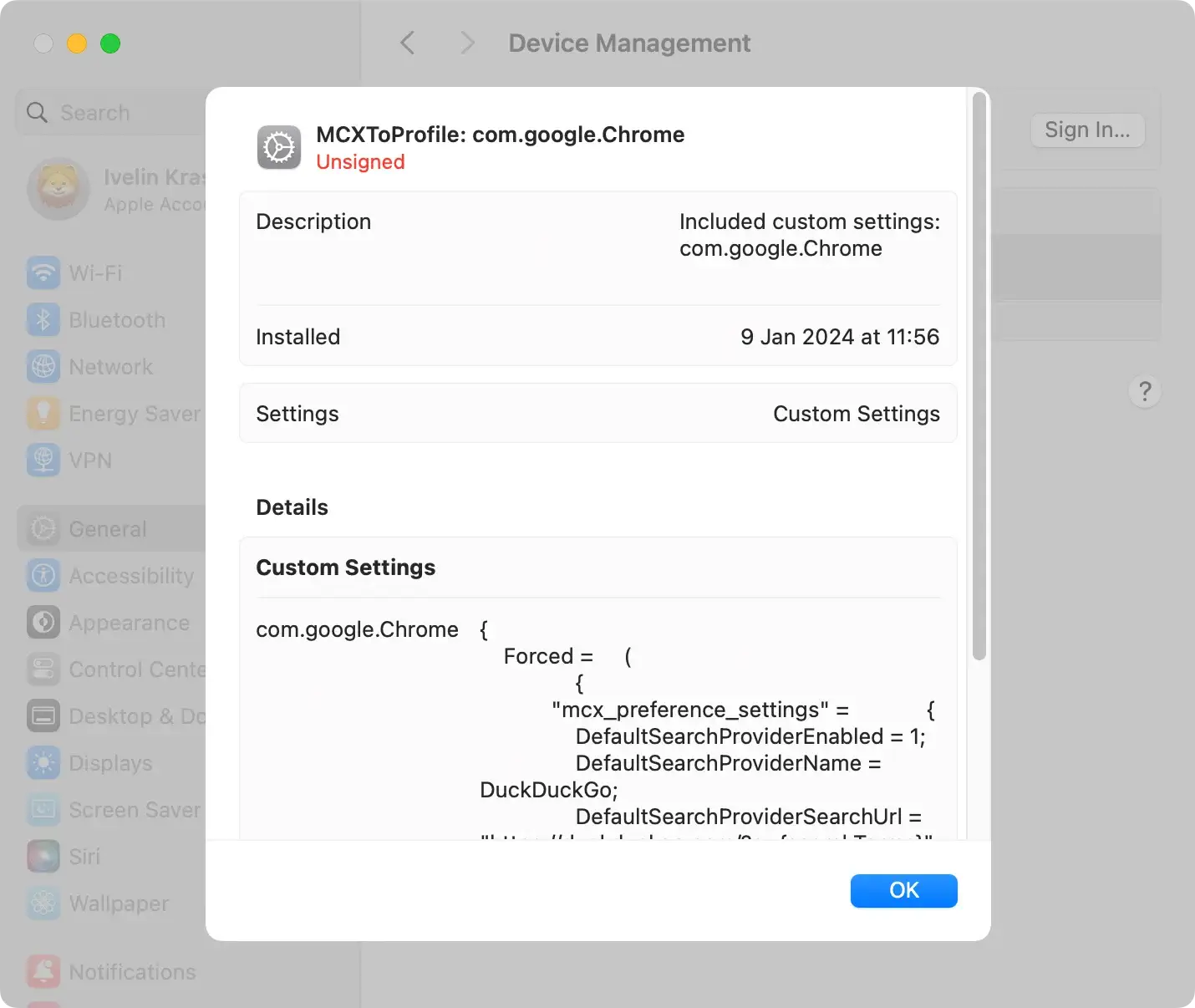
Remove malicious configuration profiles
Inspect your Mac for any malicious configuration profiles installed by MegaUnit.
Navigate to System Settings > Profiles and delete any suspicious profiles manipulating system settings.
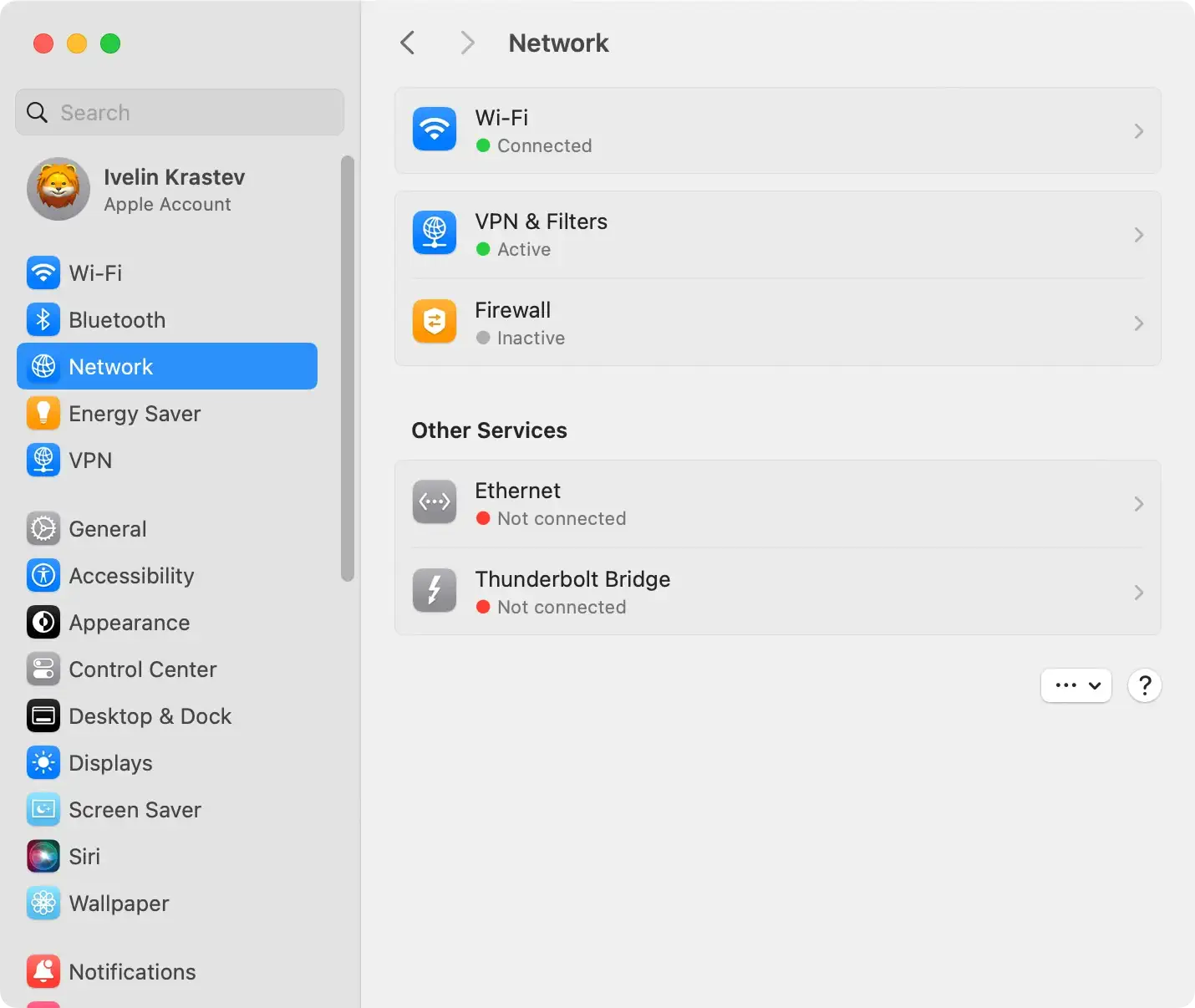
Check hosts file and adjust proxies
Verify the hosts file for unauthorized changes made by MegaUnit.
Additionally, adjust proxies in your system settings to prevent MegaUnit from maintaining control over your system.
Use advanced anti-malware tool to remove MegaUnit
Consider using advanced anti-malware software like SpyHunter for Mac for a more automated and thorough removal process.
Specifically designed to detect and eliminate threats like MegaUnit, SpyHunter scans your entire system, identifies the source of the problem, and automatically removes it.
This approach saves considerable time and effort.

- Download SpyHunter for free here and install it.
- Initiate a scan to detect and quarantine MegaUnit or other threats.

SpyHunter’s user-friendly interface ensures accessibility for users with varying technical expertise, providing ongoing protection against potential threats and maintaining your Mac’s security.
Follow these steps to rid your Mac of MegaUnit and enhance its security.
Protect your Mac from threats like MegaUnit
While Mac systems are generally considered secure, they are not immune from cybersecurity threats.
Recognizing the symptoms of such threats is a crucial step to ensuring the safety of your device.
Utilizing effective protective measures, including advanced anti-malware software, is essential.
Types of threats on Mac and their symptoms
Mac systems are susceptible to a range of cyber threats, each exhibiting distinct symptoms:
- Rogue Antivirus Programs:
- Symptoms: Unexpected security alerts, fake antivirus scans, and prompts to purchase fraudulent security software.
- Adware and Hijackers:
- Symptoms: Slowed system performance, unwanted toolbar add-ons, and a surge in intrusive pop-up ads during online activities.
- Trojan Horses and Spyware:
- Symptoms: Automatically running apps, suspicious processes in the background, and potential data theft or unauthorized access.
- Ransomware and Screen-Lockers:
- Symptoms: Locked screens with ransom demands, encrypted files inaccessible without payment, and potential loss of sensitive data.
- Cryptocurrency Miner Malware:
- Symptoms: Increased CPU usage, sluggish system performance, and possible overheating due to unauthorized cryptocurrency mining processes.
Understanding these threats and their associated symptoms is crucial for identifying and addressing security issues on your Mac.
Use professional anti-malware apps like SpyHunter
Investing in a reliable anti-malware application for Mac adds an extra layer of protection against these cyber threats.
Applications like SpyHunter for Mac scan your device for free, detect viruses or malware, and remove them automatically (Download SpyHunter from here).
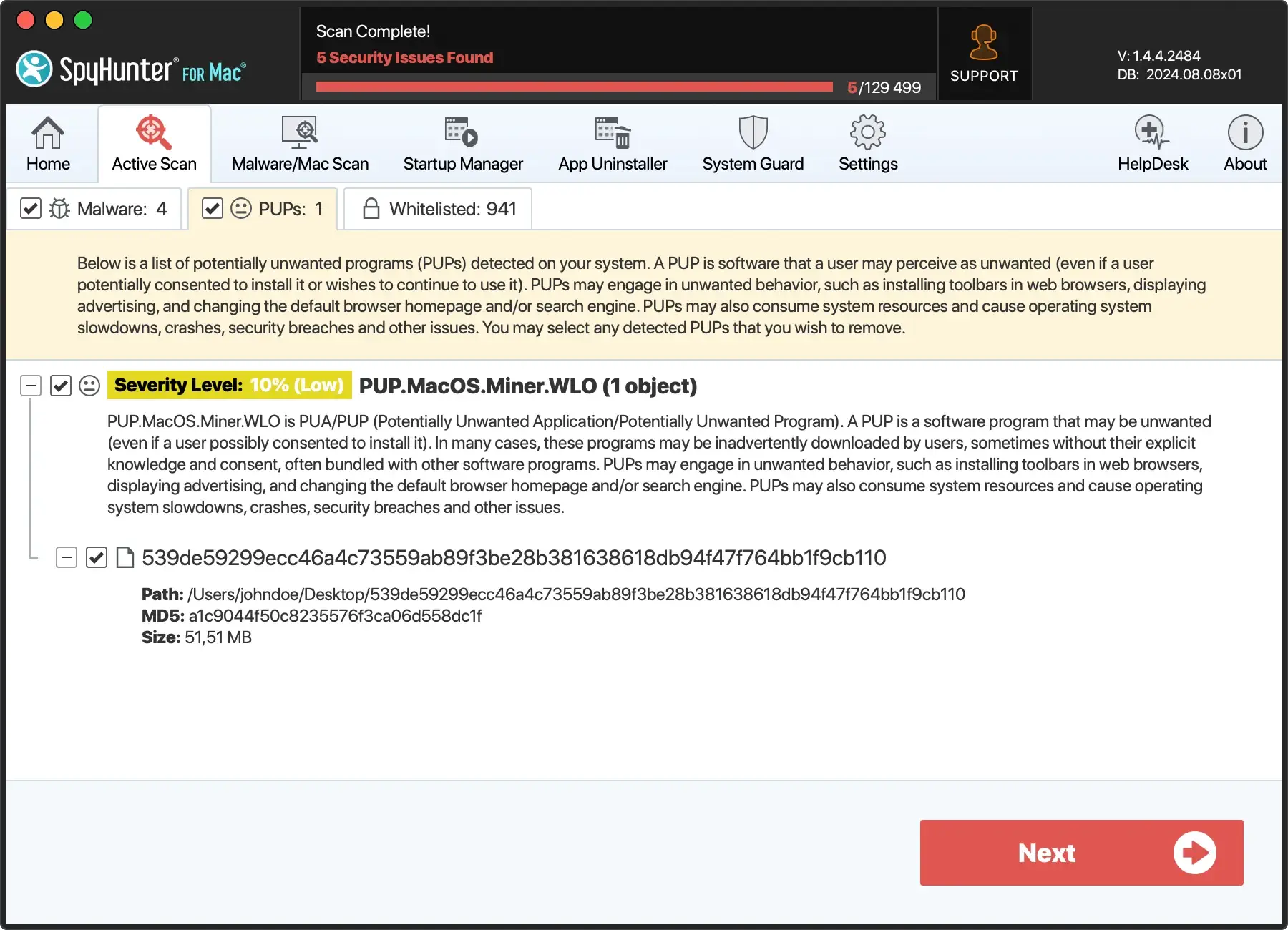
These specialized tools are designed to save you the time and effort involved in manual removal, ensuring a thorough and trouble-free removal process.
The mechanism behind Mac threats
Threats usually enter your system through various methods, such as infected websites, email attachments, or freeware applications.
Once in your system, these threats can compromise your data security, hamper system performance, and sometimes lead to financial loss.
For instance, adware like MegaUnit can display intrusive ads and redirect you to potentially harmful websites.
Protect Mac against threats
Various measures can be taken to secure your Mac from these threats—from enabling firewalls and regularly updating your software to using secure networks and changing passwords regularly.
Furthermore, one should avoid downloading software from questionable websites and remain vigilant of any unexpected system behavior.
