

Remove Syndication.realsrv.com (Comprehensive Guide)

Before we dive in
Before we dive in, let's make sure you stay safe online. We created SpyHunter because your security matters to us.
Protect your computer today — download SpyHunter right here! Check out our top tips below to keep your computer safe and secure.

Syndication.realsrv.com is a disruptive adware and browser hijacker affecting Mac systems.
Learn effective methods to remove Syndication.realsrv.com manually or leverage advanced anti-malware tools.
Explore the symptoms, risks, and preventive measures to safeguard your browsing experience. Jumping right in:
What is Syndication.realsrv.com?
Syndication.realsrv.com is an entity that has been classified as a browser hijacker or redirect virus. This intrusive web portal capitalizes on deceptive marketing techniques to manipulate users and their personal information.
Notably, it not only hijacks browser settings but can also perform numerous other harmful actions.
Its main goal is to force users into subscribing to its browser notifications. To achieve this, it displays various faux messages encouraging users to click a button, download a file, or install an application onto their device.
When these instructions are followed, the website can display a deluge of disruptive push notification spam messages, even when the browser is not in use.
The danger posed by Syndication.realsrv.com ranges from regular to moderate.
In several reported instances, users have landed on this problematic website through redirection from other sites, push notifications, or malware that opens the site without the user’s knowledge or consent.
Description of Syndication.realsrv.com
Syndication.realsrv.com is a pesky website that displays fraudulent messages upon being accessed on browsers.
It commonly shows messages such as “Click on ‘Allow’ to watch the video” or “Click ‘Download’ button to install the latest Flash player update” to trick users into taking specific actions.
The actions may then allow the site to forward numerous push notifications, which may appear when the browser is inactive.
Types of ads related to Syndication.realsrv.com
Through Syndication.realsrv.com, users are typically redirected to ads for undesired browser extensions, surveys, adult sites, online web games, phishing software updates, and other unwanted applications.
These ads often appear so frequently that they become intrusive and potentially detrimental to the computer if the wrong program is unintentionally downloaded.
Paths Syndication.realsrv.com exploits to appear
Syndication.realsrv.com employs diverse methods to manifest on users’ screens. These include:
- Redirects from Other Websites: Users may find themselves redirected to Syndication.realsrv.com from various websites, often without their deliberate actions.
- Push Notifications: The adware can display through push notifications, disrupting users with unsolicited messages and prompts.
- Malware-Induced Appearance: In some instances, Syndication.realsrv.com may appear due to malicious actions by other malware, surreptitiously opening the site without users’ knowledge or consent.
Regardless of the specific infiltration method, once Syndication.realsrv.com gains entry, it resorts to deceptive tactics, manipulating user interactions and inundating them with intrusive push notifications.
Remove Syndication.realsrv.com
Eliminating the Syndication.realsrv.com browser hijacker or redirect can be demanding, especially for novice users.
It typically involves deleting various entries and reversing modifications the adware/browser hijacker has created on the targeted devices.
If not handled correctly, this malware can regain its presence by hiding its files on computers. However, there are manual and automatic remedies to this problem.
Steps to remove Syndication.realsrv.com from macOS
Manual removal on macOS involves a thorough search for Syndication.realsrv.com-related files. Additionally, inspect browser extensions and configurations for unwanted changes.
Note: Removing malware manually can be a daunting and potentially hazardous task, as it involves spending around 1 to 2 hours, depending on your speed and the severity of the threat.
This process entails meticulously examining and eradicating infected files nestled within specific directories on your system.
On the other hand, opting for automatic removal offers a much faster and safer solution. Using SpyHunter, you can eliminate Syndication.realsrv.com from your system in approximately 15 minutes, guaranteeing an extensive and effective removal process.
The following steps guide you through the process, ensuring a thorough cleanse of your macOS:
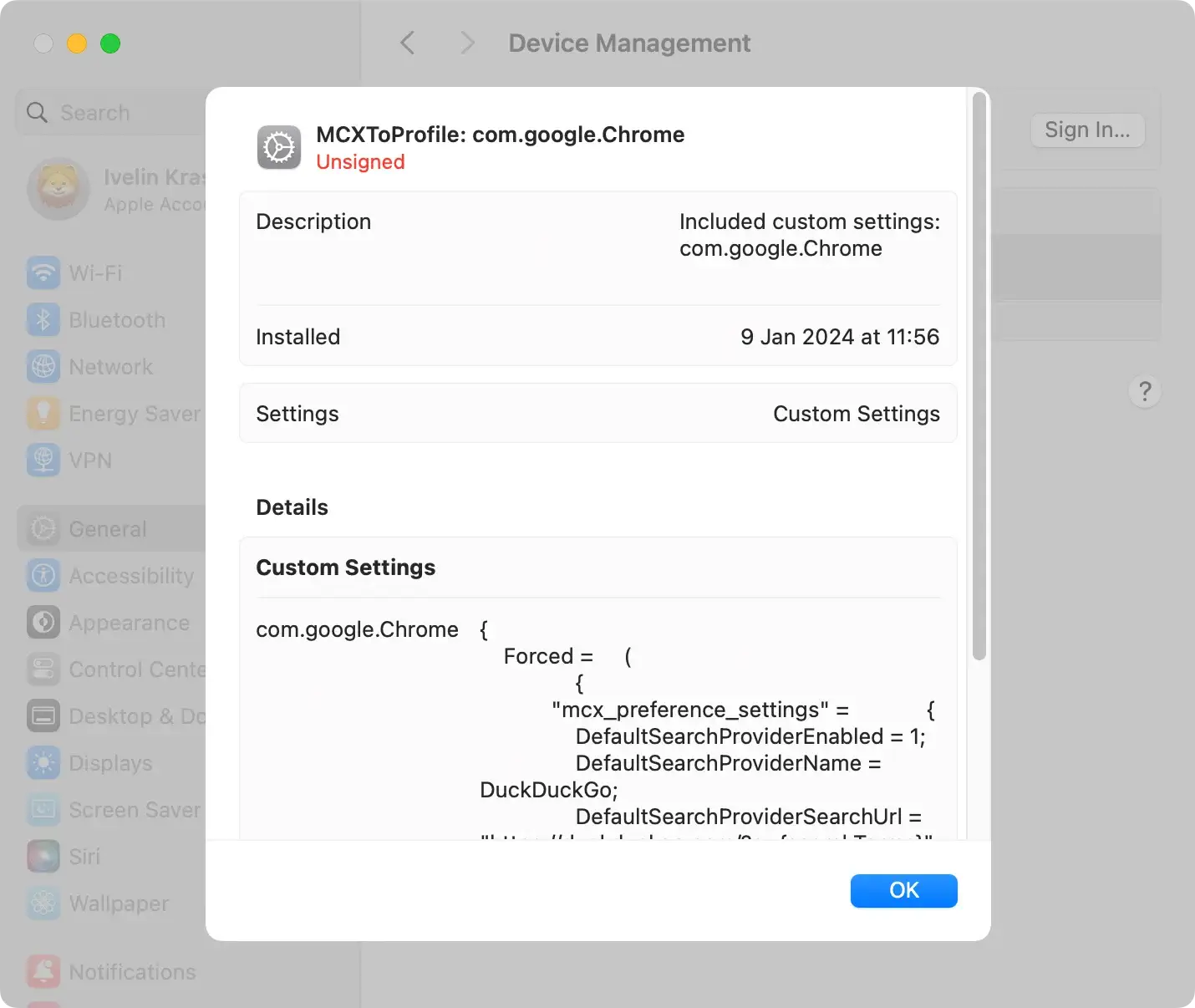
Remove configuration profiles
Initiate the removal process by inspecting your Mac for any potentially harmful configuration profiles installed by Syndication.realsrv.com.
These profiles can manipulate crucial system settings, making their removal essential for a thorough cleanup. Navigate to System Settings > Profiles and promptly delete suspicious profiles.
Uninstall Syndication.realsrv.com application
Navigate to your Mac’s Applications folder. Look for any applications that seem unfamiliar or were recently installed.

Right-click on the Syndication.realsrv.com application and choose Move to Trash from the context menu. Conduct a review of your applications to ensure no potential threats are overlooked.
Delete malicious browser extensions
Access your internet browser’s settings to review and manage installed extensions.
Identify and remove any extensions associated with Syndication.realsrv.com, as these are often responsible for intrusive ads and undesired browser modifications.
Following removal, consider resetting your browser to default settings for a thorough cleanup.
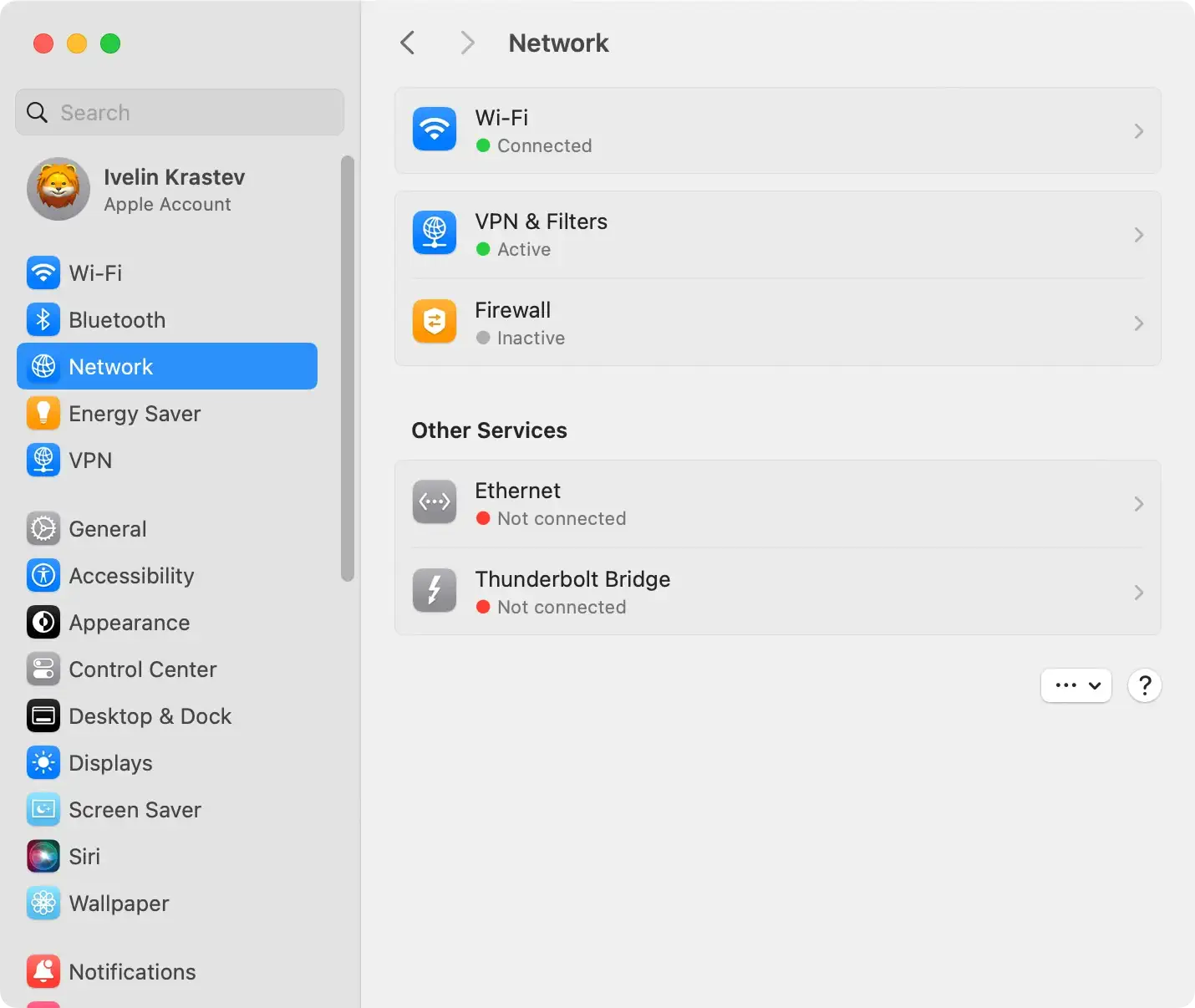
Inspect the hosts file and revise the network proxies
Syndication.realsrv.com, being a browser hijacker, might interfere with the hosts file and proxies.
Verify the hosts file for unauthorized changes and adjust proxies in your system settings if necessary.
These precautionary steps prevent the hijacker from establishing a persistent presence on your system.
Steps to remove Syndication.realsrv.com from Windows
Ridding your system of Syndication.realsrv.com may involve uninstalling unwanted software regularly via the Control Panel. The exact steps, however, may depend on your Windows operating system:
- Windows 8/10: Navigate to
Uninstall a programin theControl Paneland uninstall suspicious programs linked to Syndication.realsrv.com. - Windows 7: Find
Uninstall a programvia the Start button in theControl Paneland uninstall potential causes of the Syndication.realsrv.com issue. - Windows XP: Access
Add/Remove Programsand uninstall any untrusted programs associated with Syndication.realsrv.com.
Use SpyHunter to scan and remove adware
If manual removal proves too tricky or unwanted effects persist, consider using a trusted anti-malware application like SpyHunter to remove the malware on your computer.
A powerful anti-malware scanner can help detect and even remove present threats on your computer.

- Download SpyHunter from here and install the application.
- Launch SpyHunter to initiate a scan. The scan will detect Syndication.realsrv.com or related threats.
- Follow the prompts to ensure comprehensive removal.

Tips to prevent threats like Syndication.realsrv.com
Protecting your device from threats like Syndication.realsrv.com requires proactive measures and a vigilant online approach.
By understanding the potential causes of browser redirection and recognizing signs of malicious program installations, you can significantly reduce the risk of encountering such issues.
Here are essential tips to safeguard your system:
Understand browser redirection causes
Browser redirection, especially to sites like Syndication.realsrv.com, can be triggered by various factors, indicating potential threats to your online security.
Here’s an exploration of the causes and signs associated with browser redirection:
- Malware infection on your device: Malware, including browser hijackers, is a common culprit behind unwanted browser redirection. These malicious programs are designed to manipulate browser settings, leading to symptoms such as redirected searches, slow webpage loading, unexpected toolbars, and frequent advertisement popups. If you observe these signs, your device is likely infected with malware.
- Malicious website push notifications: Subscribing to push notifications from certain websites can grant them permission to display popups or redirect your browser. Less respected sites may misuse this permission, bombarding you with unwanted messages or redirecting your browser to platforms like Syndication.realsrv.com for increased advertising revenue.
- Redirection from visited websites: Simply visiting a website can trigger browser redirection, especially if the site has unscrupulous ad networks that covertly modify your browser settings. This redirection may occur while navigating the site or clicking on specific elements, resulting in undesired popups or redirections.
- Connection with less reputable sites: Interacting with such sites exposes your browser to potential redirection. They often host malicious ads that subtly alter your browser settings, initiating redirection to platforms like Syndication.realsrv.com or delivering unwanted notifications.
Signs of malicious presence
- Advertisements appearing in unusual places: The sudden appearance of ads in non-ad spaces on a website is a clear sign of a hidden malicious program. Regular occurrences of popups in unexpected areas indicate the presence of malware on your device.
- Unauthorized change of web browser’s homepage: A changed homepage without your permission is often the work of a browser hijacker. Such alterations, typically redirecting searches to advertising-heavy sites like Syndication.realsrv.com, signal potential malware presence.
- Improper display of frequently visited web pages: Malicious programs may cause pages you commonly visit to load inaccurately or malfunction. While not all disruptions are due to malware, combined with other signs, it suggests unwanted software on your device.
- Unexpected website link redirection: If clickable website elements redirect you to unforeseen destinations, it’s a sign of potential malicious software. Hijacked links can lead to sites like Syndication.realsrv.com.
- Popups recommending fake updates or software: Frequent popups suggesting fake updates or software often indicate a malicious program. These deceptive popups mimic legitimate notifications, tricking users into downloading additional malware.
- Installation of unwanted programs without knowledge: Unapproved installations of new programs, especially alongside free software downloads, signal the work of a malicious program. Stay vigilant and address unwanted installations promptly for a secure online experience.
Install reliable security software
Ensure your device is equipped with reputable antivirus and anti-malware software.
Tools like SpyHunter offer real-time protection against online threats, providing a robust defense against malicious software (Download SpyHunter from here).
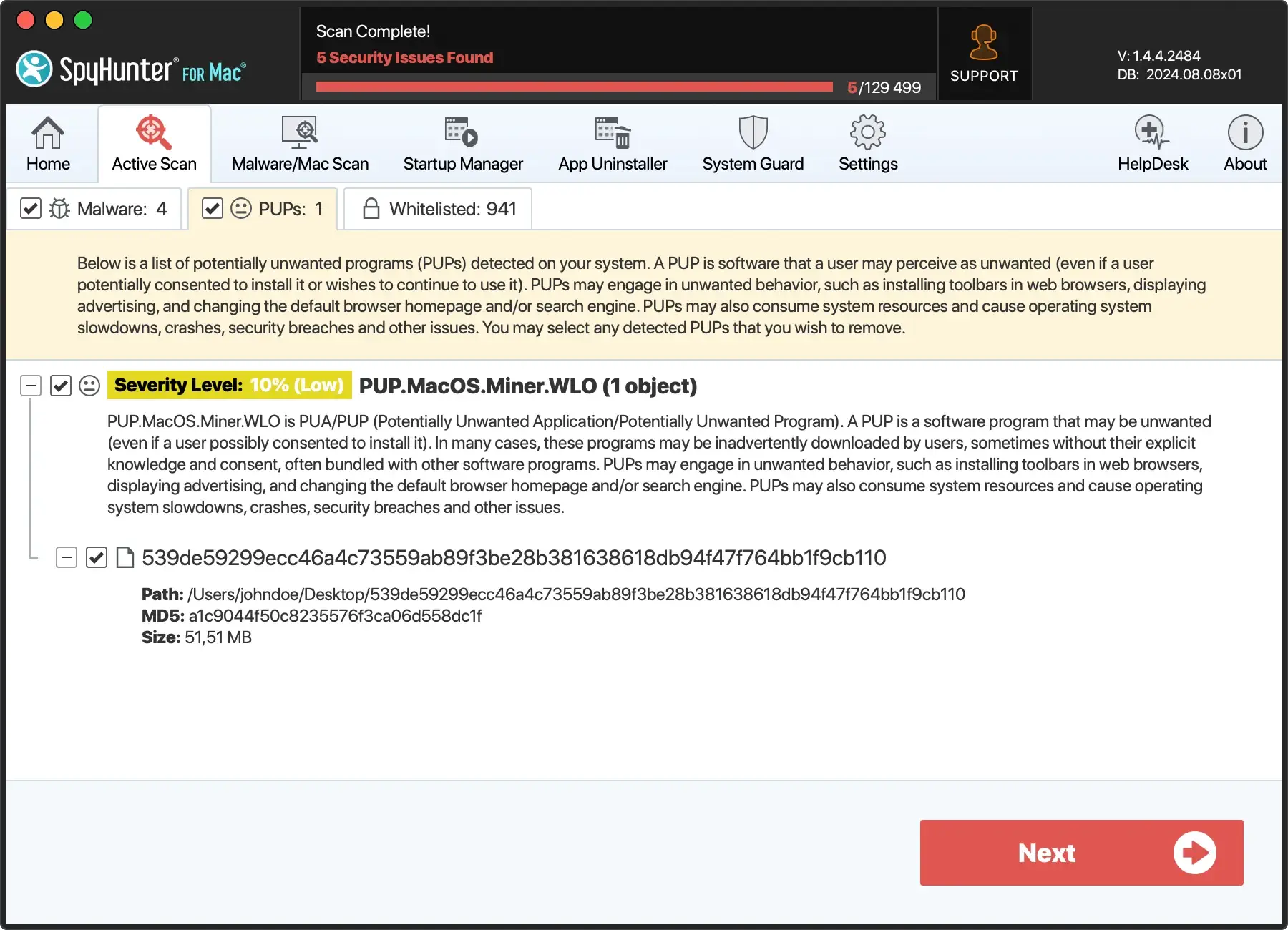
Regularly update and run scans to detect and eliminate potential threats, providing strong protection against browser hijackers like Syndication.realsrv.com.
Exercise caution with downloads
Be cautious when downloading software or files from the internet. Stick to official websites and trusted sources, avoiding dubious download links or file-sharing platforms that may harbor malware.
Use a firewall
Activate and configure a firewall on your device to monitor and control incoming and outgoing network traffic. A firewall acts as an additional defense against unauthorized access and potential malware.
Keep software and browsers updated
Regularly update your operating system, browsers, and security software. Updates often include patches for known vulnerabilities, enhancing your device’s resistance against potential threats.
Enable popup blockers
Utilize built-in or third-party popup blockers to prevent intrusive advertisements and popups. These blockers can significantly enhance your browsing experience by minimizing the risk of encountering adware.
