

How To Remove Neoreklami.J From Mac (Definitive Guide)

Before we dive in
Before we dive in, let's make sure you stay safe online. We created SpyHunter because your security matters to us.
Protect your computer today — download SpyHunter right here! Check out our top tips below to keep your computer safe and secure.

Are you dealing with a slow Mac, annoying ads, and browser redirects? You might have Adware.Neoreklami.J on your macOS device.
This guide will explain the harmful effects of this adware and provide steps to regain control over your Mac and online activities.
What is Adware.Neoreklami.J?
Adware.Neoreklami.J, a malicious software, is actively propagated through diverse hacking attacks, posing a substantial threat to macOS users.
This insidious adware doesn’t merely stop at displaying intrusive advertisements; it manipulates victim data, pilfers personal information, and introduces additional viruses, creating a dangerous user environment.
Adware.Neoreklami.J, also recognized as Adware: Win32/Neoreklami!MSR, initiated its malware campaign back in 2016.
Having undergone numerous modifications by hacking groups worldwide, this adware remains a persistent online threat with the ability to adapt its attack techniques.
How Adware.Neoreklami.J affects macOS devices?
Adware.Neoreklami.J is notorious for its adaptability, changing behavioral patterns based on the distributing hacking group.
Typically, it exhibits an adware module, flooding users with intrusive ads and potentially delivering phishing content, serving as a lucrative avenue for financial gain for the attacker.
This adaptability, however, extends beyond mere annoyance. The impact on system performance is a serious concern.
Adware’s invasive activities can slow down your Mac’s performance, affecting its responsiveness and overall efficiency.
Moreover, there are potential risks associated with Adware.Neoreklami.J go beyond system sluggishness; users face significant data privacy concerns, with personal information at risk of exploitation.
Exposure to malicious content further compounds these risks, making it imperative for users to address Adware.Neoreklami.J promptly.
The potential damage inflicted by this adware is severe, ranging from the theft of personal data to introducing more malware into the system, even posing the risk of identity theft.
Distribution methods and symptoms of Adware.Neoreklami.J
Understanding the spread of Adware.Neoreklami.J requires an examination of its various infection methods.
This particular adware primarily spreads through deceptive phishing emails and malware-infected files, using social engineering techniques to deceive users into unknowingly installing the adware.
This adware infiltrates systems using deceptive strategies by utilizing infected file carriers such as documents, installers, patches, executables, or disguised typical software applications.
The adware’s distribution heavily relies on social engineering tactics, including impersonation of trusted entities, mainly through phishing email campaigns.
Identifying symptoms and unusual behavior on the Mac is crucial for prompt action against Adware.Neoreklami.J.
Recognizable signs include the sudden appearance of intrusive ads during online activities and unexpected browser redirects. Users may also experience a decline in system performance and responsiveness.
Recognizing these signs is vital in initiating the appropriate steps to remove Adware.Neoreklami.J from the Mac system.
Remove Adware.Neoreklami.J from your Mac
This section outlines effective methods to rid your Mac of the insidious Adware.Neoreklami.J.
Whether you prefer manual removal for hands-on control or opt for the convenience of automatic removal with SpyHunter, we’ve got you covered.
Preparation before removal
Before diving into the removal process, specific preparation steps should be taken. First, ensure a reliable set of instructions is accessible during the process.
Next, back up all of your files. While some files might already be corrupted, it is still essential to back up as data recovery might be possible.
Use a cloud backup solution to back up your data to ensure protection against the most severe threats. Committing to these preparation steps can optimize removal, ensuring no essential data is lost.
Manual removal vs. Automatic removal
Choosing between manual and automatic removal methods for Adware.Neoreklami.J involves considerations of control, expertise, and efficiency.
Manual removal provides hands-on control, allowing users to navigate system components meticulously, uninstall suspicious applications, and remove associated files and browser extensions.
While this approach offers a deeper understanding of the removal process, it can be time-consuming and requires particular technical proficiency.
On the other hand, automatic removal with SpyHunter streamlines the process, swiftly detecting and eliminating Adware.Neoreklami.J with minimal user intervention.
This option is ideal for users seeking a hassle-free and efficient solution, particularly if they lack the technical expertise or time required for the accurate steps involved in manual removal.
Ultimately, the choice between manual and automatic removal depends on individual preferences, expertise, and the urgency of resolving the adware issue on your macOS device.
Remove Adware.Neoreklami.J manually
For users preferring a hands-on approach, manual removal allows detailed control over the elimination process. Follow these steps to eradicate Adware.Neoreklami.J from your Mac:
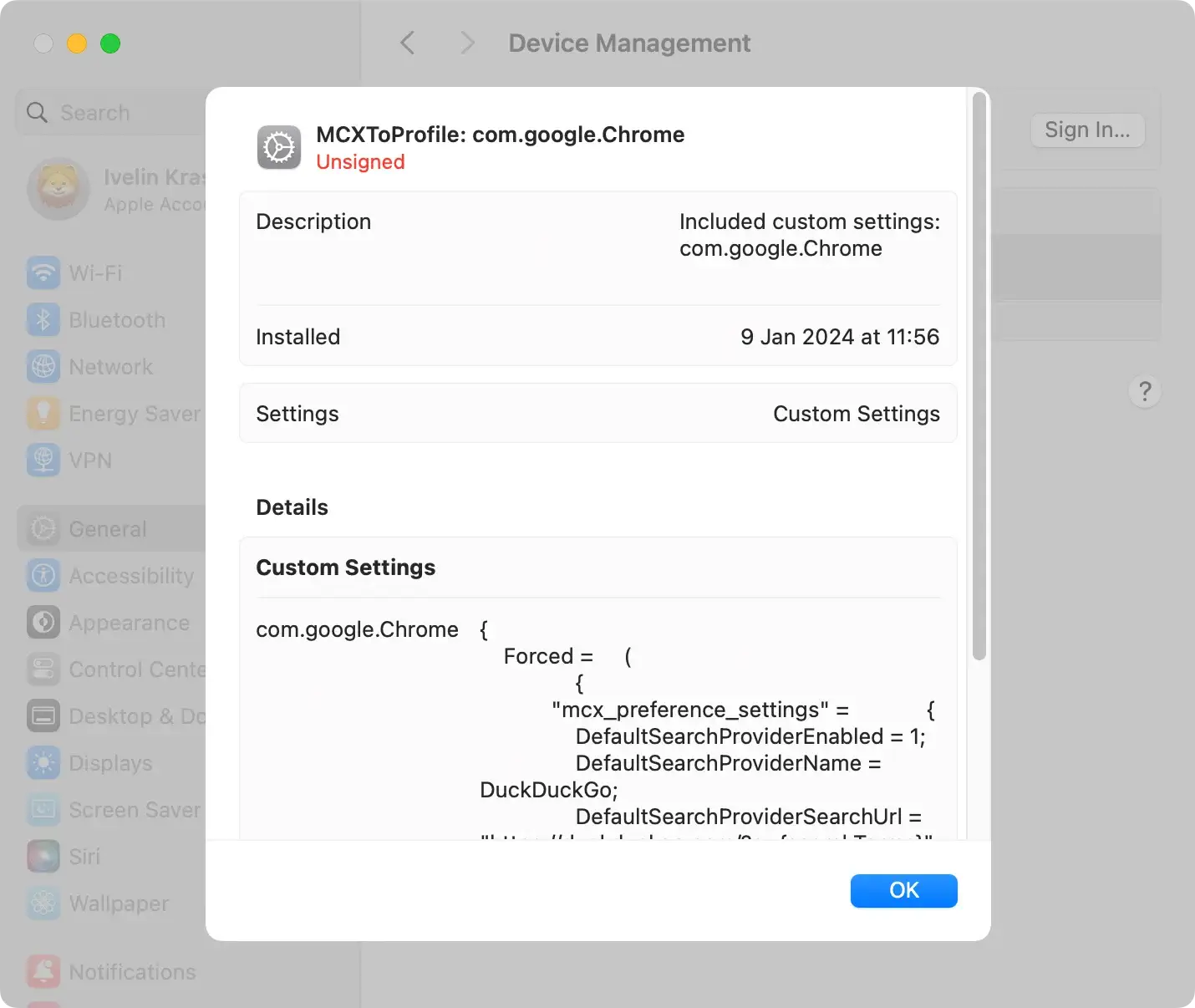
Remove malicious config profiles
Begin by checking for and removing any configuration profiles that may have been installed without your knowledge.
Navigate to System Settings > Profiles and delete any suspicious entries.
Remove Adware.Neoreklami.J application and related files
Identify and uninstall any applications or files associated with Adware.Neoreklami.J.
Access the Applications folder and move any dubious apps to the trash.

Simultaneously, inspect the Library folder for related files and delete them as well. Remember to empty the trash for a complete and efficient removal.
Remove Adware.Neoreklami.J browser extensions
Inspect your web browsers for any unwanted extensions linked to Adware.Neoreklami.J. In Safari, Firefox, or Chrome, access the browser’s settings, navigate to extensions, and delete any suspicious ones.
Clear browser cache and cookies
To ensure maximum protection and maintain a secure online environment, it is highly recommended to delete your browser’s cache and cookies thoroughly.
This vital step effectively removes any potential remnants left behind by the highly malicious and intrusive Adware.Neoreklami.J.
By eliminating these undesired artifacts, you protect your system against harmful activity and potential threats that might compromise your personal data and online privacy.
Taking this proactive measure significantly reduces the risk of being targeted by nefarious cybercriminals and ensures the seamless operation of your browsing experience.
Reset browsers to default settings
To ensure a clean slate, reset your web browsers to their default settings. This action removes any modifications made by Adware.Neoreklami.J, restoring your browsers to default.
Safari:
- Open Safari
- Click on the “Safari” option in the menu bar at the top of the screen
- Select
Preferencesfrom the drop-down menu - Go to the
Privacytab - Click on the
Manage Website Databutton - In the pop-up window, click
Remove Allto delete all website data - Confirm the action by clicking
Remove Now - Go to the
Extensionstab - Disable or remove any suspicious or unwanted extensions.
- Close and reopen Safari
Google Chrome:
- Open the Google Chrome browser
- Click on the three-dot menu icon in the top right corner
- Select
Settingsfrom the drop-down menu - Scroll down and click on
Advancedto expand the advanced settings - Scroll down further and under the
Reset and clean upsection, clickRestore settings to their original defaults - Click on the
Reset settingsbutton when prompted - Restart Chrome for the changes to take effect
Mozilla Firefox:
- Open the Mozilla Firefox browser
- Click on the three-bar menu icon in the top right corner
- Select
Optionsfrom the drop-down menu - Go to the
Privacy & Securitytab - Scroll down to the
Browser Privacysection - Click on the
Clear Databutton - In the pop-up window, make sure the checkbox for
Cookies and Site Datais selected - Click on the
Clearbutton - Go to the
Extensionstab - Disable or remove any suspicious or unwanted extensions
- Close and reopen Firefox
Note: These instructions are generalized and might vary slightly depending on the version of the browsers you are using.
Remove Adware.Neoreklami.J automatically with SpyHunter
For those seeking a streamlined and efficient solution, SpyHunter for Mac provides automated removal of Adware.Neoreklami.J.
SpyHunter is a powerful anti-malware tool designed to detect and eliminate various threats, including Adware.Neoreklami.J, with efficiency and precision.
Its user-friendly interface ensures a straightforward experience, making it suitable for users of all levels of technical expertise.

- Download SpyHunter for free here and follow the on-screen instructions to install the software on your Mac.
- After the setup, SpyHunter will initiate an automatic scan to search for Adware.Neoreklami.J and other potential threats on your Mac.
- Once the scan is complete, review the results to identify detected threats. SpyHunter provides detailed information about the detected items, allowing you to make informed decisions.
- Take action by selecting the option to remove the detected threats. SpyHunter will eliminate Adware.Neoreklami.J and any associated files, ensuring a thorough clean-up.

By following these steps, you can reclaim control over your Mac and enjoy a secure and optimal computing experience, free from the clutches of Adware.Neoreklami.J.
Prevention and future protection
Protecting your device from the detrimental impacts of Adware.Neoreklami.J demands proactive measures and a robust defense strategy.
Employing established safety practices can significantly enhance your device’s security and fortify it against the stealthy activities of this threat.
1. Leverage anti-malware programs
Regularly updated anti-malware programs serve as a formidable defense against Adware.Neoreklami.J.
Tools like SpyHunter are critical in detecting, quarantining, and eliminating this browser hijacker, ensuring your device stays shielded against evolving threats ( Download SpyHunter from here ).
Consistent updates empower these programs to adapt to the sophisticated tactics employed by modern threats.
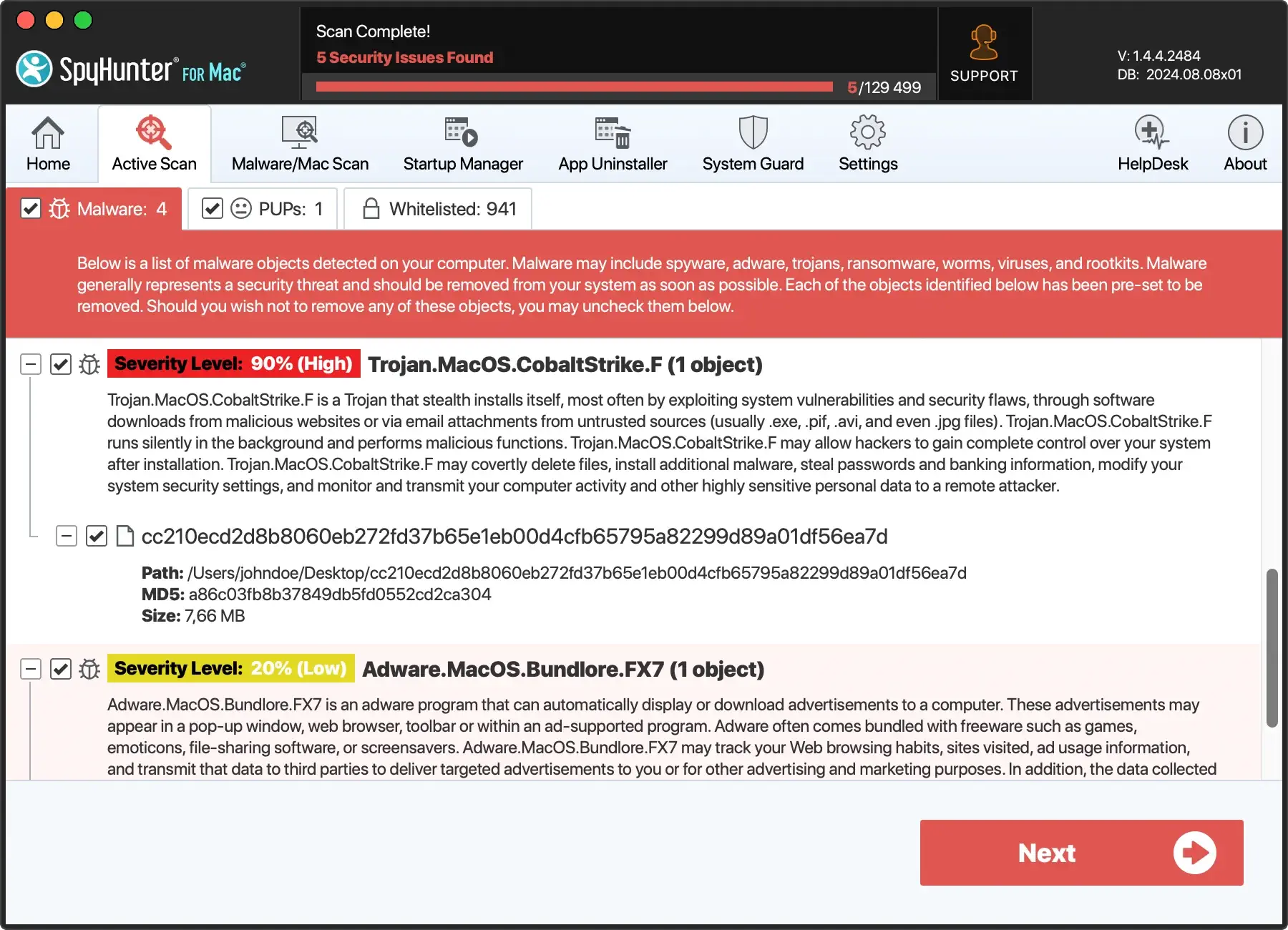
Conducting scheduled system scans is a proactive approach to identifying and addressing malicious activities on your device.
Regular system scans, facilitated by robust anti-malware programs, optimize your device’s security by swiftly detecting and neutralizing potential threats.
2. Protect USB devices
Adware like Adware.Neoreklami.J pose a risk to USB devices, making their protection crucial. Exercise caution when transferring files and confirm the security of the source system.
Regularly scanning USB devices using reliable anti-malware software enhances their resilience against potential attacks.
3. Practice Safe Internet Habits
Adopting safe internet practices is paramount for safeguarding your device against Adware.Neoreklami.J.
Exercise caution with emails, avoiding downloads from unverified sources and steering clear of insecure websites.
Regularly change your security credentials, use solid, strong, and unique passwords, and stay vigilant against phishing attempts to prevent data theft caused by malware.
Conclusion
As we conclude, understanding the pervasive impact of Adware.Neoreklami.J on your digital realm empowers you to take decisive steps towards safeguarding your device and personal information.
The adware’s stealthy activities, from stealing data to infecting networks, necessitate a vigilant and proactive approach.
By integrating anti-malware programs, protecting USB devices, conducting regular system scans, and adopting safe internet practices, you fortify your device against ever-evolving cyber threats.
Remember, a resilient defense is the key to maintaining a secure and optimal computing environment, free from the clutches of Adware.Neoreklami.J and similar malicious entities.
