

Remove TextBoard.gqa From Your Mac [Complete Guide]

Before we dive in
Before we dive in, let's make sure you stay safe online. We created SpyHunter because your security matters to us.
Protect your computer today — download SpyHunter right here! Check out our top tips below to keep your computer safe and secure.

TextBoard.gqa is a type of adware that can infiltrate your computer, causing unwanted pop-ups, redirects, and other disruptions to your online experience.
In this article, we’ll explore the characteristics of TextBoard.gqa, its potential risks, and effective methods to remove TextBoard.gqa from your device.
Understanding and addressing this adware is crucial for maintaining a secure and optimal computing environment.
Overview of TextBoard.gqa
TextBoard.gqa is an intrusive software known as a browser hijacker. It primarily infects Mac computers and takes control of the machine’s primary browser.
Whether you use Safari, Mozilla Firefox, or Google Chrome, this rogue application can change your browser’s behavior.
Definition and function of TextBoard.gqa
TextBoard.gqa is categorized as a potentially unwanted application (PUA) due to the changes it imposes on your browser without your consent.
It exhibits adware characteristics, which means it mainly serves to generate adverts. Sadly, these aggressive advertisements often lead to undesired pages.
The primary function of TextBoard.gqa is to enforce aggressive advertising by constantly displaying unwanted ads and redirecting the browser to various sponsored websites.
Unfortunately, it doesn’t give users control over the ads, making your browsing experience unpleasant.
The problem with TextBoard.gqa
One of the main issues with TextBoard.gqa lies in the intrusive nature of its adverts. You don’t have control over the ads displayed and can’t stop them unless you remove the browser hijacker itself.
At its worst, it may expose you to risky websites, endangering your device.
Additionally, TextBoard.gqa uses cookies and other trackers to collect browsing information, creating another layer of unwanted invasion.
This activity could compromise your online privacy, which every user must take seriously.
Who created TextBoard.gqa
The creators of such unwanted apps are typically anonymous. They primarily aim to monetize through pay-per-click advertising methods.
With each redirection or advert clicked upon, they potentially generate income. This revenue-focused objective prompts them to bombard your browser with endless ads, irrespective of the type of websites these ads may lead to.
This reckless approach underpins the dangers associated with TextBoard.gqa.
As the creators are only interested in generating revenue, they disregard the safety of the pages their ads may redirect to, leaving users at risk of exposure to potentially harmful or inappropriate content.
Impact of TextBoard.gqa on Mac computers
Having TextBoard.gqa installed on your Mac system doesn’t only affect your browsing experience. It impacts the overall performance of your computer considerably.
It leads to slow system responses frequent browser disruptions, and raises severe privacy concerns due to covert data collection practices.
The behavior of TextBoard.gqa on Mac
TextBoard.gqa is designed to promote advertisements and different sites aggressively. When installed, it modifies browser settings, changing the default homepage and search engine.
You will also encounter unexpected redirects during your online sessions. It can display pop-ups, box messages, and banners that interrupt your browsing constantly, showcasing various potentially misleading ads.
Notably, TextBoard.gqa significantly slows down the system. You might notice a decline in your computer speed and frequent disruptions while trying to accomplish tasks online.
This is due to the additional resources being used by the adware to promote advertisements and conduct redirects.
What TextBoard.gqa does to your browser
TextBoard.gqa is notorious for altering browser settings without seeking users’ consent. It can:
- Replace the current homepage with a sponsored one.
- Impose a different default search engine.
- Induce frequent page redirects, obstructing the user’s internet browsing activity.
This disruptive interference exploits your browser for the adware’s advertising needs. Moreover, TextBoard.gqa:
- Litters your screen with a flurry of intrusive ads, such as pop-ups, banners, and box messages.
- Continually interrupts your activities, compromising your overall user experience.
Risks associated with TextBoard.gqa
While the primary functioning of TextBoard.gqa might seem geared towards advertisement, the risks it poses to your Mac shouldn’t be underestimated.
One of its significant threats is redirecting your browser to shady sites filled with clickbait content. These unreliable web locations potentially jeopardize the safety of your machine.
Additionally, the adware tracks your activities and collects personal data, posing a severe threat to your privacy. It might obtain browsing information such as search history, visited websites, and sensitive information like passwords and credit card details.
The collected data often gets shared with or sold to third-party entities, risking identity theft or financial loss. Therefore, prompt removal of TextBoard.gqa is recommended to safeguard your privacy and ensure optimal system performance.
TextBoard.gqa distribution methods
The infiltration of TextBoard.gqa into your computer system can be pretty stealthy. It mostly rides on the user’s routine actions, making its entry into the computer seem unnoticeable.
This deceptive conduct leaves many users unaware that their browsers are compromised until they start experiencing unwanted ads and redirects.
There are multiple ways through which TextBoard.gqa can reach your computer system. Here are some of the most common channels:
- Bundled Software: TextBoard.gqa often comes bundled with legitimate software available for download on the Internet. Users unknowingly install the adware alongside the desired program, introducing it into their system. The bundled software alters users’ browser settings sneakily, making TextBoard.gqa the primary source of page redirection and ads.
- Malicious Websites: TextBoard.gqa can also be spread via malicious websites designed to trick users into downloading the unwanted app. A click on a harmful link can introduce the browser hijacker into your system.
- Vulnerability Exploits: TextBoard.gqa can infiltrate your system using software vulnerabilities, commonly called exploits. Attackers use these weaknesses to install the adware into users’ computers without their knowledge or authorization.
- Social Engineering: TextBoard.gqa can also harness social engineering tricks where a user is deceived into downloading a harmful application. For instance, a pop-up message may insist the user update software, deceitfully leading the user to download and install the unwanted program.
Remove TextBoard.gqa from your Mac
Successfully removing the TextBoard.gqa hijacker involves manual or automatic removal processes. Both methods aim to identify and delete all malicious files related to TextBoard.gqa from your Mac.
However, it is time-consuming and occasionally challenging, and relief from the intrusive ads and browser redirects makes it all worth it.
Manual vs. automatic removal
Choosing between manual and automatic removal depends on your comfort level with executing intricate steps manually.
Manual removal provides a deeper understanding of the process but may be time-consuming and complex.
On the other hand, automatic removal with tools like SpyHunter is efficient and user-friendly, ideal for those seeking a quicker solution without delving into intricate system details (Download SpyHunter from here).
Remove TextBoard.gqa manually
The manual removal process of TextBoard.gqa involves a series of steps to be executed on your Mac. This approach provides a deeper understanding of the intricacies involved in removing the browser hijacker.
Note that while these steps can be practical, they may be time-consuming and not offer a permanent solution if TextBoard.gqa has self-restoration capabilities upon system restart.
Remove malicious configuration profiles
TextBoard.gqa may install malicious configuration profiles on your Mac to maintain control over specific settings.
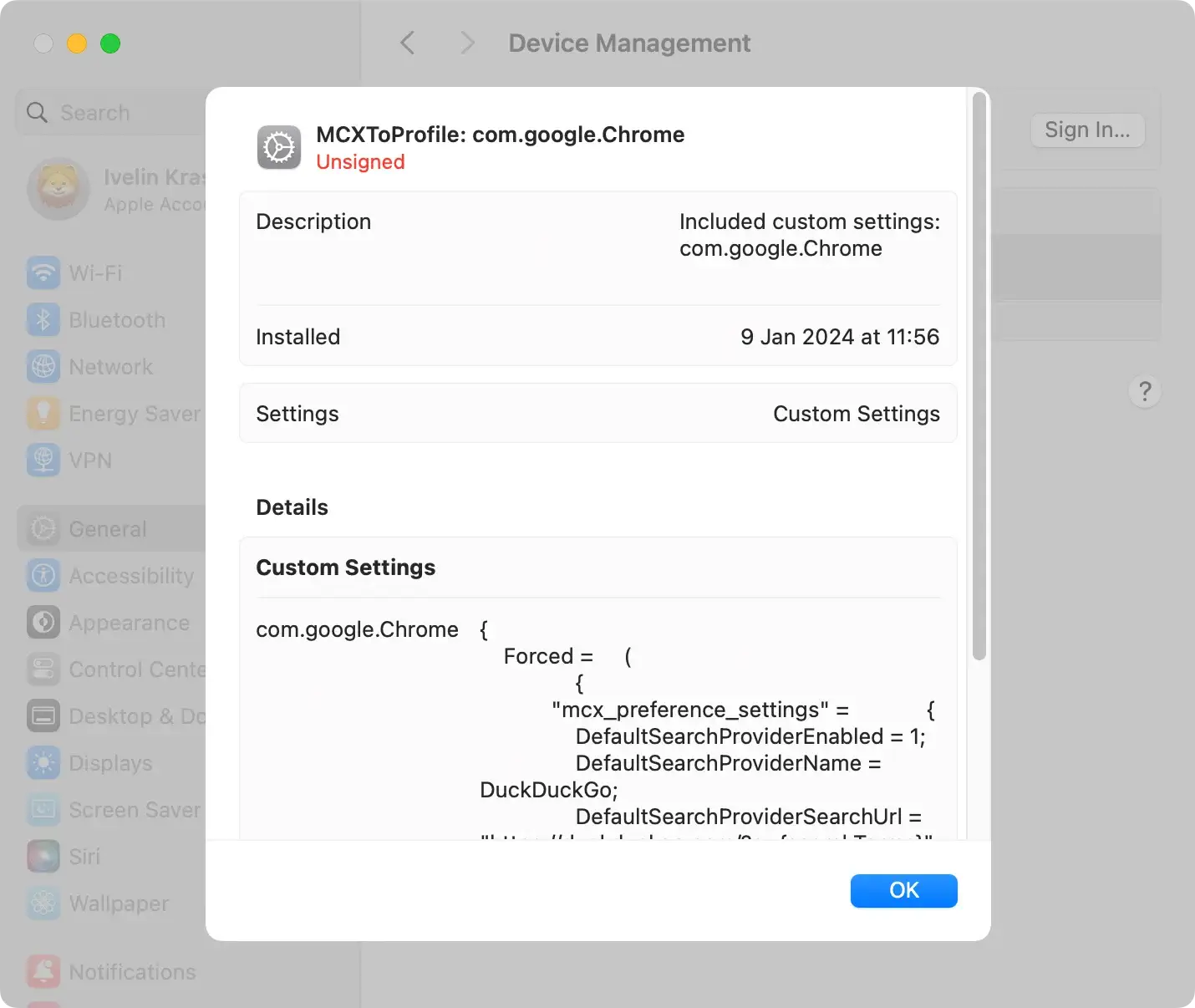
To remove these profiles, navigate to System Settings > Profiles (if available).
Look for any suspicious profiles related to TextBoard.gqa and remove them.
Remove TextBoard.gqa application and related files
Begin by uninstalling the TextBoard.gqa application from your Mac. Go to Applications and locate TextBoard.gqa. Right-click it and choose Move to Trash from the context menu.

After uninstallation, manually check for and delete any remaining related files. Common locations include
/private/var/root/Library/Application Support/TextBoard.gqa/~/Library/Application Support/TextBoard.gqa/
Use Finder to navigate these paths, ensuring complete removal.
Remove TextBoard.gqa from browsers
TextBoard.gqa tends to embed itself within various web browsers. A thorough cleaning process should involve removing TextBoard.gqa from browsers like Safari, Chrome, and Firefox.
- For Safari:
- Go to
Safari > Preferences > Extensions - Locate any extensions related to TextBoard.gqa and uninstall them
- Go to
- For Google Chrome:
- Access the menu and go to
More tools > Extensions - Remove any TextBoard.gqa-related extensions
- Access the menu and go to
- For Mozilla Firefox:
- Navigate to
Add-onsfrom the menu and remove any extensions associated with TextBoard.gqa
- Navigate to
These steps may vary slightly between browsers, so ensure you thoroughly check and clean each one.
Locate and manually delete infected files
After the initial steps, manually search for and delete any remaining infected files related to TextBoard.gqa.
Some files or folders may be hidden, so press Command+Shift+. to access them. Specific folders may require additional permissions for deletion.
Possible challenges
TextBoard.gqa is a stubborn browser hijacker, and specific files may pose challenges during manual removal. Hidden files, special commands, or files located in protected system folders may require additional steps.
Manual removal steps may not offer a permanent solution if TextBoard.gqa can restore itself upon system restart.
Ensure you follow these steps meticulously to achieve thorough manual removal of TextBoard.gqa from your Mac.
Remove TextBoard.gqa with SpyHunter
Automatic removal involves using dedicated software like SpyHunter for Mac. This software allows you to scan your device for any malicious files or programs that may have been missed during the manual removal.
Running a thorough scan with SpyHunter ensures the complete elimination of the adware and any potential threats lingering in your system:

- Download SpyHunter from here and install the app by following the instructions provided by the installer.
- Once installed, the app will automatically start a scan to detect any traces of TextBoard.gqa or other threats installed on your Mac.
- Follow SpyHunter’s prompts to quarantine the threats.

Preventative measures against TextBoard.gqa
Safeguarding your Mac from browser hijackers like TextBoard.gqa involves adopting vigilant browsing habits.
Employ the following preventive measures to enhance your online security:
Opt for customized installation:
When installing a new application, always choose the custom installation option.
This allows you to have greater control over the installation process, enabling you to select specific elements for installation and uncheck any potentially unwanted apps bundled with the software.
This measure reduces the risk of inadvertently installing browser hijackers like TextBoard.gqa.
Avoid malicious websites
Exercise caution when browsing and refrain from clicking on unfamiliar or suspicious links. Verify the legitimacy of websites before downloading any software.
Avoid downloading applications from untrustworthy sources, as these may harbor browser hijackers or other forms of malware. Stick to reputable sources and official websites for your downloads.
Use reliable antivirus software
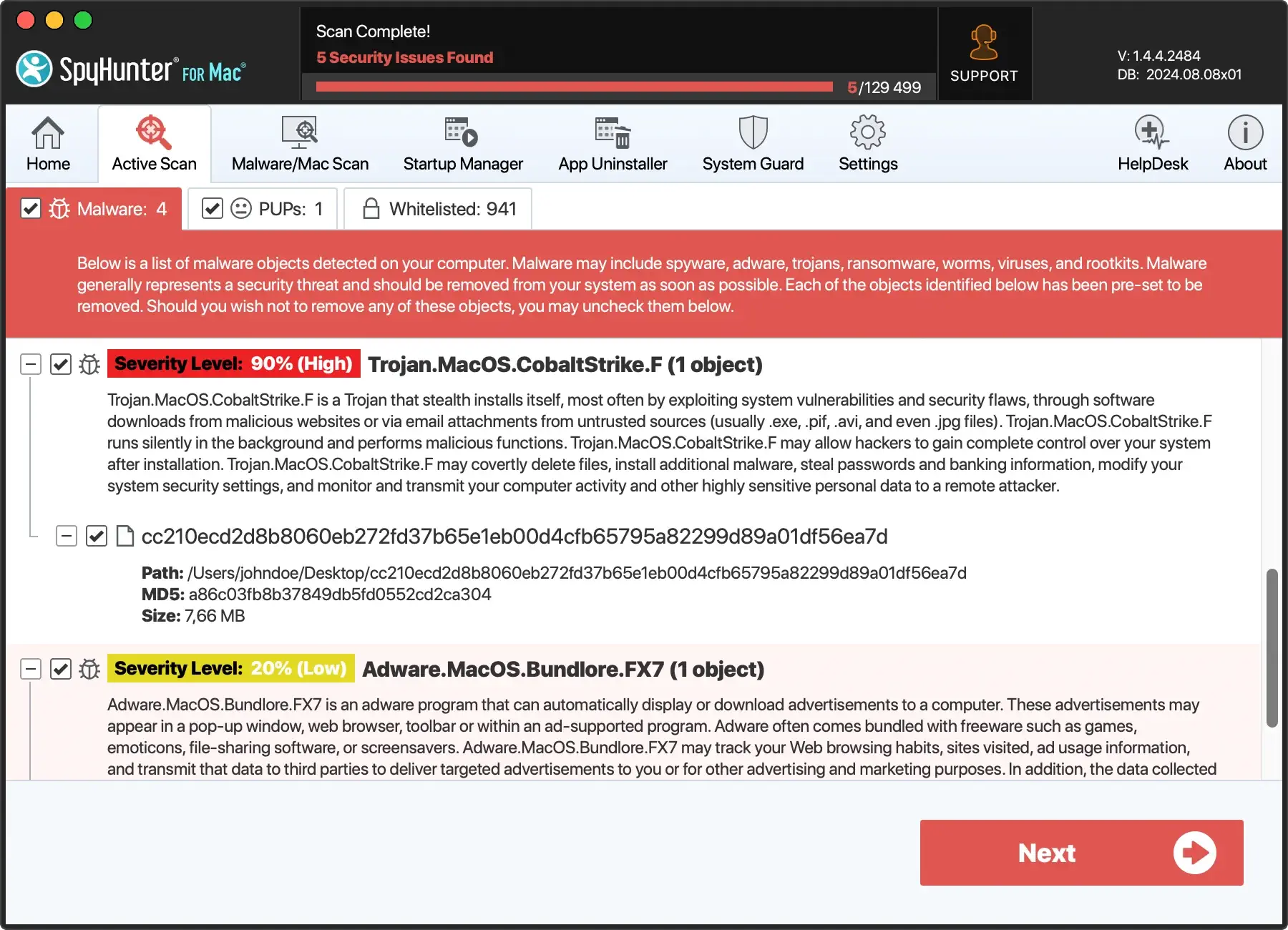
Install and regularly update reliable antivirus and anti-malware software on your Mac. Tools like SpyHunter for Mac can provide real-time protection against browser hijackers and other online threats.
Antivirus software adds an extra layer of defense, actively detecting and preventing potential security breaches (Download SpyHunter for free here).
Keep software updated
Regularly update your software, including the operating system, web browser, and plugins. Updates often include security patches that address vulnerabilities exploited by browser hijackers.
Maintaining an updated system creates an additional layer of defense against potential threats like TextBoard.gqa.
Beware of deceptive pop-ups
Exercise caution when encountering pop-ups that claim to offer software updates. Deceptive pop-ups are a common tactic browser hijackers use to trick users into downloading malicious software.
Instead of clicking on pop-ups, visit the software’s official website for any legitimate updates. This helps avoid falling victim to deceptive tactics employed by TextBoard.gqa and similar threats.
Educate yourself on online threats
Stay informed about common online threats, including browser hijackers.
Familiarize yourself with the tactics used by these malicious entities, such as deceptive advertisements, fake software updates, and social engineering techniques.
Being aware of potential risks enhances your ability to proactively identify and avoid such threats.
By incorporating these preventative measures into your online routine, you can significantly reduce the risk of encountering browser hijackers like TextBoard.gqa and maintain a more secure digital environment.
