

Remove GeneralObject.gqa From Your Mac (Complete Guide)

Before we dive in
Before we dive in, let's make sure you stay safe online. We created SpyHunter because your security matters to us.
Protect your computer today — download SpyHunter right here! Check out our top tips below to keep your computer safe and secure.

GeneralObject.gqa is a persistent adware targeting Mac users. It is known for bombarding them with unwanted advertisements and redirecting browser searches to potentially harmful sites with sponsored content.
This article aims to dissect the mechanisms through which GeneralObject.gqa infiltrates Mac systems, its impact on user experience, and practical strategies for its removal.
The guide provides Mac users the knowledge to detect, remove, and protect their devices from this intrusive adware, ensuring a safer and cleaner computing environment. Let’s dive in:
GeneralObject.gqa threat analysis
GeneralObject.gqa is a browser hijacker, often classified as a potentially unwanted application (PUA), mainly targeting Mac users.
Despite not being a traditional virus that seeks to destroy data or damage system functionality, it does engage in intrusive behavior by modifying browser settings without permission.
This PUA alters the home page, search engine, and new tab settings to redirect users to sponsored content, compromising their browsing experience and potentially exposing them to harmful malicious code.
How GeneralObject.gqa infects your Mac
GeneralObject.gqa employs various tactics to infiltrate Mac systems, including MacBook Air, MacBook Pro, Mac mini, iMac, and others, demonstrating its ability to compromise any Mac device.
This adware often sneaks onto users’ devices bundled with free software, exploiting automatic installation settings to gain entry.
Additionally, it leverages unsolicited spam emails, enticing click-bait advertisements, and downloads from unreliable sources like torrent sites to spread its reach. Its insidious nature is particularly evident in how it hides within the installation processes of legitimate applications, subtly coaxing users into unknowingly installing the adware.
This method allows GeneralObject.gqa to embed itself in various Mac models, making vigilance and cautious software installation paramount for all Mac users.
The potential risks and impacts of GeneralObject.gqa
The potential risks and impacts of GeneralObject.gqa on MacOS include:
- Safety Issues and Operational Disturbances:
- Continuous display of advertisements.
- Unwarranted redirections to unknown websites.
- Underlying Risks:
- Exposure to compromised websites harboring security threats such as:
- Viruses
- Ransomware
- Spyware
- Trojans
- The collection of sensitive user data could potentially lead to fraud.
- Neutralization of security measures, including antivirus software and firewalls, leaves the system vulnerable to further attacks.
- Exposure to compromised websites harboring security threats such as:
Pre-removal steps: Prepare your Mac for virus elimination
Back up data before addressing the GeneralObject.gqa adware
Before initiating any removal process for the GeneralObject.gqa malware, it’s vital to safeguard your data.
Commence by backing up all essential files to an external hard drive or a cloud-based storage service. This precaution ensures that personal and vital information remains intact even if the cleanup process leads to data loss or the system becomes unstable.
Always verify that your backup is complete and accessible before proceeding to the next steps.
Identify and terminate GeneralObject.gqa processes
To effectively remove GeneralObject.gqa, it’s essential to halt all associated processes running on your Mac.
Use the Activity Monitor to track any suspicious activity related to the PUA. Once spotted, select the process and use the Force Quit option to terminate it.
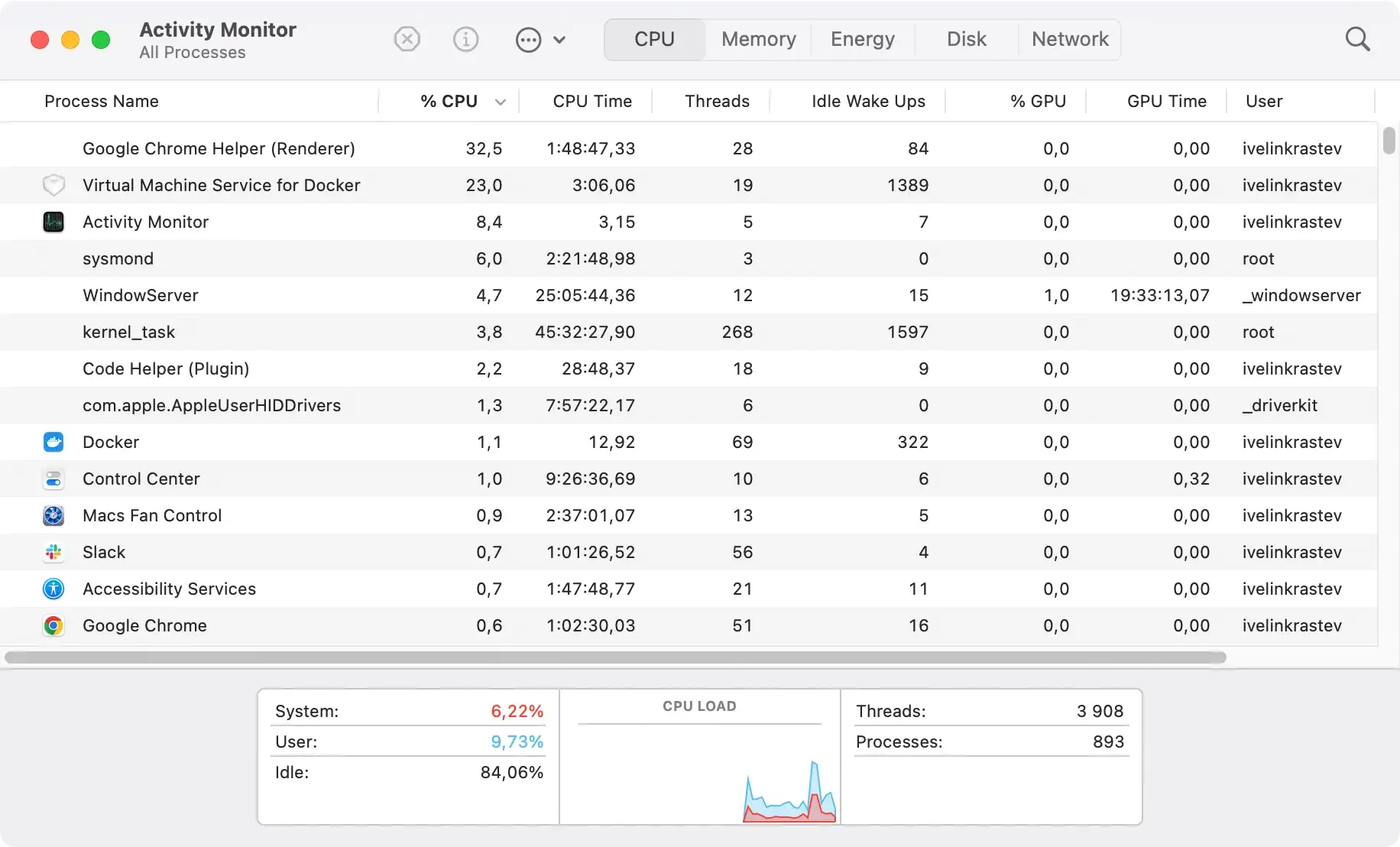
This intervention stops the virus from interfering with the removal operation and potentially reasserting itself during the cleanup. Be cautious to avoid closing critical system processes that are essential for macOS operations.
Manually remove GeneralObject.gqa from Mac
Step 1: Find and delete GeneralObject.gqa associated files and folders
To start the manual removal process, search for files and folders related to GeneralObject.gqa in specific locations on your Mac computer.
Access the Finder and utilize its Go to Folder... feature to navigate directories such as:
/Library/LaunchAgents//Library/Application Support//Library/LaunchDaemons//Library/StartupItems/
Scrutinize these locations for files that seem out of place or have been recently added.
Any suspicious files associated with GeneralObject.gqa should be moved to the Trash. Be vigilant for files with peculiar names, such as “update.plist” or “install.plist,” which are common identifiers for this type of malware.
Step 2: Uninstall suspicious applications linked to GeneralObject.gqa
In some cases, GeneralObject.gqa may be related to recently installed applications on your Mac.
To tackle this, open the Finder again and navigate to your Applications folder. Look through your list of applications for any that you do not recognize or were added around the time the issues with GeneralObject.gqa began.

If you find any questionable applications, drag them to the Trash to remove them from your system. Be sure to empty the Trash afterward to prevent any chance of the hijacker from reinitializing itself.
Step 3: Remove GeneralObject.gqa browser extensions
Once you’ve dealt with the files and applications, the next step involves pruning unwanted extensions from your web browsers.
This PUA often installs extensions that manipulate your browsing experience by redirecting to unwanted websites or displaying excessive adverts. Begin by launching each browser and navigating to the extensions or add-ons section.
Vet through the list of installed extensions and remove any associated with GeneralObject.gqa or look suspicious to you. It’s also wise to reset your browser settings to default to eradicate any lingering effects of the hijacker.
Use anti-malware software to remove GeneralObject.gqa
Choose the right anti-malware software for your Mac
When dealing with persistent threats like GeneralObject.gqa, selecting an efficient and reliable anti-malware tool is crucial.
SpyHunter for Mac is a premier choice for its efficiency, reliability, and user-friendly approach. SpyHunter excels in identifying and eliminating complex browser hijackers thanks to its advanced scanning technology, regularly updated definitions, and a user interface designed for ease of use across all levels of technical expertise.
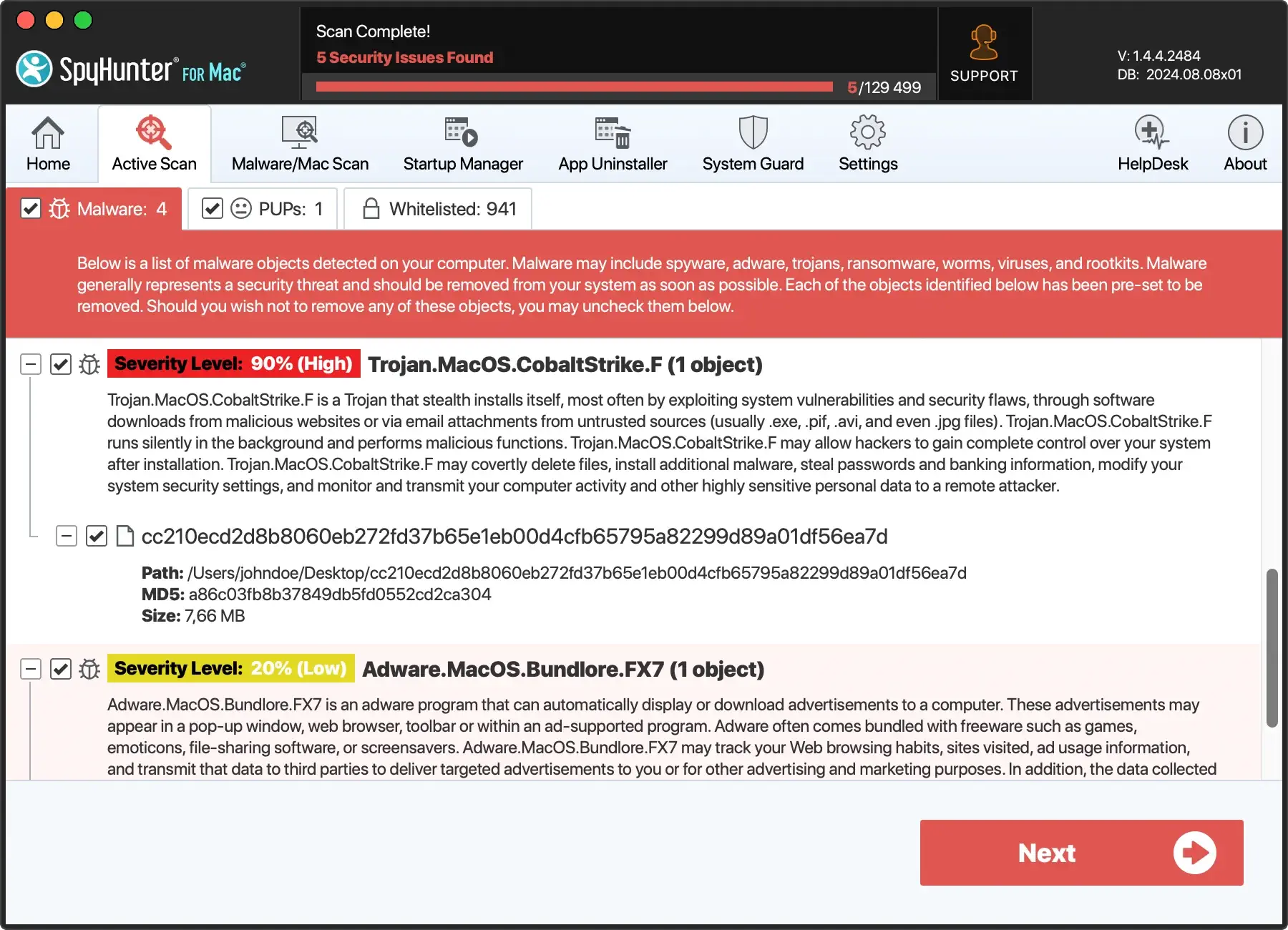
Its comprehensive scanning capabilities ensure that even the most stubborn adware components are detected and removed.
Step-by-step: Remove GeneralObject.gqa with SpyHunter for Mac
Choosing SpyHunter for Mac to remove GeneralObject.gqa not only simplifies the removal process but also reinforces your Mac’s defenses against future adware attacks. Its precision and proactive malware detection offer a robust solution for maintaining a clean, secure computing environment.
Download SpyHunter for free here and follow the installation instructions to securely integrate SpyHunter into your system. The process is streamlined for simplicity, allowing you to set up the software without hassle quickly.
Open SpyHunter and initiate a full system scan. The software thoroughly examines your Mac, searching for GeneralObject.gqa and any associated malicious entities. Its detailed scanning process is designed to uncover hidden adware files that manual removal methods might miss.

After the scan, SpyHunter will display a list of detected threats. Review these findings and authorize SpyHunter to proceed with the removal of GeneralObject.gqa and any other identified malware.
The software safely quarantines and eliminates these threats, carefully avoiding any disruption to critical system files.

To ensure complete removal, conduct a second scan with SpyHunter. This step verifies that all traces of GeneralObject.gqa have been successfully eradicated from your Mac, reaffirming the security and integrity of your operating system.
Post-removal tips: Secure your Mac against future malware attacks
Eliminating the GeneralObject.gqa virus from your Mac is a significant first step toward ensuring your system’s security.
However, maintaining a malware-free Mac requires ongoing vigilance and adherence to best practices in cybersecurity. Below are comprehensive strategies to bolster your Mac’s defenses against future threats.
Regularly updating your software to prevent virus infections
One of the cornerstones of digital security is keeping your software up to date. Developers frequently update software to address security vulnerabilities that could be exploited by malware like GeneralObject.gqa. To safeguard your Mac:
- Enable Automatic Updates: Configure your macOS, browsers, and all critical applications to update automatically. This ensures you receive the latest security patches without delay.
- Manual Checks: Periodically verify that your software is up to date, especially before using applications that handle sensitive information.
Adopt safe browsing habits to avoid future GeneralObject.gqa intrusions
The internet is the primary battlefield where malware threats like GeneralObject.gqa are encountered. Enhancing your browsing habits can significantly reduce your exposure to such threats:
- Scrutinize Downloads: Only download software from reputable sources, such as the official Mac App Store or the developer’s website.
- Use an Ad-Blocker: These tools can prevent malicious ads and pop-ups from executing harmful scripts on your Mac.
- Exercise Email Caution: Treat emails from unknown senders with skepticism, especially those with attachments or malicious links. When in doubt, do not open or download anything from the email.
Enhance network security
Your home or office network is another vector through which malware can infiltrate your Mac. Strengthening your network security is essential:
- Secure Wi-Fi Connections: Use strong, unique passwords for your Wi-Fi networks and consider enabling network encryption (WPA3 is currently the strongest).
- Firewall Activation: Ensure your Mac’s built-in firewall is activated to monitor incoming and outgoing connections, providing additional protection.
Utilize comprehensive antivirus software
While macOS has several built-in security features, supplementing these with a sweeping anti-malware program like SpyHunter for Mac can provide enhanced protection ( Download SpyHunter from here ).
- Real-Time Scanning: SpyHunter offers real-time scanning to detect and neutralize threats as they occur, preventing malware from gaining a foothold on your system.
- Regular Malware Definition Updates: Stay ahead of the latest malware threats with automatic updates to SpyHunter’s malware definitions database.
- Custom Scans: Customize your scanning preferences to focus on specific areas of your Mac where malware might hide.
Backup your data regularly
Regular backups are your safety net in the event of a malware attack. Use Time Machine or cloud-based services to back up your essential files.
This practice ensures that should your system be compromised. You can restore your data without succumbing to tactics like ransomware demands.
Conclusion
Securing your Mac against future malware attacks like GeneralObject.gqa requires a multifaceted approach, combining regular software updates, safe browsing habits, network security enhancements, and advanced antivirus solutions like SpyHunter for Mac.
By adopting these practices, you can confidently navigate the digital world, knowing your Mac is safeguarded against the evolving landscape of cyber threats.
