

Remove OriginalModule.gqa Mac (Comprehensive Guide)

Before we dive in
Before we dive in, let's make sure you stay safe online. We created SpyHunter because your security matters to us.
Protect your computer today — download SpyHunter right here! Check out our top tips below to keep your computer safe and secure.

OriginalModule.gqa is sophisticated adware targeting Mac users, known for its intrusive advertisements and browser redirections that compromise user experience and system security.
This article aims to dissect the behavior of OriginalModule.gqa, detailing its infiltration methods and the potential risks it poses and outlining effective strategies to identify and remove OriginalModule.gqa altogether.
This guide equips Mac users with the tools and knowledge to detect, eradicate, and protect their devices from this pervasive adware, ensuring a secure and uninterrupted computing environment.
What is OriginalModule.gqa?
OriginalModule.gqa is an intrusive software classified as adware that often sneaks into Mac systems without the user’s consent.
This adware is known for its negative implications on system performance and user experience. Once installed, OriginalModule.gqa may alter browser settings, cause unwanted redirects, and flood your screen with advertisements.
Users may not initially notice this program as it discreetly modifies settings, allowing it to perform actions that serve its creators’ intentions, primarily generating profit by displaying sponsored content.
Understanding the nature and behavior of OriginalModule.gqa is the first step in recognizing and mitigating the potential risks associated with this type of unwanted software.
Impact on Mac performance caused by OriginalModule.gqa
OriginalModule.gqa adware on your Mac can significantly hamper its performance.
Adware typically works by injecting numerous advertisements into your browsing experience, which can slow down your system’s processing speed and response time.
Beyond the mere annoyance of persistent ads, the adware’s activity can lead to more severe issues, such as browser crashes or system instability.
Moreover, by changing settings and redirecting to malicious websites, OriginalModule.gqa poses security concerns that could lead to privacy breaches or the inadvertent downloading of malicious code. Identifying and eliminating OriginalModule.gqa is crucial to ensure your Mac operates safely.
Can OriginalModule.gqa damage your Mac?
While OriginalModule.gqa may not directly damage the hardware of your Mac, its behavior can compromise your system’s integrity.
This adware can expose your Mac to harmful content by injecting ads and altering browser settings. Adware often acts as a gateway for other, more dangerous types of malware, risking personal data and leading to possible financial loss.
Moreover, consistent pop-ups and redirects harm the user experience and can indirectly lead to damage by prompting accidental agreement to security compromises. The importance of removing such adware is restoring system security and user experience so that threats can be prevented before any actual harm occurs.
Signs and symptoms of OriginalModule.gqa virus
Observing sure telltale signs can determine whether your Mac is infected with the OriginalModule.gqa adware. These may include:
- An increase in pop-up advertisements.
- Unexpected redirects to unfamiliar websites.
- Appearance of new toolbars or extensions without your consent.
- Notable slowdown in Mac’s performance.
- Altered browser settings without your knowledge.
- Changed homepage or search engine.
- Newly installed suspicious applications.
Vigilance in spotting these signs helps take timely action to remove OriginalModule.gqa adware.
Remove OriginalModule.gqa from Mac
A structured approach is essential to rid your Mac of OriginalModule.gqa and its accompanying nuisances.
Dealing with adware requires automated tools and hands-on procedures to ensure complete eradication.
This step-by-step guide is designed for users of all levels to navigate the removal process confidently. Following these measures sequentially will ensure that the adware is entirely removed and that your system’s integrity is maintained.
Prepare your Mac for OriginalModule.gqa removal
Before launching the removal process for the OriginalModule.gqa malicious software, it is crucial to back up your Mac.
If something goes wrong, securing your data ensures you can restore your system to its previous state. Ensuring your files are safe provides peace of mind as you purge your Mac’s adware.
Utilize SpyHunter to remove OriginalModule.gqa effectively
If manual removal proves challenging or if you’re looking for a more reliable solution to secure your Mac, turning to professional malware removal tools is advisable.
SpyHunter is a premier choice for Mac users facing threats like OriginalModule.gqa.
By downloading SpyHunter, you can access a powerful scanning engine designed to meticulously search for and identify all manifestations of the OriginalModule.gqa adware.

Upon detection, SpyHunter simplifies the removal process, ensuring that the adware is thoroughly eradicated from your system with minimal risk of residual issues. Here’s how to leverage SpyHunter effectively:
- Download SpyHunter: Download SpyHunter for free here to ensure you have the most up-to-date protection against OriginalModule.gqa and other malicious software.
- Install SpyHunter: Follow the straightforward installation instructions to integrate SpyHunter into your Mac. The setup is designed to be user-friendly, allowing for quick and hassle-free installation.
- Run a Comprehensive Scan: Open SpyHunter and initiate a full system scan. The software’s advanced algorithms will delve deep into your system, identifying any traces of OriginalModule.gqa and other potential threats.
- Remove Detected Threats: SpyHunter will present a detailed report of all detected malware after the scan. Follow the prompts to remove OriginalModule.gqa and any associated malware, securing your Mac against further malware attacks.
- Enable Real-Time Protection: SpyHunter offers continuous monitoring and protection against new threats. Activating this feature ensures your Mac remains safeguarded against future invasions by adware like OriginalModule.gqa.

Opting for SpyHunter facilitates the immediate removal of OriginalModule.gqa and bolsters your Mac’s defenses, protecting your device from threats like viruses, adware, spyware, trojans, ransomware, and other malicious files.
Manually remove OriginalModule.gqa
Taking a hands-on approach to remove OriginalModule.gqa from your Mac can still be effective. Remember that it might be time-consuming, taking a couple of hours from start to finish.
This manual cleanup involves several steps, each targeting different adware components. Here’s how to proceed:
Remove configuration profiles
OriginalModule.gqa may install malicious configuration profiles that alter your system settings or control browser behavior.
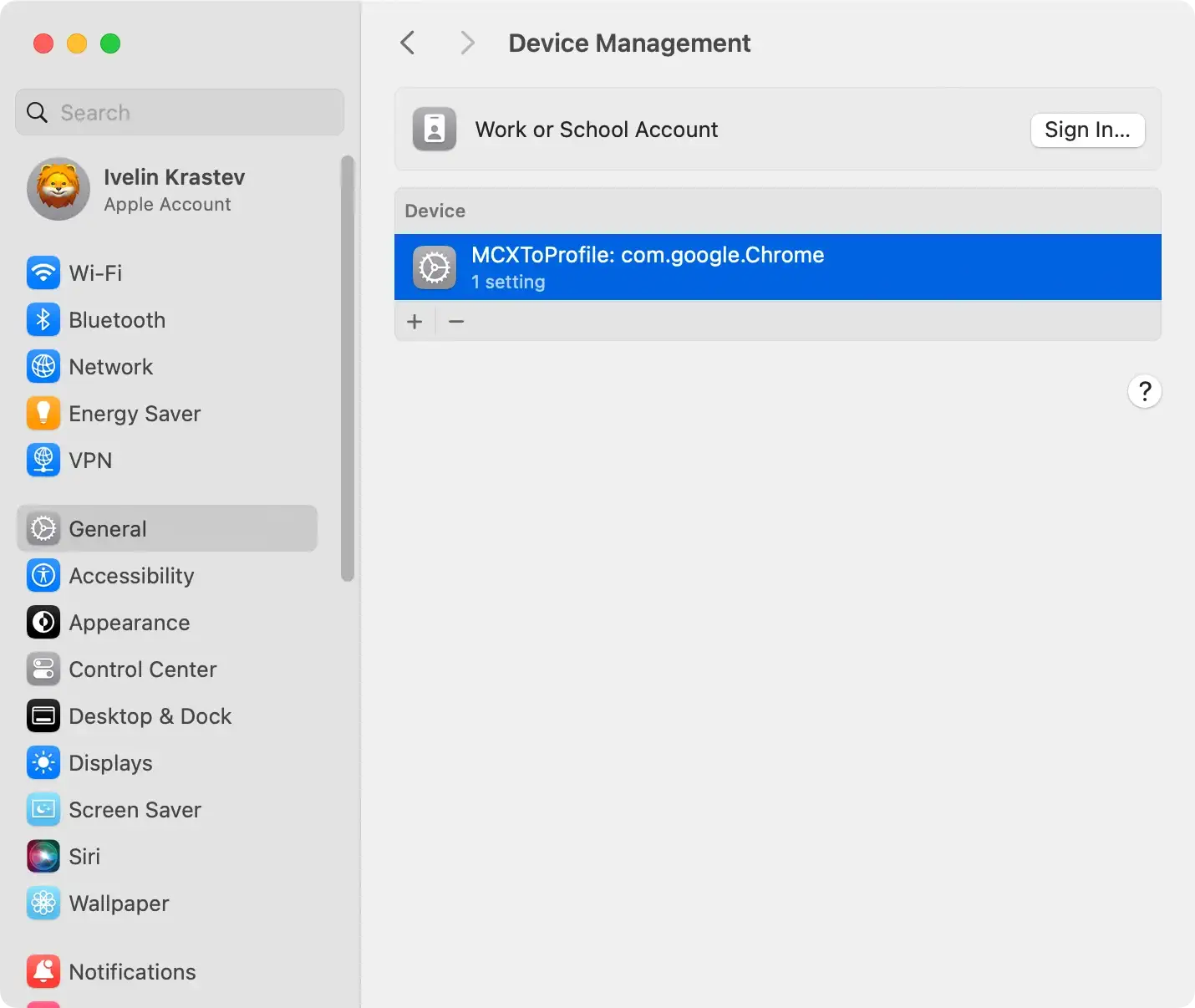
- Navigate to
System Preferences > Profiles. - Identify any profiles installed without your knowledge or that seem suspicious.
- Select the unwanted profile and click the minus (-) button to remove it.
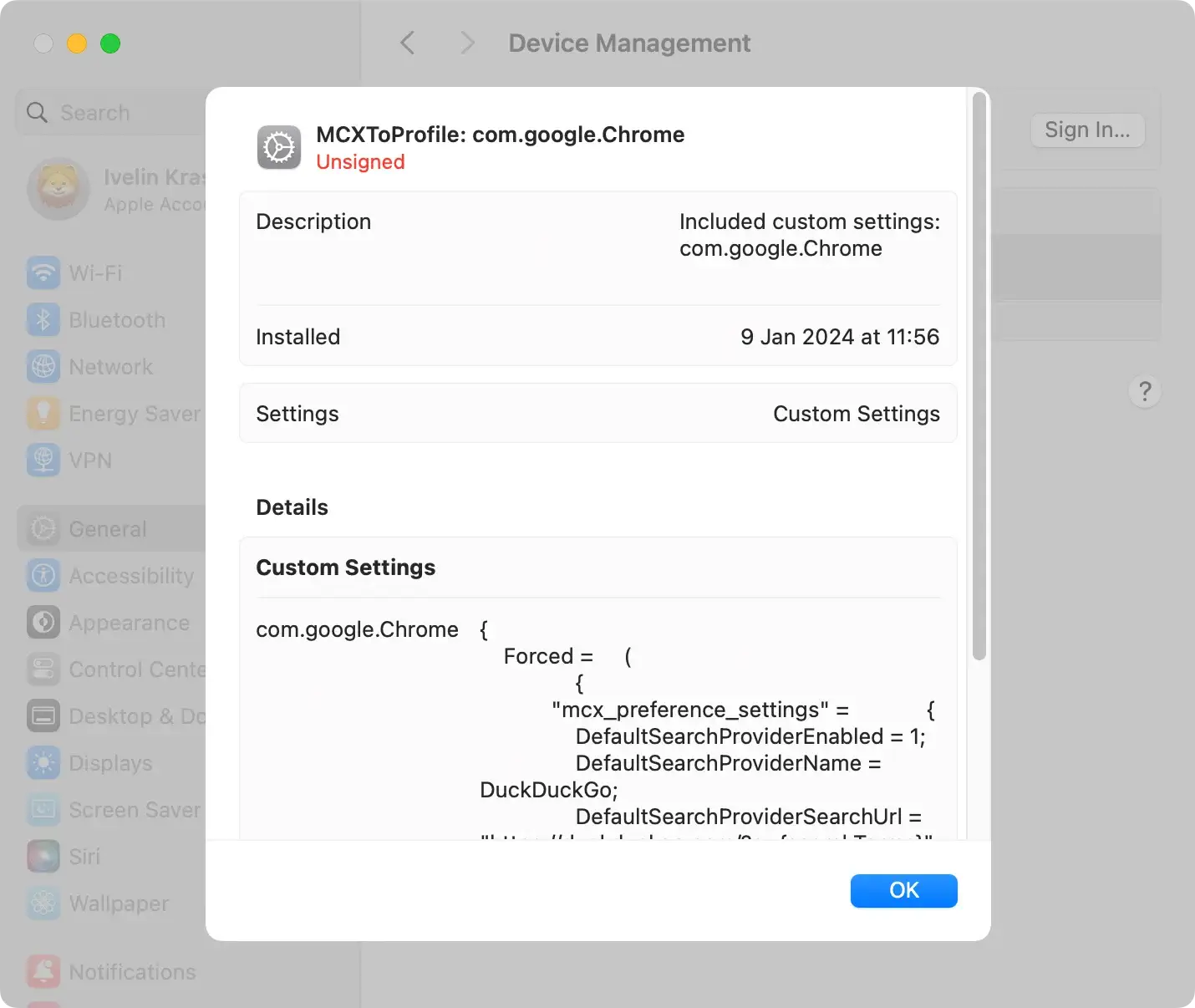
This step prevents the adware from persisting or reinstating itself through system settings.
Uninstall OriginalModule.gqa app and its related files
The core of manual removal involves deleting the adware application and any files scattered across your system.
- Open
Finderand go to theApplicationsfolder. - Search for OriginalModule.gqa or any related suspicious applications. Move the identified applications to the Trash.
- For associated files, check locations like:
~/Library/LaunchAgents//Library/LaunchDaemons/~/Library/Application Support/~/Library/Preferences/
- Look for files with names similar to OriginalModule.gqa and move them to Trash.
- Empty the Trash to complete the removal.

Pro Tip
For a more thorough cleanup, consider using SpyHunter’s App Uninstaller feature, which detects and removes the application and all associated files and residues.
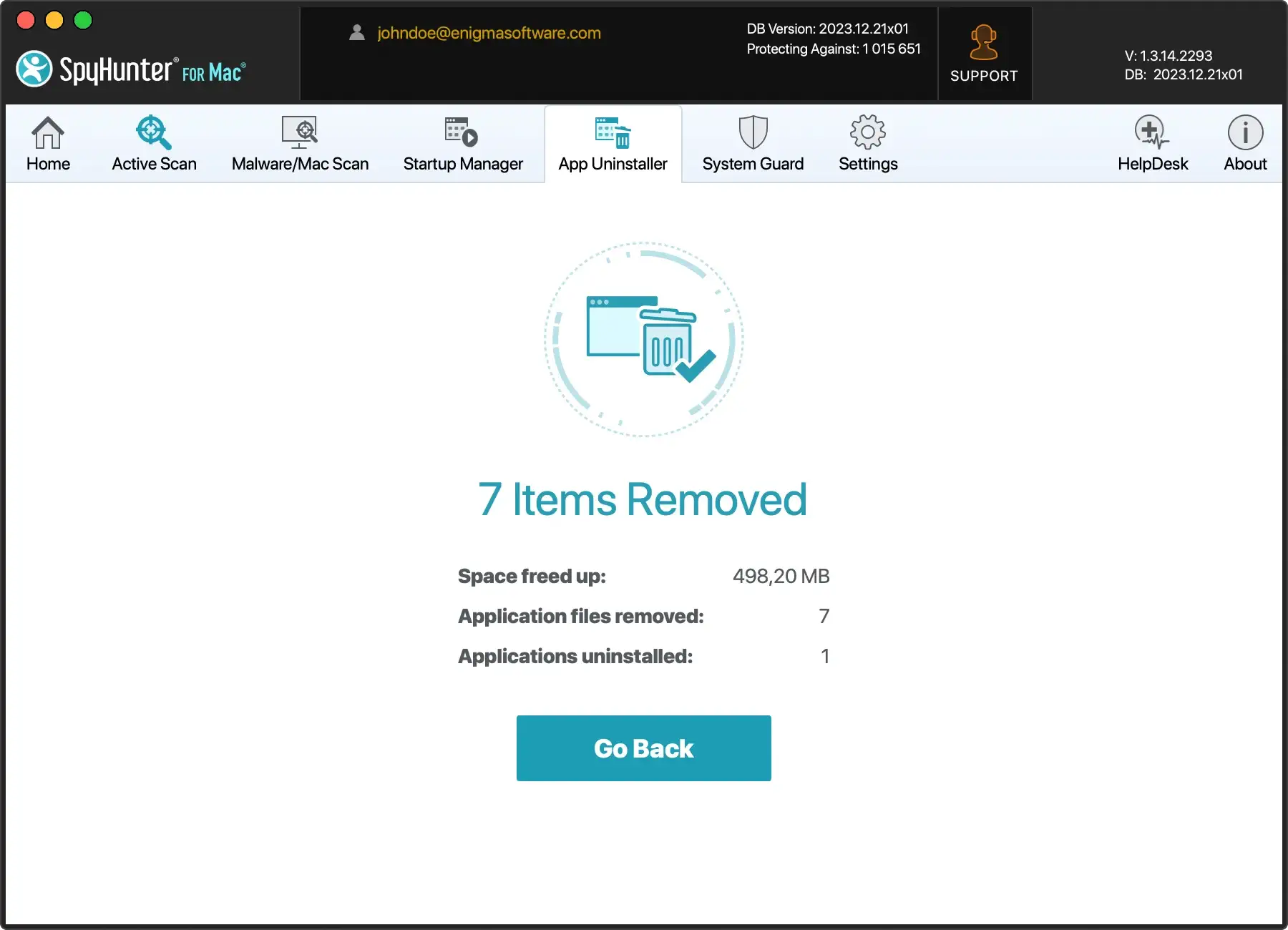
Download SpyHunter and install it on your Mac. Launch the app and use the App Uninstaller feature to scan for and remove all app components related to OriginalModule.gqa.
Reset hosts file and remove proxies
OriginalModule.gqa may modify your hosts file or set up proxies to redirect your internet traffic.
- Open Terminal and type:
sudo nano /etc/hoststo edit the hosts file. - Remove any entries related to OriginalModule.gqa.
To check for proxies, go to System Preferences > Network > Advanced > Proxies and turn off any configurations you didn’t set up.
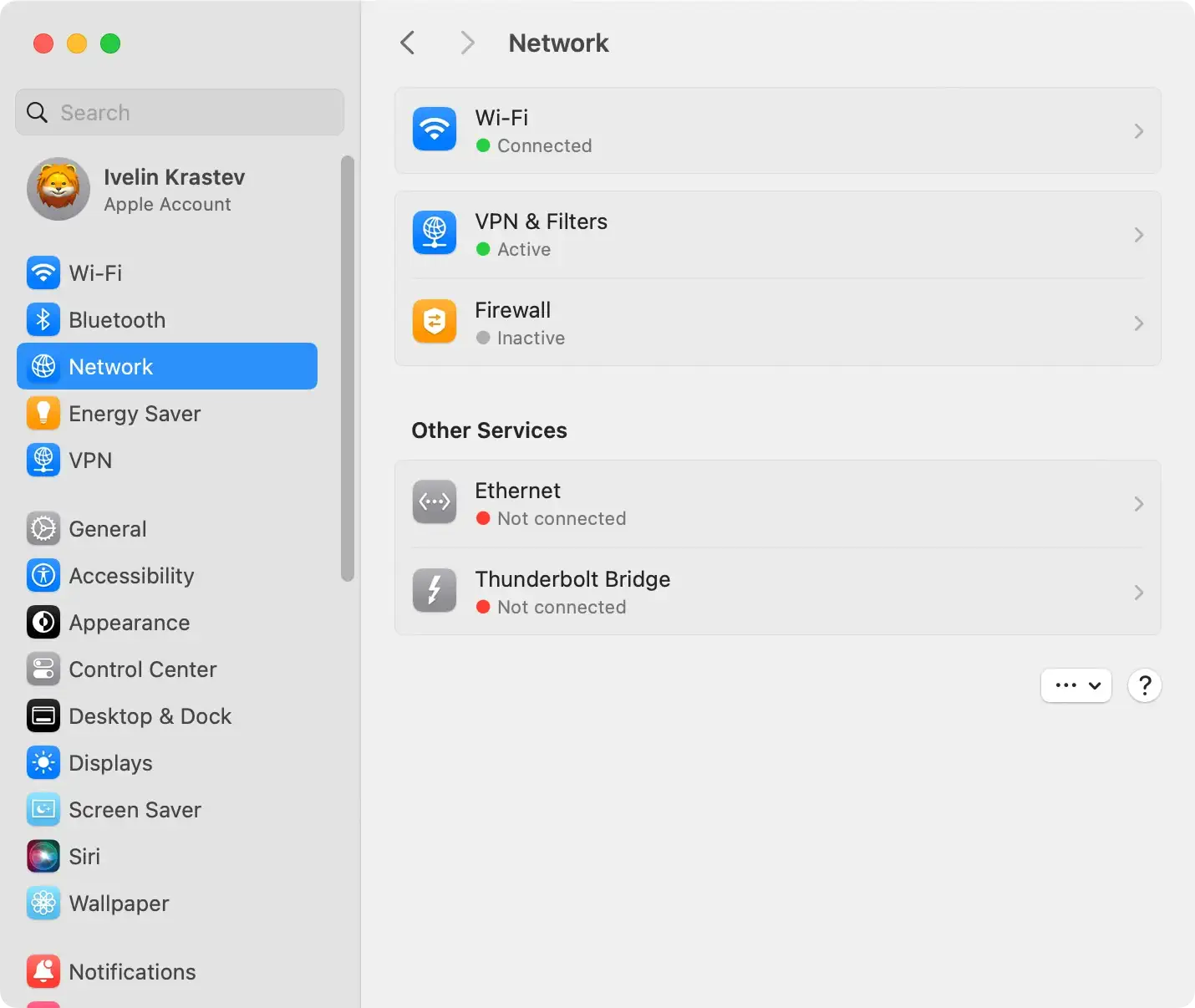
Resetting these settings will help restore your internet connection to its default state, free from the adware’s influence.
Manual removal of OriginalModule.gqa involves deleting malicious profiles, uninstalling the adware and its related files, and resetting system modifications made by the software.
While effective, this method requires precision and an understanding of macOS’s file system. SpyHunter automates the detection and removal process for users seeking a more straightforward solution, ensuring a clean and secure system without manual intervention.
Secure your Mac after OriginalModule.gqa removal
Following the successful removal of OriginalModule.gqa, taking steps to secure your Mac against future threats is imperative.
Regularly updating your operating system and installed applications helps patch vulnerabilities that malware could exploit.
Reviewing your Mac’s login items can prevent unwanted programs from auto-starting.
Resetting your browsers to their default settings will also discard any residual changes made by the adware.
Complement these measures with a reliable security suite that offers real-time protection, such as SpyHunter, and maintain cautious browsing habits to reduce the risk of reinfection ( Download SpyHunter from here ).
Bonus tips: Optimize your Mac’s performance post-virus cleanup
Once you have removed threats like OriginalModule.gqa from your Mac, it’s worth taking additional steps to improve your machine’s overall performance.
Cleaning up your hard drive by deleting unnecessary files, optimizing startup items, and performing regular maintenance checks can help enhance your Mac’s efficiency.
Consider using a quality system optimization tool like SpyHunter to manage these tasks automatically. Keeping your Mac clean and well-maintained ensures smoother and faster operation, improving your daily computing experience.
How to reset browser settings after OriginalModule.gqa adware removal
Adware like OriginalModule.gqa often alters browser settings without permission.
To restore your browser to its default state, you may need to reset it.
For Safari, do this by going to the Preferences menu, then the Extensions tab, and removing any unfamiliar extensions. After that, reset Safari to clear any remaining changes.
For Google Chrome, access the Settings menu, look for the Advanced options, and clean up your browser by removing unwanted extensions and resetting the settings.
Similarly, in Mozilla Firefox, navigate to the Add-ons section to remove suspicious extensions and use the Refresh Firefox feature to reset the internet browser.
By resetting your browser, you remove adware traces and can often resolve other issues caused by unwanted software.
Proactive measures: How to Prevent OriginalModule.gqa infection
Protecting your Mac from adware such as OriginalModule.gqa requires a bold protection strategy.
Start by scrutinizing software downloads and opting for official and reputable websites over third-party platforms.
When installing new applications, always choose the Custom or Advanced installation options. This will disclose any additional unwanted software bundled into the install package, allowing you to deselect them before proceeding.
It’s also essential to keep your Mac and all software, especially your browsers and security tools, up-to-date to benefit from the latest security patches and enhancements.
Regular security scans with trustworthy anti-malware software can detect and remove threats early on.
Educating yourself on the standard tactics adware developers use, such as enticing pop-up ads promising free goods or software updates, can prevent accidental clicks that could lead to infections.
Remember, staying alert and informed is your first line of defense against intrusive adware like OriginalModule.gqa.
The research behind OriginalModule.gqa
Our research team conducted extensive research to unravel the sophistication of the OriginalModule.gqa malware.
Our approach was rooted in an independent investigation, tapping into the expertise of security researchers to stay abreast of the latest malware definitions and Mac threats.
By leveraging daily updates on adware and potentially unwanted apps (PUAs), we ensured our information remained current and relevant. These efforts were complemented by using tools like VirusTotal, which played a crucial role in corroborating our findings and ensuring the accuracy of the threat identification.
How to stay informed: Keep up with new Mac malware
Staying knowledgeable about new Mac threats and viruses like OriginalModule.gqa involves a diligent approach to cybersecurity.
Engaging with a network of independent security researchers provides constant updates on emerging threats.
Additionally, utilizing platforms like VirusTotal for real-time analysis of malware samples gives a broader perspective on the cybersecurity landscape.
For those who aim to keep their Mac systems safeguarded from evolving threats, subscribing to reliable cybersecurity news feeds, attending workshops, and continuously learning about the best defense mechanisms are recommended practices.
