

How To Remove Araucarian.App On Mac (Easy Steps)

Before we dive in
Before we dive in, let's make sure you stay safe online. We created SpyHunter because your security matters to us.
Protect your computer today — download SpyHunter right here! Check out our top tips below to keep your computer safe and secure.

Malware and adware are among the most common threats Mac users face today, and Araucarian.app is no exception.
Belonging to the notorious Pirrit family of Mac adware, Araucarian.app is designed to flood your device with intrusive ads and redirect you to potentially harmful websites.
In this guide, we’ll explain what Araucarian.app is, how it affects your Mac, and provide step-by-step instructions to remove it completely. We’ll also share tips to protect your device from similar threats in the future.
What is Araucarian.app?
Araucarian.app is a type of adware specifically tailored for Mac systems.
Adware, short for “advertising-supported software,” is designed to inject unwanted advertisements into your web browser, often redirecting you to dubious websites.
Araucarian.app is part of the Pirrit family, a notorious group of adware programs known for their persistence and ability to install without explicit user consent.
This app typically infiltrates systems through:
- Bundled software downloads from unreliable sources.
- Fake updates or pop-ups urging users to install “necessary” tools.
- Clicking on deceptive ads or links online.
Once installed, Araucarian.app hides in your system, alters browser settings, and collects data about your browsing habits, which may be sold to third parties or used to target you with more ads.
How Araucarian.app iffects your computer
- Intrusive Ads and Pop-Ups: Araucarian.app floods your browser with ads, making it nearly impossible to browse the internet without interruptions.
- Privacy Risks: It tracks your online activity, including search queries and visited websites, compromising your privacy.
- System Performance Issues: The constant generation of ads and redirections can slow down your Mac’s performance and consume system resources.
- Exposure to Further Threats: By redirecting you to malicious websites, Araucarian.app increases the risk of downloading more malware or being tricked into scams.
Steps to remove Araucarian.app
Follow these steps to completely remove Araucarian.app from your Mac:
1. Remove Araucarian.app from Applications
- Click on the
Findericon in yourDockand navigate to theApplicationsfolder in the sidebar. - Look for “Araucarian.app” or any suspicious app you don’t recognize.
- Drag the app to the
Trashor right-click and selectMove to Trash. - Right-click on the
Trashicon and selectEmpty Trashto permanently delete it.

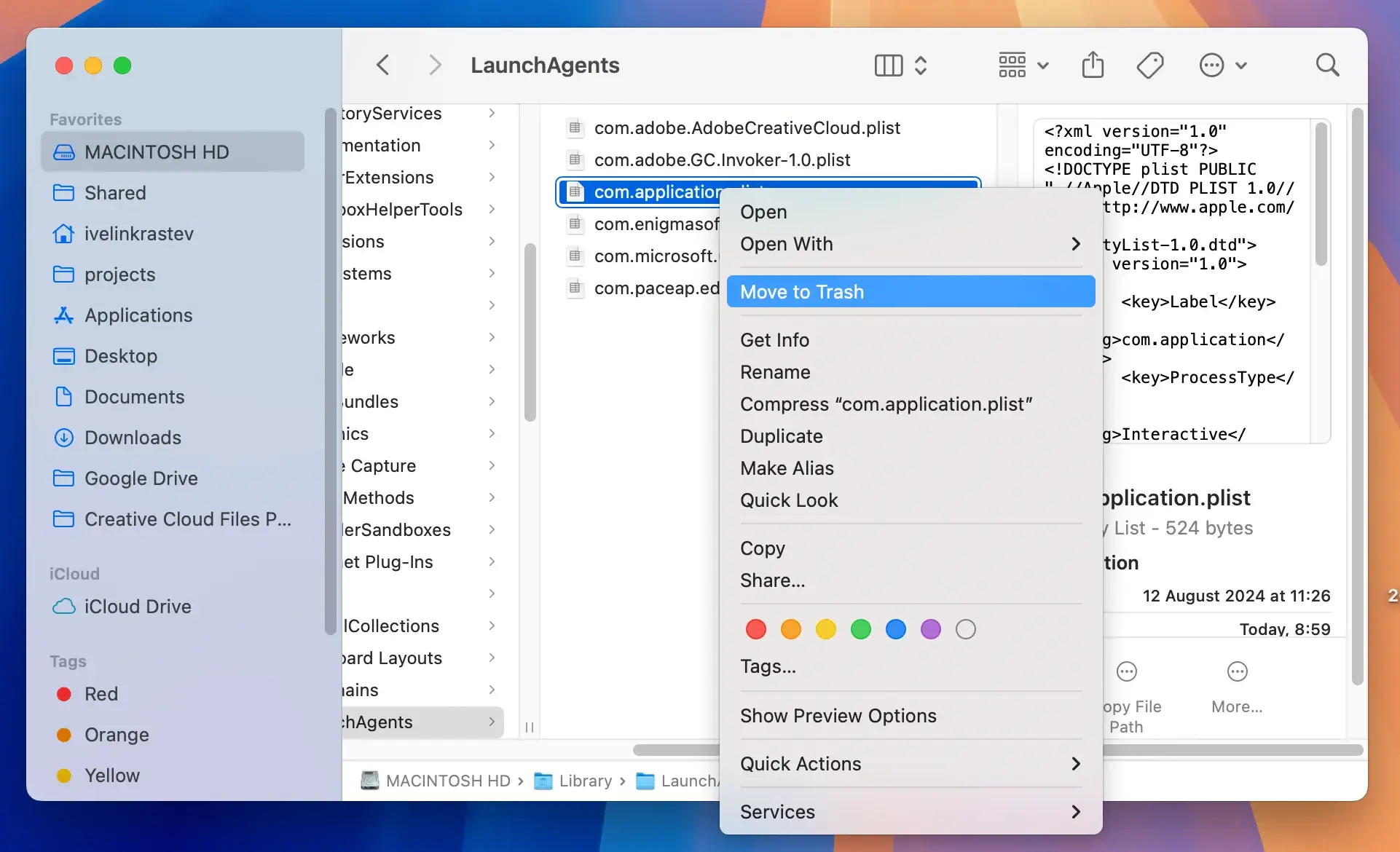
2. Clean up leftover Araucarian.app files
Adware often leaves behind residual files, so removing these is essential.
- Open a
Finderwindow and click onGo > Go to Folder. - Enter the following paths in the new window one after the other:
/Library/LaunchAgents//Library/Application Support//Library/LaunchDaemons/~/Library/LaunchAgents/~/Library/Application Support/
- Look for any files or subfolders linked to Araucarian.app inside those locations and delete them.
- Empty the
Trash.
3. Reset your web browsers
Araucarian.app often modifies browser settings. Resetting your browser helps restore default settings.
For Safari:
- Open Safari and go to
Safari > Settings. - Click the
Extensionstab and remove any unknown extensions. - Go to the
Privacytab and clickManage Website Data. Clear all data. - Navigate to the
Generaltab and reset your homepage and search engine.
For Google Chrome:
- Open Chrome and click the three-dot menu.
- Go to
Settings > Extensionsand remove suspicious extensions. - Go to
Settings > Privacy and Securityand clear browsing data. - Reset settings by going to
Settings > Reset Settingsand selectingRestore settings to their original defaults.
For Firefox:
- Open Firefox and click the three-line menu.
- Go to
Add-ons and Themesand remove unknown extensions. - Click
Help > More Troubleshooting Information, then chooseRefresh Firefox.
4. Use SpyHunter to clean your Mac
SpyHunter is a powerful anti-malware tool that can detect and remove adware like Araucarian.app.
- Download the app here and install it on your Mac by following the on-screen instructions.
- Launch SpyHunter and perform a full scan of your Mac.
- Examine the list of results before you proceed.

- Use the buttons to completely remove Araucarian.app and any other malware found on your system.

Tips to avoid adware and malware
Stay vigilant and protect your Mac with these precautions:
- Download apps only from trusted sources like the Mac App Store or official websites.
- Be cautious of pop-ups claiming your system needs urgent updates.
- Avoid clicking on suspicious ads or links online.
- Regularly update macOS and all installed software.
- Use reputable anti-malware tools like SpyHunter to scan your system periodically.
By following these steps and practices, you can keep your Mac safe from threats like Araucarian.app and enjoy a secure online experience.
