

Is Mac more secure than Windows? Unbiased Comparison

Before we dive in
Before we dive in, let's make sure you stay safe online. We created SpyHunter because your security matters to us.
Protect your computer today — download SpyHunter right here! Check out our top tips below to keep your computer safe and secure.

The security conversation around Mac and Windows continues to engage tech communities. At the heart of this discussion lies more than the simple question of which system offers better protection against viruses and cyberattacks.
This article delves into the shifts in cybersecurity trends and examines the built-in security features of macOS and Windows and the strong points of both platforms.
The debate on Mac vs Windows security
The ongoing debate about Mac and Windows security is more relevant than ever. As both operating systems have grown and changed, so have cybercriminals’ tactics, leading to a complex situation with no simple answers to the question, “Is macOS more secure than Windows?”
Shifts in cybersecurity trends affecting Mac and Windows
Cybersecurity is a dynamic field, with threats constantly evolving to exploit new vulnerabilities. Both Apple devices and Windows PCs face various threats that have shifted significantly over the years.
Advances in technology and changes in user behavior have influenced the way cybercriminals target devices, leading to a need for continual vigilance regardless of your system of choice.
For a long time, Macs enjoyed a reputation for being virtually immune to the kinds of security threats that affected Windows users. This perception was largely due to macOS’s smaller market share, which made it a less lucrative target for cybercriminals.
However, as Macs have become more popular, this situation has changed dramatically. The growing number of Mac users has made the platform more visible and attractive to attackers looking for new victims and Mac malware has been on the rise.

This growth in popularity has led to an increase in malware and targeted attacks, emphasizing the need for Mac users to take their digital security seriously. It’s a clear sign that no system is inherently safe from the threat of cybercrime, underscoring the importance of adopting robust security measures and staying informed about potential risks.
SpyHunter can augment your computer’s defenses against malware
For those seeking effective protection against the wide array of threats targeting computers today, SpyHunter offers a powerful defense mechanism.
Download SpyHunter for free here to give home computer an additional layer of security against online threats.
Designed to adapt to the constantly changing threat landscape, SpyHunter is well-equipped to protect both Mac and Windows users from malware and other cyber threats, ensuring a safer user experience in an era of ever-increasing cyber risks.
Do Mac computers offer superior security features?
When diving into the security features of Mac computers, it’s crucial to understand what sets them apart. Apple’s macOS, known for its solid security foundation, is built on a Unix-based system.
This structure inherently offers a more secure environment compared to other operating systems. But the real question is, does this make Mac computers inherently safer?
The short answer is yes, to a certain degree. Macs incorporate several advanced security features that contribute to a safer experience for users. From Gatekeeper that monitors for unsafe apps to System Integrity Protection (SIP) that prevents root-level tampering, these mechanisms ensure a robust defense against common threats.
The role of Gatekeeper and SIP in macOS security
The roles of Gatekeeper and System Integrity Protection (SIP) in macOS security are pivotal. Gatekeeper serves to control what Mac apps are allowed to be installed, acting as a gatekeeper to prevent unauthorized or malicious apps from running.
SIP, on the other hand, offers a deeper level of protection. This feature locks down critical system directories, essentially making them read-only to all users, including those with root access.
This means that even if an attacker gains access to a Mac’s root level, SIP prevents them from making unauthorized modifications to protected parts of the operating system.
Which OS is more vulnerable to malware and viruses?
The debate over whether macOS devices or Windows devices are more susceptible to malware and viruses is longstanding. While macOS has enjoyed a reputation for being more secure, recent reports and data suggest this gap might be closing.
Understanding the vulnerabilities of both operating systems is crucial. Each has weaknesses that malware can exploit. With their larger market share, Windows computers are a more frequent target, but macOS’s growing popularity has made it a more appealing target to cybercriminals.
Despite these threats, the built-in security measures on both operating systems continue to advance, offering users a level of protection. However, users’ vigilance plays an essential role in ensuring these defenses remain effective.
The following table offers a great quick comparison of both platforms and outlines the strengths of Apple computers and Windows devices side by side.
| Aspect | Macs | Windows PCs |
|---|---|---|
| Virus and Malware Targeting | Less targeted due to smaller market share. Less likely to encounter common malware. | More targeted due to larger market share. Frequent target for viruses, ransomware, and malware. |
| Default Security Features | Strong built-in security features (e.g., Gatekeeper, XProtect). Secure boot and encryption (FileVault). | Comprehensive built-in security features (e.g., Windows Defender, BitLocker). Secure boot options. |
| User Permission Control | Strict user permission controls, reducing the risk of unauthorized access. | Good user permission controls, but often more lenient or ignored by users. |
| Third-Party Software | Less variety of third-party security software available. | Wide range of third-party security software available. |
| Ecosystem Security | Stronger control over the software ecosystem (App Store). | More open ecosystem, leading to potential vulnerabilities from third-party apps. |
| Customization and Flexibility | Limited customization options, which can reduce the risk of security misconfigurations. | High level of customization, which can lead to potential security weaknesses if misconfigured. |
How user behavior on Mac differs from Windows
User behavior on Mac differs notably from Windows in that Mac users often feel a heightened sense of security. This perception might lead to riskier behaviors under the assumption that macOS is invulnerable. While macOS is designed to be secure out of the box, the shifting threat landscape means no system is entirely risk-free.

Many Mac users are also more inclined to use built-in applications provided by Apple and avoid third-party apps.
For example, many more Mac users are sticking to Safari as their native browser than the number of Windows users who use Microsoft Edge, the successor to Microsoft’s Internet Explorer native browser. However, this does not automatically mean that a Mac user is impervious to malware threats.
Users are advised to exercise caution, regularly update their software, and use reputable security solutions to defend against emergent threats.
Phishing and adware: the threats exploiting user behavior
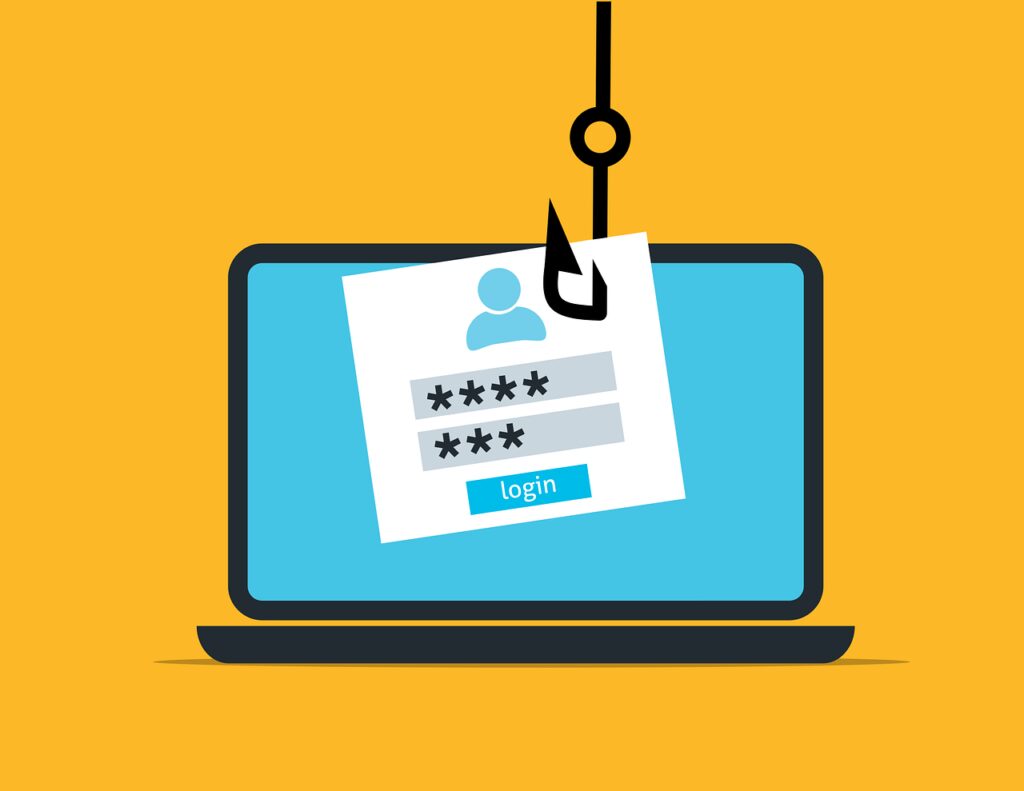
Phishing – the threat that can bypass any security measure
Phishing is a prevalent and dangerous threat that neither Mac nor Windows security solutions can fully prevent. It involves fraudulent attempts to steal sensitive information like usernames, passwords, and credit card details by posing as trustworthy entities.
Despite robust security features, phishing bypasses technical defenses by tricking users into voluntarily disclosing their personal information.
Both Apple computers and Windows PCs provide tools to detect and block malicious software, but they can’t stop users from clicking deceptive links or responding to fake emails. The most effective defense against phishing is an informed user who can recognize and avoid phishing scams.
Adware – arguably the most common enemy of Mac users
Adware, malicious software displaying unwanted ads, poses significant security and privacy risks. Despite advanced security measures in macOS and Windows, neither can fully protect users from malicious ads and websites.
Adware often bypasses browser security and installs through deceptive ads or bundled software, leading to intrusive ads, device slowdown, and tracking of browsing habits for targeted advertising or further malicious activities.
Security solutions can’t completely prevent interactions with malicious ads or compromised websites. Cybercriminals create legitimate-looking ads and exploit browser vulnerabilities. Thus, users must exercise caution online, avoid dubious websites, and be wary of suspicious ads.
Privacy concerns: How Mac and Windows handle your data
Privacy concerns are at the forefront of users’ minds in the digital age, where our lives are increasingly mediated by technology. Windows and macOS, the leaders in desktop operating systems, approach these concerns differently, reflecting their unique philosophies toward user data protection.
Windows 10 privacy settings: A double-edged sword
Windows 10 offers a wealth of privacy settings, allowing users to tailor their experience to their comfort level. However, this granular control comes with a catch.
The default settings in Windows 10 tend towards data sharing, requiring users to actively seek out and adjust their privacy settings to limit data collection. This scenario challenges users who may not be tech-savvy or aware of the extent of data collection enabled by default.
macOS data protection: Encryption and anonymity features
MacOS, however, is designed with privacy at its core, employing several key strategies to protect user data.
- Data Minimization: macOS aims to process as much data on the device as possible, reducing the amount of data that needs to be sent to servers and potentially exposed to third parties.
- On-device Processing: Many tasks, such as voice recognition and text prediction, are performed directly on the device, providing a layer of security by ensuring that this data does not leave the device unnecessarily.
- Differential Privacy: By collecting data in a way that cannot be traced back to individual users, Apple can improve its services while protecting users’ privacy—a technique known as differential privacy.
Moreover, macOS encrypts user data both in transit and at rest, making it significantly more difficult for unauthorized parties to access sensitive information. These features demonstrate Apple’s commitment to privacy, though they do not eliminate all concerns regarding data collection and use practices.
Enhancing security on your computer
In the 2020s keeping your computer secure is more important than ever. With new threats emerging daily, following best practices to safeguard your devices is crucial.
Whether you’re a Windows or Mac user, implementing a combination of proactive security measures can significantly reduce your risk of cyber threats.

Best Practices for Keeping Your Mac Secure
Despite the common belief that Macs are immune to malware, reality proves otherwise. Mac users must adopt several best practices to maintain their computer’s security.
Keeping your macOS and apps updated is vital, as updates often include patches for newly discovered vulnerabilities. Additionally, enabling settings such as FileVault for disk encryption and Gatekeeper to block untrusted software can provide further layers of protection.
Key strategies include regularly backing up your data, using strong passwords combined with two-factor authentication, and staying vigilant against phishing attempts. For comprehensive protection, consider supplementing Apple’s built-in security features with a dedicated antivirus program to combat sophisticated malware.
Debunking the invulnerability myth of Mac computers
For years, a common belief was that the Mac operating system was virtually immune to malware and cyber-attacks. This perception was partly due to Apple’s marketing and the fact that cybercriminals primarily targeted the more widely used Windows platform.
As Macs have grown in popularity, they’ve become more appealing targets for attackers. Macs are susceptible to viruses, malware, and even ransomware today, although macOS incorporates several built-in security features to combat threats.
Yet, assuming Macs are invulnerable can lead to complacency. Users must adopt proactive security measures, such as enabling automatic updates and using reputable antivirus software to avoid potential threats.
Ultimately, both Mac and Windows users must recognize that no system is impervious to attack.
Conclusion: No clear winners, except those who are prepared
Choosing between a Mac and a Windows PC often depends on personal preference, work requirements, or familiarity with the operating system. While both platforms have their merits, understanding the nuances of their security capabilities is crucial for users to make informed decisions.
Despite the common perception, neither system is completely immune to cyber threats. Both have made significant strides in ensuring improved security, but the landscape of digital threats continues to evolve, presenting new challenges to computer security.
Ultimately, the most secure computer system is one that receives diligent, knowledgeable maintenance from its user. This includes regular software updates, the use of strong and unique passwords, careful management of app permissions, and the installation of reputable security software.
