

Remove SectionChannelfld From Mac (Complete Guide)

Before we dive in
Before we dive in, let's make sure you stay safe online. We created SpyHunter because your security matters to us.
Protect your computer today — download SpyHunter right here! Check out our top tips below to keep your computer safe and secure.

As technology advances, so do the threats that target our devices. One such threat is SectionChannelfld, a type of adware that can disrupt your online experience, compromise your privacy, and potentially harm your system.
In this article, we’ll explore SectionChannelfld, its effects on your Mac, and, most importantly, how to remove it to ensure your device’s security and optimal performance.
Whether you’re encountering annoying pop-up ads, experiencing browser redirects, or noticing unusual changes in your system, this guide is designed for you.
What is SectionChannelfld?
SectionChannelfld is a software product specifically designed for the Mac operating system. Often mistaken as a virus, its design allows it to modify web browser settings without user authorization.
Undesirable changes typically introduced by SectionChannelfld to your Mac’s browser include altering your search engine and homepage.
Thus, it transforms your browser into a platform that churns out ads relentlessly. Discerning SectionChannelfld is fundamental in safeguarding your Mac from potential threats.
Infiltration methods
The primary strategy for SectionChannelfld to infiltrate your Mac is often through underhanded techniques. These efforts are usually cloaked in legitimate services such as software installations.
It is likely for SectionChannelfld to piggyback on these software installers, subsequently gaining access to your Mac without being detected.
Role of SectionChannelfld on your Mac
SectionChannelfld’s principal role on your Mac involves advertising and promotion.
Once installed, it reconfigures your browser settings to facilitate the regular promotion of numerous products, services, and websites.
Utilizing your browser as its ad-generating platform, it incessantly spews out aggressive pop-up ads, banners, and redirect messages.
Impact of SectionChannelfld on your Mac
- Relentless ad disturbances: SectionChannelfld inundates your browsing experience with an ongoing stream of ads and banners, causing constant distractions during your online activities.
- Risk of further threats: The persistent adware not only annoys but also exposes your Mac to additional malicious threats and vulnerabilities, making it essential to address them promptly.
Is SectionChannelfld a Mac virus?
SectionChannelfld is not categorized as a conventional virus. Its existence on your Mac could provoke major security concerns despite that fact.
With the combined traits of adware and potentially unwanted programs (PUPs), along with the potential for enabling backdoor exploits, this software presents a substantial risk.
Classification of SectionChannelfld
SectionChannelfld is typically classified as adware due to its notable feature of excessive promotion and ad generation.
Beyond simply being adware, it also displays characteristics of potentially unwanted programs (PUPs) and has the potential to exploit backdoor vulnerabilities in your system.
Despite not being a virus in the strictest sense, the threat it poses is akin to many malicious programs.
Possible risks
- Performance degradation: The adware can lead to poor overall performance on your Mac, affecting its speed and responsiveness.
- Unwanted browser modifications: SectionChannelfld may add undesired extensions or toolbars to your browser, altering your default settings without consent.
- Suspicious background processes: The adware might initiate suspicious processes running in the background, potentially compromising the security and stability of your system.
- Autonomous installation of unfamiliar apps: You may observe the installation of unknown apps running independently in the background, signaling a need for a thorough malware check on your Mac.
Remove SectionChannelfld from Your Mac
Given the threats SectionChannelfld presents, its timely removal is paramount to secure your Mac’s defenses.
Prepare to eliminate SectionChannelfld
- Backup your files: Backing up your files ensures your data is safeguarded. This precautionary step protects against accidental data loss during the malware removal process.
- Identify the presence of SectionChannelfld: Various symptoms, including poor Mac performance, unexpected browser toolbars or extensions, intrusive ads, and the automatic launch of unfamiliar apps, indicate the existence of SectionChannelfld. Promptly addressing these symptoms is crucial for risk mitigation.
Remove SectionChannelfld (step-by-step guide)
Remove malicious configuration profiles
Beginning the removal procedure, it is essential to eradicate any potentially harmful profiles present on your Mac.
Commonly employed in business settings, profiles are tools for IT administrators to oversee Mac behaviors.
Adware and browser hijackers like SectionChannelfld use these profiles to thwart users’ attempts to eliminate malicious programs.
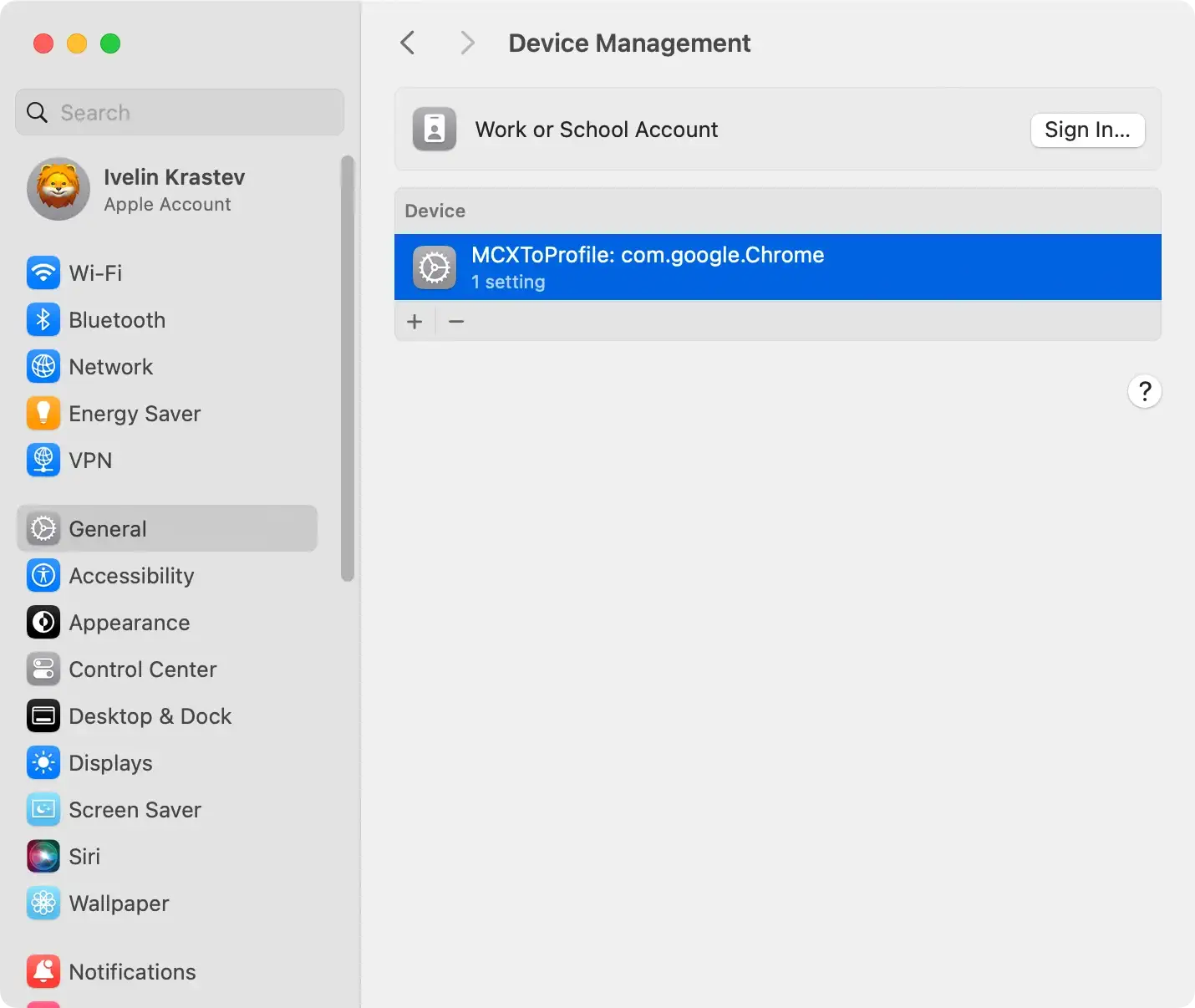
Access System Settings from the Apple menu, locate the Profiles section if available, and delete any suspicious profiles. This step helps eliminate configurations set by SectionChannelfld.
Delete SectionChannelfld apps and related files
Following the successful removal of suspicious profiles, eradicate any lingering malicious applications on your computer. Execute the following detailed steps:
Navigate to the Applications folder on your Mac, identify and delete any malicious apps like SectionChannelfld.
Explore additional folders, such as /Library/Application Support/ and /Library/LaunchAgents/ to remove files that are related to SectionChannelfld.

Remove SectionChannelfld from browsers
Simply uninstalling CleanParameterfld from the Applications folder might not suffice, as it could persist as a browser extension.
Take the following steps tailored for Safari, Google Chrome, or Mozilla Firefox:
- In Safari, go to
Preferences > Extensionsand uninstall any suspicious extensions. - In Google Chrome, access
chrome://extensionsand remove unwanted extensions that may relate to SectionChannelfld. - In Firefox, go to
Add-ons > Extensionsto delete suspicious add-ons.
Use SpyHunter to remove SectionChannelfld thoroughly
Consider using SpyHunter, a reliable anti-malware tool, for a complete and efficient removal process.
SpyHunter’s advanced features ensure comprehensive detection and elimination of SectionChannelfld, safeguarding your Mac effectively.

Download SpyHunter and follow the installation instructions. Run a scan to identify and eradicate SectionChannelfld.
SpyHunter’s user-friendly interface ensures a seamless experience, even for non-tech-savvy users.

If issues persist or need added assurance, seek professional help or contact your computer’s support service. They can provide specialized assistance in handling persistent threats like SectionChannelfld.
Future preventive measures
After removing SectionChannelfld from your Mac, you must implement protective measures to ensure it isn’t threatened by similar programs in the future.
These measures are based on the lessons learned from dealing with SectionChannelfld and aim to effectively reinforce your Mac’s security.
Essential Steps for Protecting Your Mac
Employing reliable anti-malware software is crucial for maintaining the security of your Mac device.
Such software, like SpyHunter, acts as a proactive shield against numerous threats, including adware, spyware, and other malicious programs that could compromise your system.
SpyHunter detects and removes existing threats and provides real-time protection to prevent future infections. Its user-friendly interface and robust features make it a valuable tool for safeguarding your device.
Download SpyHunter for free here and fortify your defenses today.
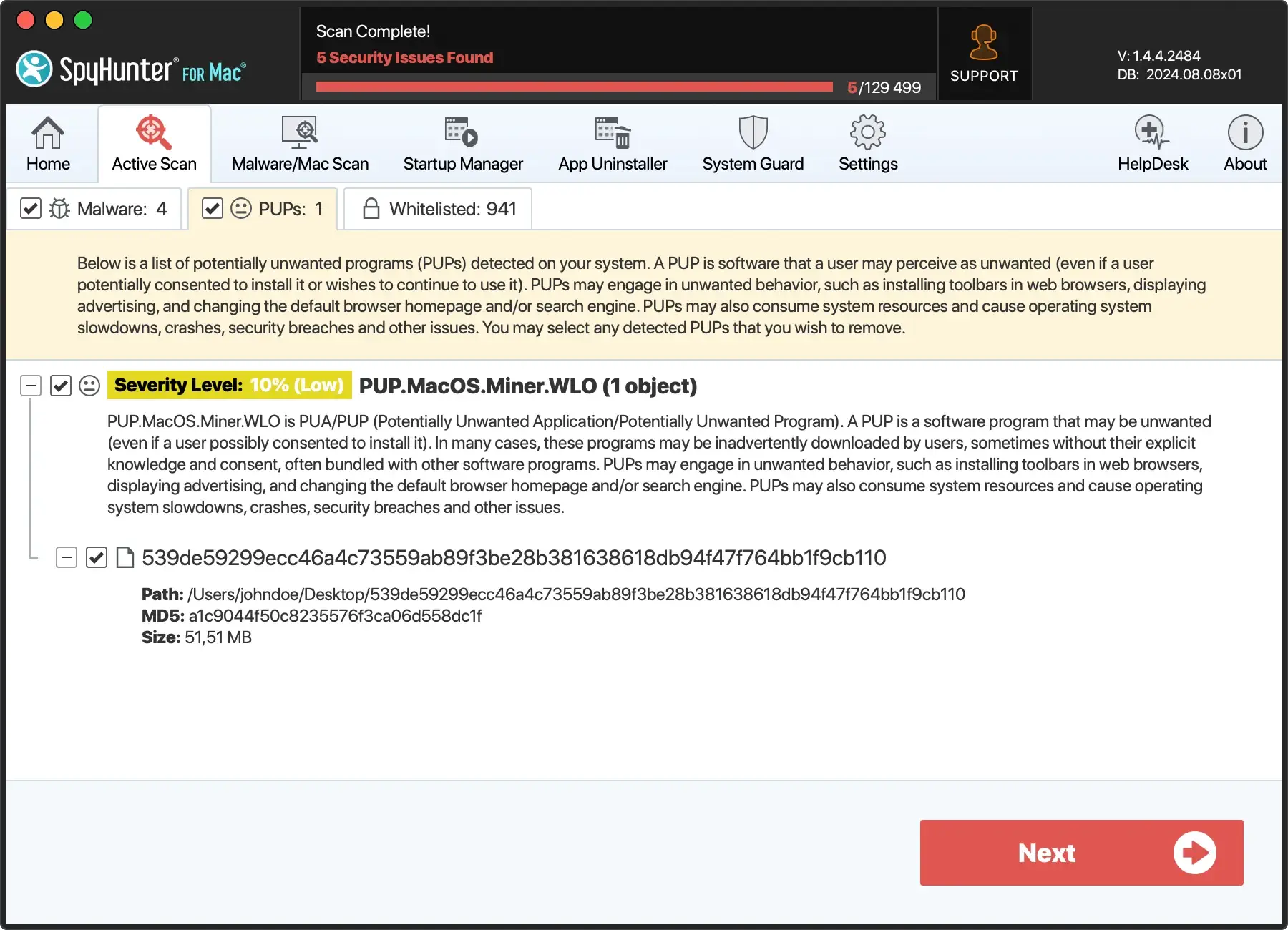
The threats that affect Apple devices
Knowing the various threats affecting Apple devices is paramount for safeguarding your system. Each threat type, from adware to more sophisticated risks like spyware, poses distinct challenges and potential risks to your device’s security and performance.
By gaining insights into these threats, users can take proactive measures to protect their Apple devices effectively.
- Adware: Adware is a common threat that slows down system performance on Apple devices. These unwanted programs display intrusive advertisements and can hinder the overall user experience.
- Spyware: Spyware poses a more invasive threat to Mac computers. It operates discreetly in the background, collecting sensitive information and compromising user privacy.
- Potentially Unwanted Programs (PUPs): PUPs are software that may seem harmless but can have undesirable effects. They often run silently, causing disruptions and potentially compromising the security of your device.
- Ransomware: Ransomware is malicious software that encrypts a user’s files, holding them hostage until a ransom is paid. While less common on Macs, the threat exists, and users should stay vigilant.
- Trojan Horses: Trojan Horses disguise themselves as legitimate software but contain hidden malicious functionalities. These threats can be hazardous as they may go undetected while harming the system. Recognizing and addressing these threats is crucial for maintaining a secure Apple ecosystem.
Download software with caution
When downloading software, stick to official and trusted sources as much as possible. Downloading software from obscure, unverified sources increases the risk of encountering adware like SectionChannelfld.
So, being prudent about where you download your software can make a significant difference in keeping your Mac safe.
Browse the web safely
Being cautious while browsing the web is a critical preventive measure against threats to your Mac.
Avoid clicking on suspicious ads or links, as these can often lead to malicious websites that host a variety of threats. Watch for classic signs of threats, such as unsolicited toolbar additions, constant ad pop-ups, and slow system performance.
Noticing such symptoms early can help you pinpoint and eliminate potential threats before they cause any harm to your Mac.
