

Should You Upgrade to macOS Sequoia (What You Need to Know)

Before we dive in
Before we dive in, let's make sure you stay safe online. We created SpyHunter because your security matters to us.
Protect your computer today — download SpyHunter right here! Check out our top tips below to keep your computer safe and secure.

As Apple rolls out macOS Sequoia, Mac users face the familiar question: “Should I upgrade to macOS Sequoia?”
Every new macOS release promises fresh features, enhanced performance, and better security, but upgrading also comes with a few challenges.
In this article, we’ll explore the new features of macOS Sequoia, explain why some users might want to upgrade and why others might want to hold off, and cover everything you need to know.
Key features of macOS Sequoia
MacOS Sequoia brings a host of exciting new features designed to improve user experience and enhance productivity. Here are some of the most impactful ones:
1. iPhone Mirroring
One of the most anticipated features in macOS Sequoia is iPhone Mirroring, which allows users to view their iPhone’s screen directly on their Mac.
Imagine being able to manage your iPhone’s preferences, apps, and files with your Mac’s larger screen and precise trackpad or mouse controls.
This feature bridges the gap between macOS and iOS, allowing Apple device users to work effortlessly across their devices.
This feature makes managing your Apple ecosystem more seamless, whether you’re adjusting system settings on your iPhone or transferring files between your Mac and iPhone.
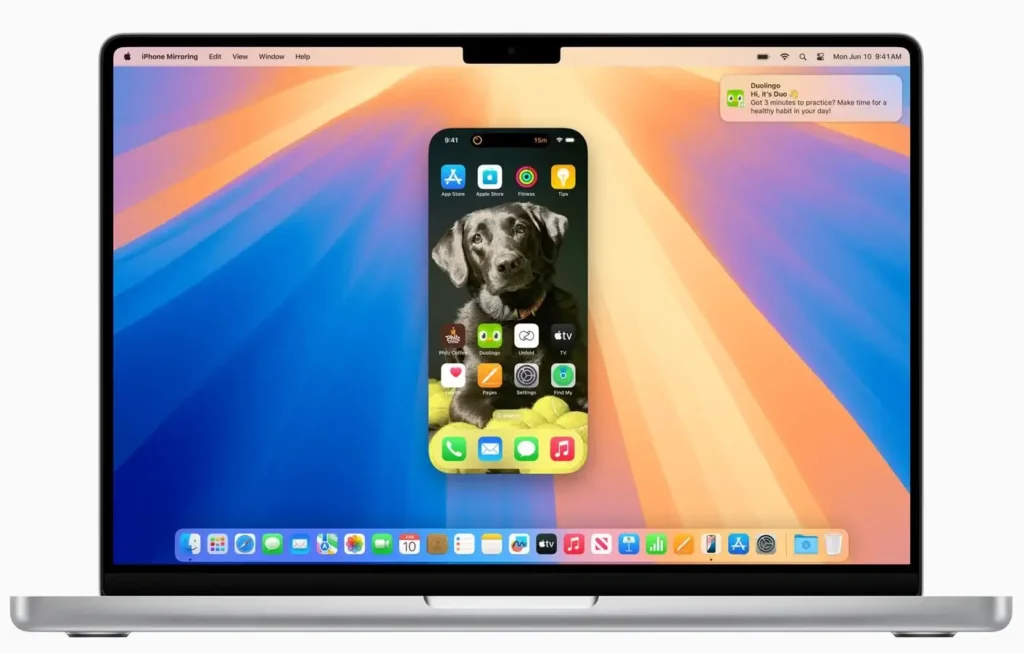
It is good to mention that in order to use this feature, you need to have Wi-Fi and Bluetooth turned on, and your iPhone must have iOS 18 installed.
2. The Passwords app
MacOS Sequoia introduces the Passwords application for users who want to consolidate their login credentials in a single, secure location.
This software provides a convenient alternative to third-party password managers, allowing users to store, organize, and even receive security alerts for their credentials.
Although it lacks some functionalities of advanced password managers (like storage for credit card details), it’s more than sufficient for everyday needs and syncs seamlessly across iOS and macOS devices.
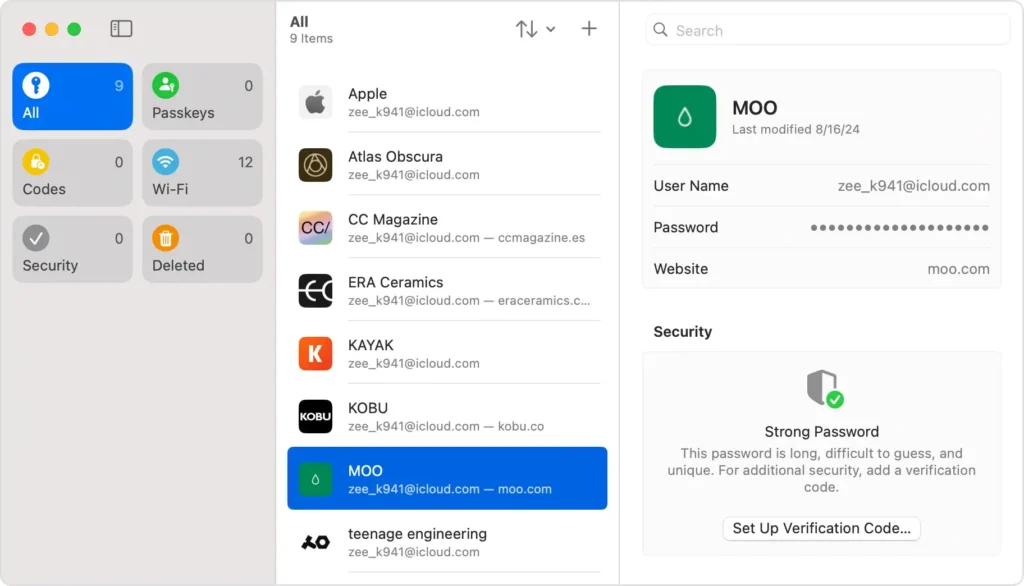
The Passwords application is tied to Safari, but extensions are available for other browsers, such as Google Chrome.
3. Audio transcription in the Notes app
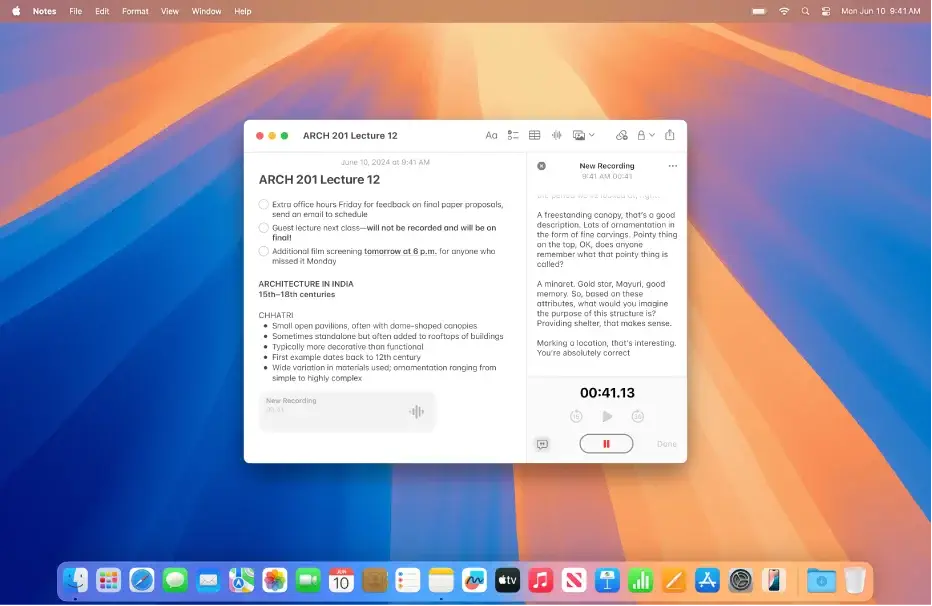
The Notes app gets a significant boost in functionality with built-in audio transcription, which is perfect for users who often attend meetings, classes, or events where note-taking is essential.
Now, you can record audio directly into Notes, and it will automatically transcribe the content into text. This tool eliminates the need for third-party transcription services and makes it easy to capture information on the go.
4. Customizable desktop layout
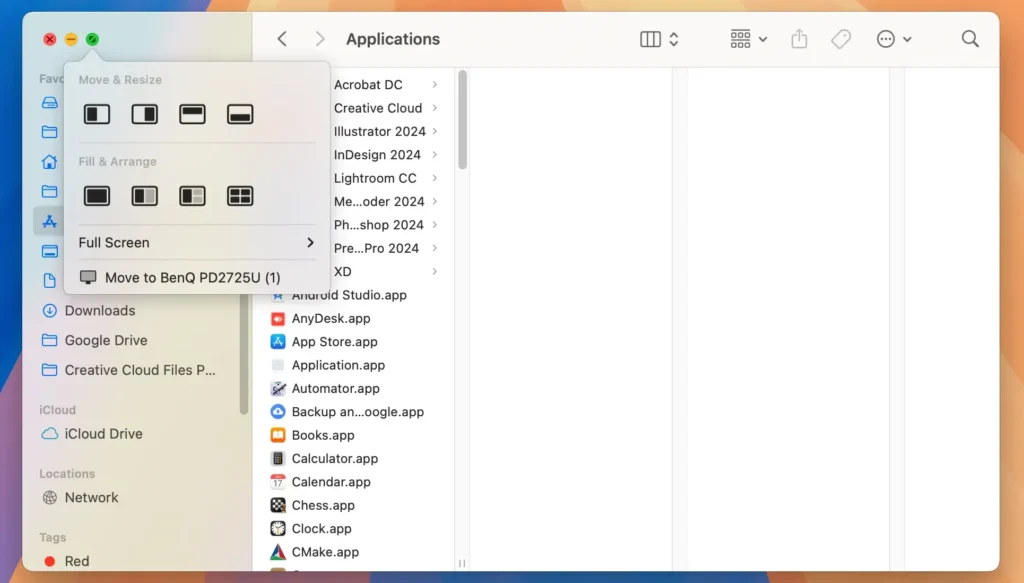
Building on macOS’s previous window management components, Sequoia introduces a window-tiling system that lets users tile up to four windows simultaneously.
This functionality improves multitasking and productivity, giving users greater control over their workspace—especially useful for those working with multiple windows simultaneously.
5. Apple Intelligence
MacOS Sequoia also introduces Apple Intelligence, a series of system settings and recommendations powered by machine learning.
Apple Intelligence helps you identify optimization opportunities, monitor resource use, and even suggest security improvements across the system.
This feature allows you to better manage your macOS experience without navigating complex settings or relying on third-party apps.
Should I upgrade to macOS Sequoia?
Upgrading to macOS Sequoia offers several advantages, particularly for users interested in enhanced security, productivity, and deeper integration with other Apple devices.
Below are some compelling reasons why you might choose to switch to this latest Sequoia version.
1. Access to the latest features
People upgrade to get their hands on the latest features, and macOS Sequoia delivers some exciting ones.
Whether you’re eager to try iPhone mirroring, the recent Passwords app, or simply want to explore the latest version of the operating system, upgrading can offer a fresh experience and improved integration across your devices.
2. Improved security measures
Apple has taken significant steps to ensure macOS security with Sequoia.
Enhanced security protocols, especially in the new Passwords app and Apple Intelligence’s protection insights, are valuable for users concerned about online safety and data privacy.
Keeping your system up-to-date is one of the simplest ways to protect your data against potential vulnerabilities in older versions.
3. Optimized for Apple Silicon
If you own a newer MacBook Air, MacBook Pro, or Mac Mini with Apple Silicon (like the M1 or M2 chip), you’ll likely notice that macOS Sequoia is optimized to run efficiently on these devices.
Sequoia’s performance enhancements better utilize Apple Silicon’s capabilities, resulting in faster speeds and more efficient resource management.
Reasons to hold off on the upgrade
While macOS Sequoia offers exciting features and improvements, updating immediately may not be ideal for every user.
Before making the switch, consider some potential drawbacks that could affect performance and compatibility on certain devices.
1. Compatibility issues
Whenever a new version of macOS is released, third-party software may lag in providing updates for full compatibility.
If you rely on specific software for work or personal projects, waiting until developers fix their apps for Sequoia can prevent disruptions.
2. Performance concerns
The demands of macOS Sequoia may be challenging for an older Mac computer, especially those already struggling to run previous versions.
If you run an Intel-based Mac, you may find the new version of macOS too resource-intensive, potentially reducing overall performance.
Final thoughts
For those within Apple’s ecosystem who own compatible Macs and wish to explore the latest functionalities, macOS Sequoia presents an exciting opportunity.
However, if your Mac is older or if you rely on a specific third-party app for work, consider waiting until Sequoia becomes more stable and widely supported.
Ultimately, only you can determine if the upgrade is worth it.
By evaluating your device’s compatibility, performance needs, and reliance on certain applications, you can make an informed decision that keeps your Mac working fine and optimized for the tasks you rely on every day.
