

How To Remove ElementaryDataSearch From Your Mac

Before we dive in
Before we dive in, let's make sure you stay safe online. We created SpyHunter because your security matters to us.
Protect your computer today — download SpyHunter right here! Check out our top tips below to keep your computer safe and secure.

ElementaryDataSearch is commonly classified as a browser hijacker and adware.
It is notorious for its intrusive behaviors and unwanted advertisements, which significantly disrupt internet browsing and pose various cybersecurity risks.
It’s crucial to promptly remove ElementaryDataSearch from your system to eliminate the negative impact of this browser hijacker.
What is ElementaryDataSearch?
ElementaryDataSearch falls under the category of adware due to its primary function of generating unwanted and intrusive ads.
This could be pop-ups, banners, coupons, or surveys, which commonly redirect users to suspicious websites upon clicking.
In addition, it is also termed a browser hijacker as it tends to forcibly change browser settings, including the default search engine or homepage, without user consent, causing unwanted browser redirects.
Methods of infiltration
ElementaryDataSearch often gains access to a user’s system without their notice. This is primarily achieved through deceptive software bundling, where the adware is hidden within other freeware or shareware installation setups.
Additionally, malicious sites or spam emails might serve as vehicles of this adware.
Once inside the system, it begins to flood the browser with numerous intrusive ads while altering browser settings, drastically hindering browsing performance.
Intrusive ad campaigns
ElementaryDataSearch conducts persistent ad campaigns where it displays numerous invasive advertisements.
These typically manifest as pop-up ads, banners, or hyperlinks, frequently leading to suspicious or potentially harmful websites.
Some ads may mimic system warnings or updates, luring users into downloading additional harmful software.
Data tracking and personal information exposure
Apart from disrupting browsing activities, ElementaryDataSearch is also known to track user data. It gathers browsing-related information such as recent searches, visited websites, IP addresses, and even personal data inputted on the affected browser.
This invades user privacy and bears the risk of personal information exposure as the collected data may be shared with unknown third parties.
How ElementaryDataSearch infects computers?
ElementaryDataSearch primarily infiltrates users’ systems through shady tactics such as bundling itself with regular software and false updates of Adobe Flash Player.
In addition, it may covertly install itself via meddling ads that users click on.
Distribution via deceptive Adobe Flash Player updates
ElementaryDataSearch can enter systems under the camouflage of an Adobe Flash Player update.
On various suspicious websites, users are barraged with warnings that state, “Adobe Flash Player is out of date,” blocking content on the page until the supposed update is executed.
Unfortunately, these fake updates are disguised as ElementaryDataSearch adware installers, tricking users into running the hijacker while believing they are updating their Flash Player.
Bundling with other regular software
Another prevalent method employed by ElementaryDataSearch is software bundling.
This adware often hides within the installation setup of third-party software, sneaking itself into systems alongside reputable freeware or shareware.
Users not paying sufficient attention during these installations might inadvertently agree to install adware, Potentially Unwanted Programs (PUPs), and the intended application.
Stealth installation through ads
Invasive advertising is another tactic commonly adopted by ElementaryDataSearch. Users may be lured into clicking on these intrusive ads, triggering the stealth installation of the adware.
Such ads often masquerade as authentic notifications, system warnings, or software updates, disguising their malicious intent to trick and infect unsuspecting users.
How to remove ElementaryDataSearch?
To remove ElementaryDataSearch from your computer, you must perform several steps, from identifying and eliminating the malicious app and related files to running an antivirus scan on your Mac.
Properly executing this process can help remove the current threat and prevent future infections.
Remove suspicious apps
The first step involves pinpointing and removing the malicious app from the Applications folder. Sometimes, redirect or adware programs offer uninstall options that can be used to remove them.
We’ll explore how to uninstall apps manually or opt for a more convenient automated method.
Note: These guidelines apply to any Mac device, including MacBook Air, Mac mini, MacBook Pro, and iMac.
Remove ElementaryDataSearch via Finder:
- Open
Finderand go to theApplicationsfolder. - Review the list of installed applications and look for ElementaryDataSearch. If you cannot find it, determine any unwanted or questionable application.
- Right-click on the app you want to remove and select
Move to Trash/Binor drag it into the Trash bin. - Empty the Trash.

Uninstall with a trusted App Uninstaller:
For a more comprehensive approach to app removal, consider using SpyHunter. It is a powerful anti-malware program that includes a high-tech app uninstaller.
Follow these steps:
- Download SpyHunter for free here and follow the installation instructions.
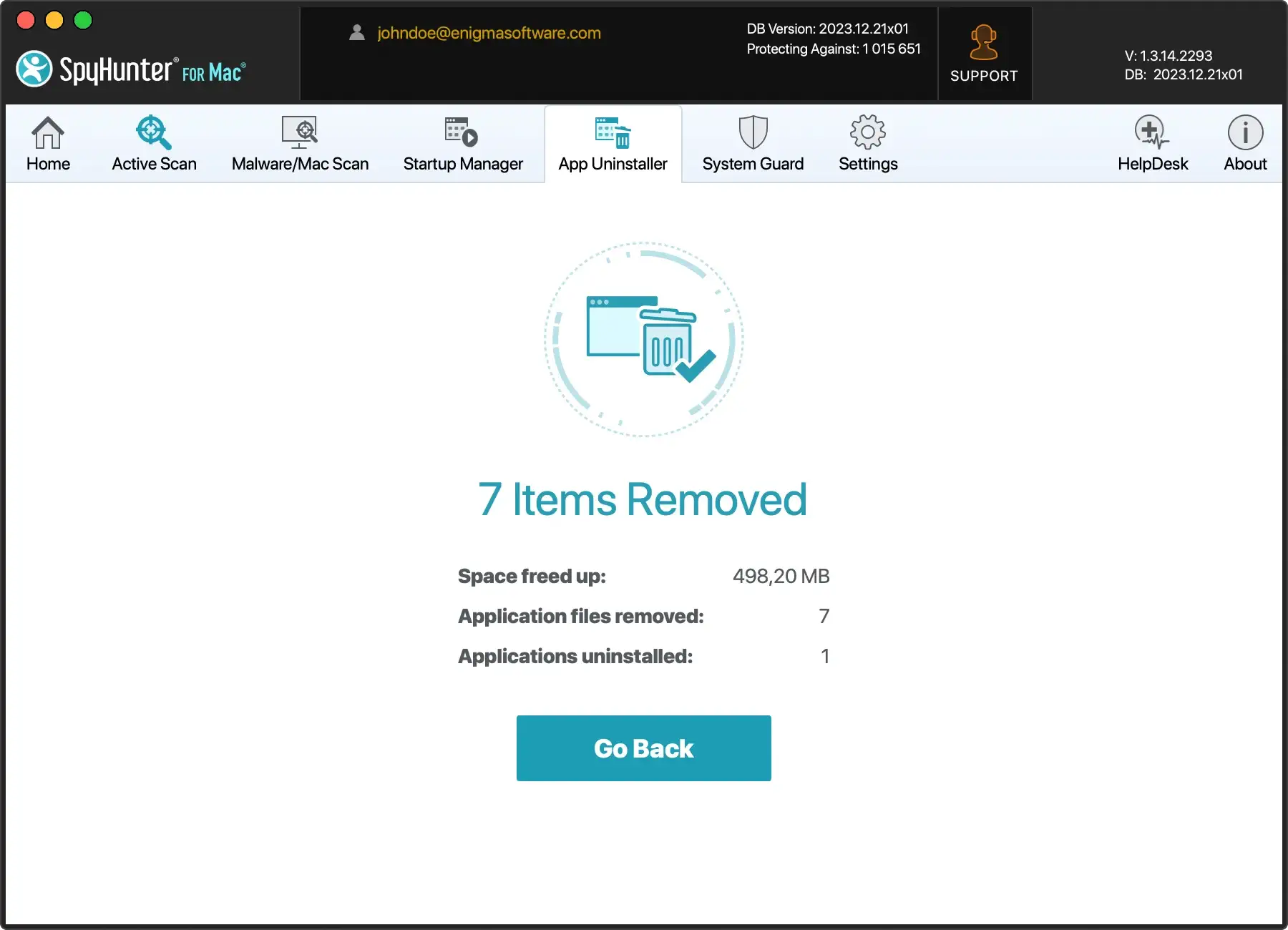
- Click on the App Uninstaller tab to start an automatic application scan.
- Select the applications you want to remove and instruct SpyHunter to delete them.
Eliminate adware-related files and folders
To thoroughly remove ElementaryDataSearch-related files from your system, follow these steps:
- Utilize the
Gofunction inFinderto navigate to specific file paths associated with the adware. - Search for malicious files with names like:
com.AdditionalChannelSearchDaemoncom.ElementaryDataSearchcom.ElementaryDataSearch.plistinstallmac.AppRemoval.plist
Once you’ve identified these files, move them to the Trash. This process effectively purges your system of ElementaryDataSearch and its associated threats.
Remove malicious extensions from browsers
After dealing with the main app and associated files, it is essential to remove malicious extensions from your internet browsers, as they can be responsible for unwanted ads and redirects.
Investigate all installed extensions across your browsers, removing any installed without your knowledge or that appear suspicious.
Run an antivirus scan to remove ElementaryDataSearch
Running a comprehensive antivirus scan is crucial to remove ElementaryDataSearch from your system entirely.
An updated antivirus tool, such as SpyHunter, provides an effective shield against various cyber threats, including adware and browser hijackers.
To further enhance your computer’s security, download SpyHunter by following these simple instructions:

- Download SpyHunter from here and follow the installation prompts.
- After installation, SpyHunter will perform an automatic system scan to detect and remove ElementaryDataSearch and any other potential threats.

By incorporating SpyHunter into your cybersecurity arsenal, you safeguard your system against threats and establish proactive protection against future intrusions.
Don’t forget to regularly update SpyHunter’s virus definitions to stay ahead of evolving cybersecurity challenges.
How to avoid the installation of ElementaryDataSearch?
Preventing the infiltration of potentially unwanted applications like ElementaryDataSearch involves vigilant internet usage, which includes careful online behaviors and maintaining up-to-date security measures.
Users must pay close attention during the downloading and installation, be wary of untrustworthy sources and pushy ads, and keep software and security applications updated.
Research before installing apps
Before proceeding with any download or installation, conducting thorough research on the product and the source is recommended.
This helps identify if the software is genuine and if the distributor is trustworthy, thereby reducing the risk of downloading software bundled with unwanted applications.
Use official and verified download channels
When downloading software, it is crucial to use only official and verified channels. Unauthorized file-sharing platforms could provide software bundled with hidden malware or adware.
Using official sites or verified media helps ensure the downloaded software is legit and free from unwanted add-ons.
Use an updated antivirus software
Having reliable antivirus software safeguards your system against unwanted threats like ElementaryDataSearch. Antivirus programs are pivotal in detecting, preventing, and removing malicious software before it can infiltrate your device.
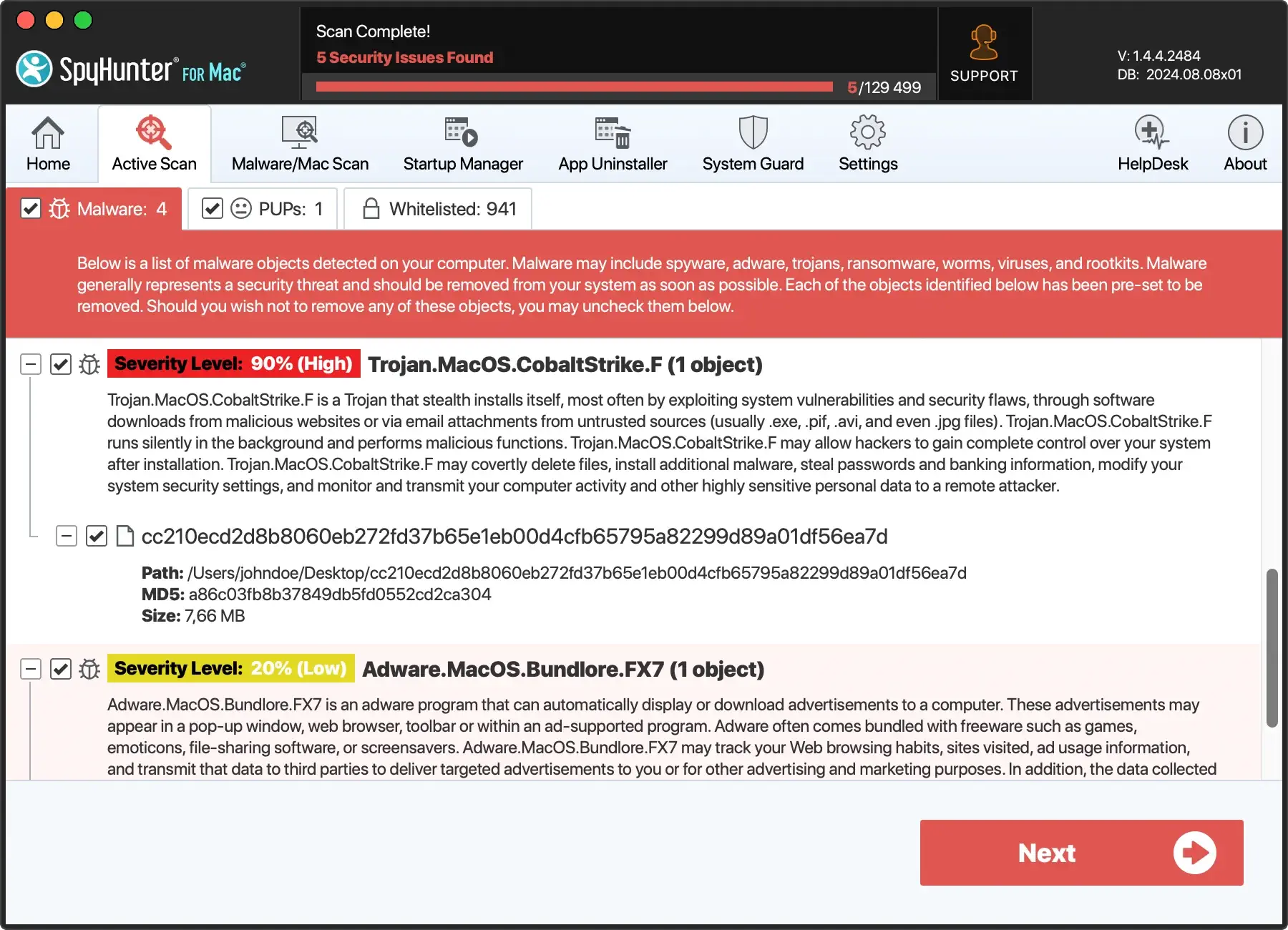
SpyHunter, a reputable antivirus solution, offers robust protection against various threats, including browser hijackers like ElementaryDataSearch.
With features like real-time scanning, automatic updates, and a user-friendly interface, SpyHunter provides a proactive defense mechanism to ensure the security of your system.
Download SpyHunter and fortify your device against potential threats.
Pay attention to terms during software installation
It is essential to pay close attention to the installation terms and options during the installation process. Often, users rush the process and stick with default settings, inadvertently allowing bundled add-ons to be installed.
Instead, users should opt for custom or advanced installation processes, which enable them to see and deselect pre-selected applications and prevent unwanted bundles.
Avoiding untrusted sources and intrusive ads
Stay clear of untrusted sources and invasive ads. Pop-ups or notifications from suspicious sources often carry a hidden threat of adware or malware.
Clicking on these can trigger unwanted downloads. A general rule is to avoid interacting with intrusive or suspicious-looking ads and notifications.
Additionally, keeping all software and security applications updated helps protect against cyber threats that exploit weaknesses in outdated software.
