

How To Remove Centinol From Mac (Complete Guide)

Before we dive in
Before we dive in, let's make sure you stay safe online. We created SpyHunter because your security matters to us.
Protect your computer today — download SpyHunter right here! Check out our top tips below to keep your computer safe and secure.

If your Mac has started behaving strangely, displaying more ads while browsing, or using up its battery a lot faster than usual, you may be dealing with the Centinol potentially unwanted application.
This article will show you the steps you can take to remove Centinol and provide information on how the infection can happen in the first place.
What is Centinol on Mac?
Potentially unwanted applications (PUAs) are software programs that operate in the background without explicit consent, often causing annoyance and harm.
Centinol is a PUA targeting Mac systems, behaving like adware by displaying unwanted advertisements and tracking user activities. Centinol degrades the user experience and poses security risks if not removed. Potentially unwanted applications (PUAs) are software programs that operate in the background without explicit consent, often causing annoyance and harm.
Centinol is a type of PUA specifically targeting Mac systems. Like many adware programs, Centinol integrates itself into the system and browser, displaying unwanted advertisements and tracking user activities.

While not as overtly harmful as extreme forms of malware such as ransomware, Centinol degrades user experience and can lead to more serious security risks if not removed.
Infection vectors for PUAs like Centinol
Unwanted apps like Centinol typically infiltrate Mac systems through the following means:
- Software Bundling: PUAs are bundled with legitimate software downloads. Users should pay attention to installation prompts and opt for custom installation to deselect unwanted programs.
- Unsafe Download Locations: Downloading from unofficial or dubious websites increases the risk of PUAs. Stick to official websites and app stores to minimize risk.
- Rogue Websites and Pop-Ups: Visiting malicious websites or clicking deceptive pop-ups can trigger automatic PUA downloads. Use reliable ad-blockers and avoid suspicious links.
Signs of Centinol infection
Detecting a Centinol infection on your Mac can be straightforward if you know what to look for:
- Unusual Browser Behavior: Changes in default search engines or homepages, new toolbars, and extensions can indicate Centinol’s presence.
- Frequent Pop-Ups: An influx of intrusive pop-up ads, even when not actively browsing, is a common symptom.
- Reduced System Performance: Significant CPU usage causing system sluggishness may indicate a PUA consuming resources.
- Privacy Concerns: An increase in targeted ads or compromised personal information may be due to Centinol tracking your online behavior.
Remove Centinol from your Mac
Manually removing adware like Centinol can be frustrating, but the process can be much easier when following the right steps.
Step 1: Delete configuration profiles created by Centinol
- Open
System Settingsand selectProfiles. - Look for any unusual profiles or ones that contain Centinol in their name.
- Delete any profiles related to Centinol by clicking the minus (-) button.
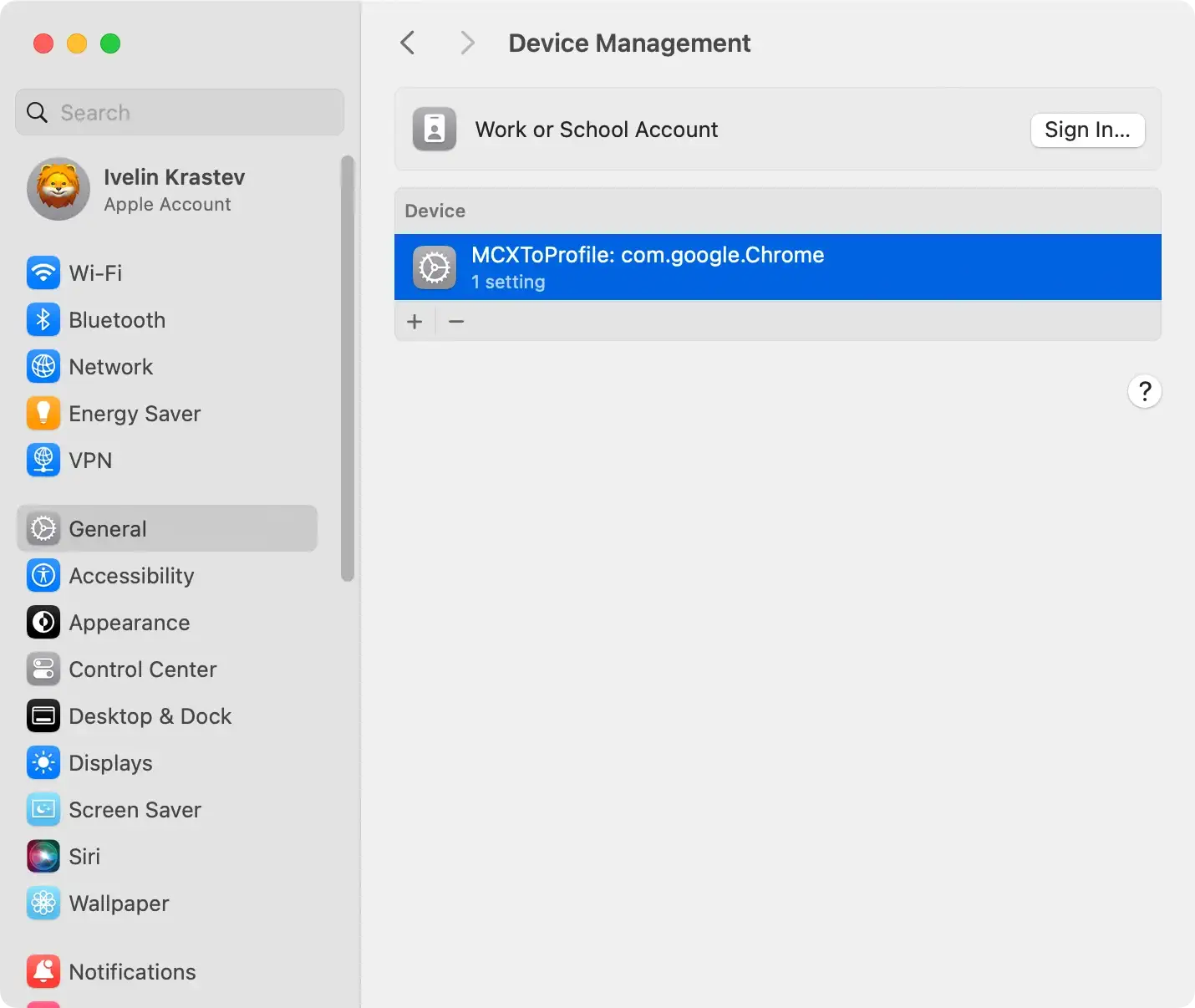
Removing these profiles is important as they are often the tool that allows an unwanted app to persist and resist cleanup attempts.
Step 2: Uninstall applications linked to Centinol
- Go to
Finderand open theApplicationsfolder. - Look through the list of apps for any that seem suspicious or have Centinol in their name.
- Drag these unwanted applications to the
Trashand then empty it.

This step helps will remove the main Centinol application, but there are a couple of extra things that need cleaning.
Step 3: Removing Centinol related files
Unwanted apps like Centinol can create multiple files in different system locations. Use the Go to Folder function in Finder and check the following paths for any suspicious files:
/Library/LaunchAgents//Library/Application Support//Library/LaunchDaemons/~/Library/LaunchAgents/~/Library/Application Support/
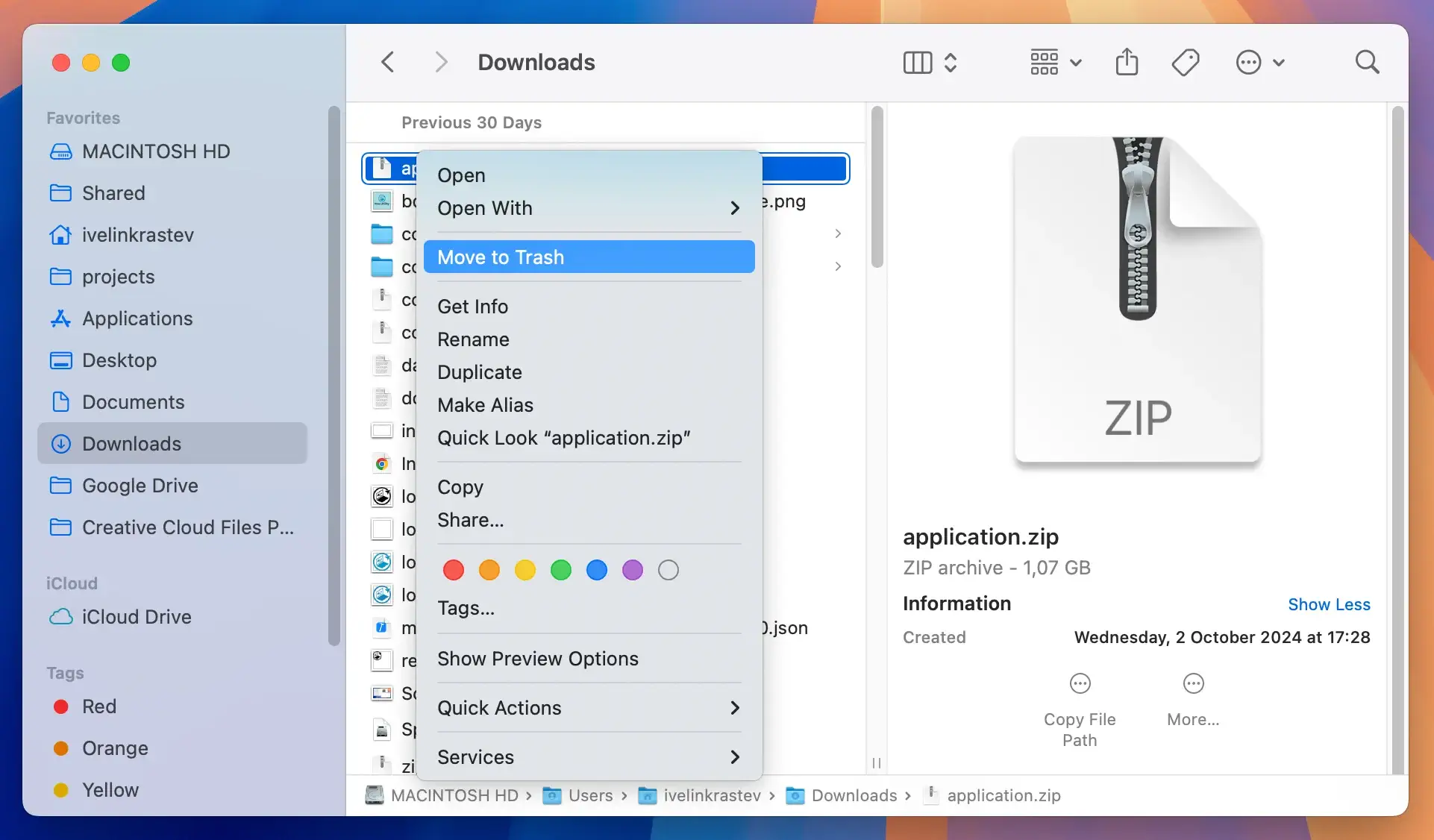
If you find files associated with Centinol, for example, files like com.centinol.plist, move them to the Trash and then empty it. Fully deleting these files is important for completely removing Centinol from your Mac.
Step 4: Clean all browsers from Centinol extensions
Potentially unwanted apps often tamper with your browser settings. Removing these components is essential for a clean browsing experience.
Remove Centinol from Safari
Start Safari and go to the Preferences menu. Click the Extensions tab and uninstall any unknown extensions.
Eliminate Centinol from Google Chrome
Open Chrome and access Settings via the three dots menu. Go to the Extensions page and delete any suspicious extensions.
Delete Centinol from Firefox
Launch Firefox and click the three-bars menu button. Select Add-ons and then Extensions in the new window. Remove any unfamiliar extensions.
Step 5: Completely remove Centinol with SpyHunter
SpyHunter is an effective anti-malware application that can detect and remove a wide range of malicious software, including unwanted apps like Centinol.
- Download SpyHunter and perform the instructions on your screen to install the software on your Mac.
- Launch SpyHunter and choose the option to perform a full system scan. The software will conduct a full scan of your Mac for Centinol and other potential threats.

- After the scan, SpyHunter will present a list of detected malware. Identify any entries connected to Centinol.
- Select the malicious files detected by SpyHunter and proceed with the removal process.

SpyHunter can help with similar potentially unwanted applications, cleaning them thoroughly from your Mac and ensuring your system remains protected in the future.
In Closing
Potentially unwanted apps can cause significant disruptions on your Mac. Removing them thoroughly ensures an elevated level of privacy and safety. You can minimize the risk of similar unwanted software landing on your Mac by following a few guidelines when browsing.
Remember to only download your software from reliable and trusted websites, including legitimate developer websites and the official app store.
Avoid interacting with suspicious websites and clicking any unexpected pop-ups. While XProtect is a great anti-malware solution integrated in your macOS, you can also rely on an additional layer of protection in the form of an anti-malware application.
